
Коротко. CDN — сеть серверов-посредников в разных городах и странах. Они держат копии файлов сайта и отдают их посетителю с ближайшего узла, не обращаясь к вашему серверу. Путь запроса становится короче, а нагрузка на хостинг падает. CDN ускоряет статику: картинки, стили, скрипты, шрифты, видео. Медленный код и тяжёлые запросы к базе она не лечит.
Вокруг CDN много маркетинга и мало конкретики: «ускорьте сайт в разы», «глобальная сеть узлов». Ниже — без обещаний: как устроена доставка на самом деле, какие ресурсы реально ускоряются, а какие нет, где физически стоят узлы и как за пять минут проверить, работает ли ваш сайт через CDN уже сейчас.
Что такое CDN простыми словами
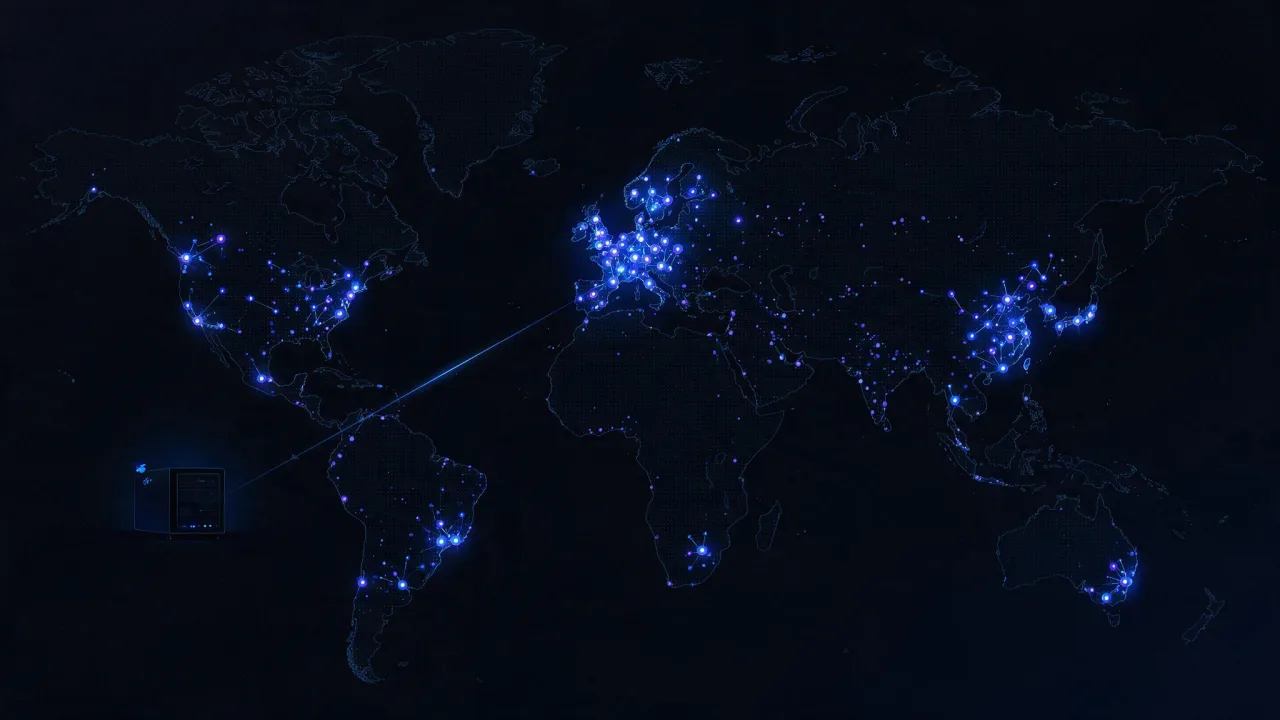
CDN (Content Delivery Network, сеть доставки контента) — это распределённый кэш между посетителем и вашим сервером. Вместо того чтобы каждый запрос за логотипом, стилями или видео летел через полстраны на ваш хостинг, он попадает на ближайший узел сети, где копия файла уже лежит наготове.
Сразу разведём три слова, которые чаще всего путают.
- Origin (исходный сервер) — ваш реальный сайт: хостинг, VPS, облако. Здесь живёт код, база данных и оригиналы файлов.
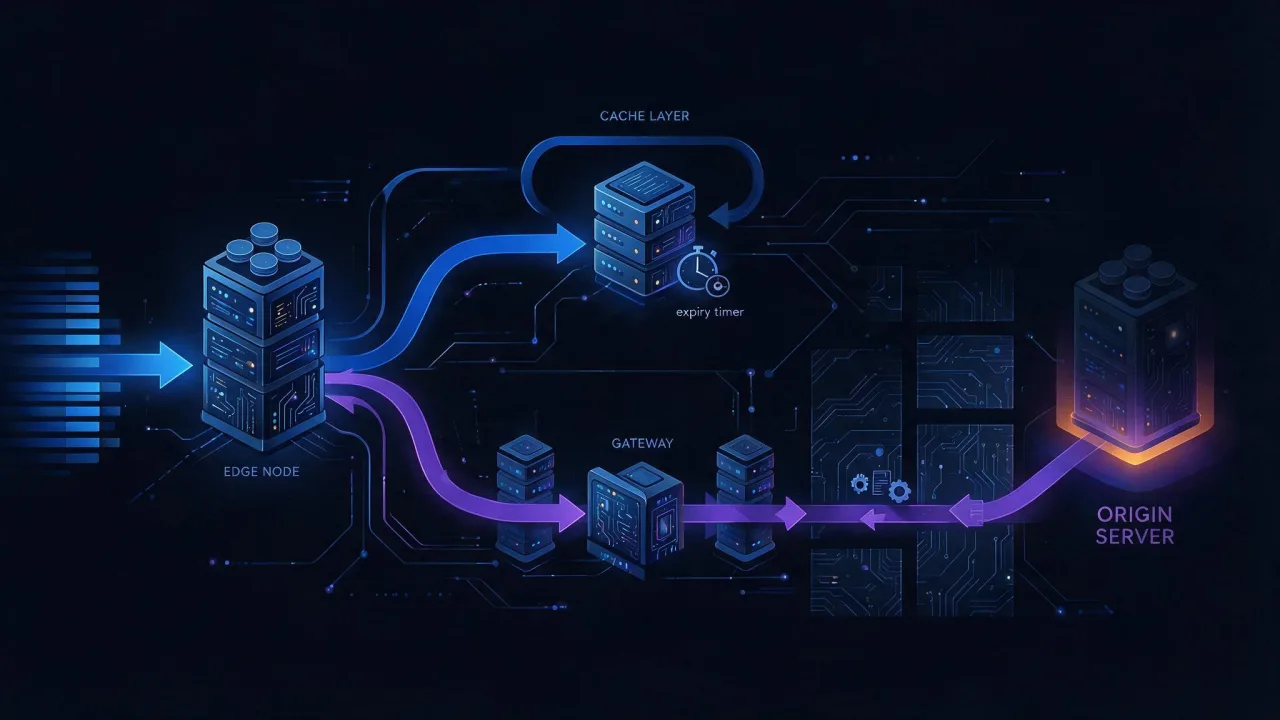
- Edge-узел, он же пограничный узел или PoP (Point of Presence) — сервер CDN в конкретном городе. Он принимает запрос посетителя и либо отдаёт копию из кэша, либо идёт за ней на origin.
- CDN — вся сеть таких узлов вместе с маршрутизацией и правилами кэширования.
Запрос «что такое CDN-сервер» технически неточен: сервер CDN не существует в единственном числе. Весь смысл сети — во множестве точек присутствия. Один кэширующий посредник рядом с origin — это обратный прокси (nginx, Varnish), а не CDN. Разница не в софте, а в географии: CDN продаёт вам присутствие в чужих городах, куда вы не станете ставить свои серверы.
Формулировка «CDN-сервис» ближе к правде: вы покупаете не железо, а услугу доставки. Вы не управляете узлами, не выбираете, на каком диске лежит копия, и не знаете, сколько машин обслуживают ваш трафик в конкретной точке.
CDN не заменяет хостинг. Origin остаётся обязательным: именно он генерирует HTML, обрабатывает формы и хранит оригиналы. Если origin лежит, CDN какое-то время отдаёт кэш и затем начинает возвращать ошибки.
Как работает CDN: origin, edge-узел, кэш и TTL
Механика умещается в четыре шага. Разберём их на примере файла /assets/app.css.
Шаг 1. Запрос попадает на ближайший узел
Браузер резолвит домен и получает адрес не вашего сервера, а узла CDN. Как именно происходит выбор ближайшего узла — зависит от провайдера. Два основных подхода:
- DNS-маршрутизация. DNS-сервер CDN отвечает разными адресами в зависимости от того, откуда пришёл запрос резолвера. Метод простой, но опирается на местоположение резолвера, а не пользователя: корпоративный DNS в другом городе уводит посетителя не на тот узел.
- Anycast. Один и тот же IP-адрес анонсируется по BGP из десятков точек, и маршрутизация сама приводит пакет в топологически ближайшую. Подробнее — в разборе как работает Anycast.
Шаг 2. Узел проверяет кэш: HIT или MISS
Узел смотрит, есть ли у него свежая копия. Ключ кэша обычно складывается из схемы, домена, пути и части параметров запроса. Два исхода:
- HIT — копия есть и не протухла. Файл уходит посетителю сразу, origin ничего не узнаёт об этом запросе.
- MISS — копии нет или срок истёк. Узел идёт на origin, забирает файл, отдаёт посетителю и оставляет копию себе.
Шаг 3. Origin диктует правила через заголовки
Сколько хранить копию, решает не CDN, а ваш сервер — заголовком Cache-Control. Это ключевой момент: настройка CDN в основном сводится к правильным заголовкам на origin. Основные директивы:
| Директива | Что делает | Где применять |
|---|---|---|
public | Разрешает хранить ответ общим кэшам, включая CDN | Статика, доступная всем |
max-age=N | Срок жизни в секундах для всех кэшей, включая браузер | Базовое значение TTL |
s-maxage=N | Срок жизни только для общих кэшей; перебивает max-age | Держать в CDN дольше, чем в браузере |
no-cache | Хранить можно, но перед выдачей нужно сверить с origin | HTML, который меняется |
no-store | Не хранить вообще нигде | Личные кабинеты, платёжные страницы |
private | Только браузер, общим кэшам нельзя | Персонализированные ответы |
immutable | Файл не изменится, перепроверять не нужно | Файлы с хешем в имени |
stale-while-revalidate=N | Отдать устаревшую копию и обновить её фоном | Сглаживание нагрузки на origin |
Директивы immutable и stale-while-revalidate описаны в отдельных RFC (RFC 8246 и RFC 5861), базовая модель кэширования — в RFC 9111. Поддержка директив у провайдеров различается, а панель CDN обычно умеет перекрывать заголовки origin своими правилами. Практический разбор директив — в материале про заголовки Cache-Control.
Шаг 4. TTL истекает, копия обновляется
TTL (time to live) — срок, после которого копия считается устаревшей. По истечении срока узел не выбрасывает файл, а идёт на origin с условным запросом (If-None-Match с ETag или If-Modified-Since). Если origin отвечает 304 Not Modified, копия продлевается без передачи тела — экономится трафик и на вашей стороне.
Отдельная тема — инвалидация: принудительный сброс копии до истечения TTL. Нужна, когда файл изменился, а TTL длинный. Способы, в порядке роста удобства:
- Purge по URL — сброс одного адреса. Точечно, но неудобно при массовых обновлениях.
- Purge по префиксу или маске — например, вся папка
/assets/. Поддерживается не всеми провайдерами. - Инвалидация по тегам (cache tags, surrogate keys) — origin помечает ответы тегами, а сброс идёт по тегу: «все страницы категории». Самый гибкий способ, но есть не везде.
- Версионирование имён —
app.7f3c1e.cssвместоapp.css. Сброс не нужен вообще: новая сборка выпускает новое имя, старое просто перестаёт запрашиваться.
Версионирование имён надёжнее любого purge. Сброс кэша распространяется по узлам не мгновенно и не всегда полностью, а новое имя файла работает детерминированно: браузеры и промежуточные кэши физически не могут отдать старое содержимое по новому адресу.
Подробнее про сценарии сброса — в отдельном материале про инвалидацию кэша CDN.
Что CDN ускоряет, а что не ускоряет
Это главный раздел статьи и главный источник разочарований. CDN сокращает расстояние и снимает нагрузку. Всё, что не упирается ни в то, ни в другое, останется прежним.
| Что отдаём | Ускорит ли CDN | Почему |
|---|---|---|
| Картинки, шрифты, CSS, JS | Да, заметно | Одинаковы для всех, кэшируются надолго, занимают основную массу байтов страницы |
| Видео и крупные файлы | Да | Отдаются с ближайшего узла, канал origin не забивается |
| Статический HTML (лендинг, блог) | Да, при верных заголовках | Страница одинакова для всех и кэшируется целиком |
| HTML с персонализацией (корзина, кабинет) | Нет | Ответ уникален для пользователя, общий кэш его переиспользовать не может |
| Ответы API с авторизацией | Нет | Как правило, помечены как непригодные для общего кэша |
| Медленный запрос к базе | Нет | Время выполнения на origin не меняется от расстояния |
| Тяжёлый рендеринг на сервере | Нет | CDN не исполняет ваш код, а ждёт ответ |
| Тяжёлый JavaScript в браузере | Нет | Скрипт приедет быстрее, но выполняться будет столько же |
Механика простая. Ответы с Set-Cookie, с заголовком Authorization в запросе, а также всё, кроме GET и HEAD, общие кэши по умолчанию не переиспользуют. Это не ограничение конкретного провайдера, а базовое правило безопасности: иначе один посетитель получил бы страницу другого.
Неприятный случай: CDN замедляет
Для некэшируемого ответа путь становится длиннее, а не короче. Считаем честно:
- Прямо на origin: посетитель → origin → ответ.
- Через CDN при промахе: посетитель → edge → origin → edge → ответ.
Если посетитель и origin в одном городе, а edge-узел выбран неудачно, вы добавили лишний перегон без всякой выгоды. На практике потери маскируются тем, что соединение edge → origin обычно держится открытым и идёт по хорошим магистралям, но чуда не происходит: TTFB некэшируемого HTML через CDN почти всегда хуже, чем напрямую.
Если сайт медленный из-за бэкенда, CDN этого не скроет. Сначала измерьте, что именно тормозит: время ответа сервера или загрузка ресурсов. Разбор причин — в чеклисте почему сайт долго загружается.
Смежные вещи, которые часто приписывают CDN, но которые к доставке отношения не имеют: сжатие (gzip и brotli), современные протоколы (HTTP/2 и HTTP/3), оптимизация изображений. Многие CDN действительно включают это на своей стороне, и часть выигрыша идёт именно оттуда, а не от географии. Тот же результат достижим и на своём nginx.
Где находятся узлы CDN и почему это влияет на задержку
Узлы стоят в дата-центрах и на точках обмена трафиком (IX) в крупных городах. Провайдер публикует список локаций, но конкретный адрес и состав железа — его коммерческая тайна. Для вас важна не карта с точками, а один вопрос: есть ли узел рядом с вашей аудиторией.
Причина — физика. Сигнал в оптоволокне идёт примерно на треть медленнее света в вакууме, около 200 000 км/с. Это даёт порядка 5 мс на 1000 км в одну сторону и вдвое больше на путь туда-обратно (RTT). Тысяча километров — это минимум 10 мс на круг, и никакая оптимизация кода это не отменит.
Дальше задержка умножается. Установка соединения — это не один круг:
- TCP-рукопожатие — 1 RTT;
- TLS 1.3 — ещё 1 RTT (TLS 1.2 — два);
- первый байт ответа — ещё 1 RTT.
Три круга по 10 мс — это уже 30 мс до первого байта только на дорогу, при мгновенном сервере. Перенос отдачи на узел в 100 км от посетителя срезает эту составляющую почти целиком. Именно поэтому эффект от CDN тем заметнее, чем дальше аудитория от origin, и тем скромнее, чем ближе.
Для аудитории в одном городе с сервером выигрыш от CDN по задержке близок к нулю. Смысл подключения в этом случае — снятие нагрузки, устойчивость к всплескам трафика и защита канала, а не скорость.
Отдельный вопрос — доступность конкретных сетей для вашей аудитории. Присутствие узлов в нужном регионе, качество стыков с местными провайдерами и работоспособность сети для российских пользователей стоит проверять на практике, а не по карте на сайте провайдера: сеть с сотнями точек по миру может отдавать вашим посетителям хуже, чем небольшая сеть с узлами внутри страны. Частный случай разобран в материале про работу Cloudflare в России. Среди российских провайдеров CDN с узлами внутри страны предлагает, например, Selectel — это пример, а не рекомендация: проверять всё равно нужно на своей аудитории.
Как проверить, что сайт работает через CDN
Три независимых способа. Ни один сам по себе не даёт гарантии — сходятся показания, значит CDN есть.
Способ 1. Заголовки ответа
Самый быстрый признак. Смотрим, что отдаёт сервер:
# все заголовки ответа
curl -sSI https://example.com/

# только интересные, для файла статики
curl -sSI https://example.com/assets/app.css \
  | grep -iE 'server|via|age|cache-control|x-cache|cf-ray|x-served-by|cdn-loop'
Что искать:
| Заголовок | О чём говорит | Стандартизован |
|---|---|---|
Age | Сколько секунд ответ пролежал в общем кэше. Наличие — сильный признак посредника | Да, RFC 9111 |
Via | Прокси на пути запроса; часто содержит имя продукта | Да, RFC 9110 |
CDN-Loop | Защита от зацикливания между сетями; ставит только CDN | Да, RFC 8586 |
X-Cache | Обычно HIT или MISS — попал ли запрос в кэш | Нет, соглашение |
CF-Ray, X-Served-By, X-Amz-Cf-Id | Идентификаторы конкретных сетей, часто с кодом города | Нет, вендорские |
Server | Иногда прямо называет продукт, но легко подменяется | Да, RFC 9110 |
Практический приём: запросите один и тот же файл дважды подряд. Первый ответ может прийти с X-Cache: MISS и Age: 0, второй — с HIT и растущим Age. Это прямое доказательство, что копию отдаёт кэш, а не origin. Посмотреть все заголовки в удобном виде можно через проверку HTTP-заголовков, а угадать продукт по совокупности признаков — через определение технологий сайта.
Отсутствие вендорских заголовков не доказывает отсутствие CDN. Многие сети позволяют вычищать служебные заголовки, и часть владельцев так и делает — чтобы не раскрывать инфраструктуру. Опирайтесь наAge,ViaиCDN-Loop: их убирают реже, аAgeпри работающем кэше должен расти.
Способ 2. A-запись и владелец адреса
Второй признак — куда указывает домен. Смотрим DNS:
# адреса, которые отдаёт домен
dig +short example.com A
dig +short example.com AAAA

# есть ли CNAME на сеть доставки
dig +short www.example.com CNAME

# кто владеет адресом
whois 203.0.113.10 | grep -iE 'netname|orgname|org-name|descr|origin'
О чём говорят результаты:
- CNAME на чужой домен вида
example.com.cdn-provider.net— почти всегда подключённая сеть доставки. - Несколько адресов в ответе или разные адреса при запросе из разных стран — признак распределённой инфраструктуры.
- Владелец адреса не совпадает с вашим хостером — трафик идёт через посредника.
Ключевая деталь для апекса домена (без www): по стандарту DNS CNAME не может соседствовать с другими записями, а на апексе обязательно есть SOA и NS. Поэтому провайдеры подключают апекс либо через нестандартные ALIAS/ANAME, либо просто выдают A-записи узлов. Как устроены типы записей — в справочнике по DNS-записям. Быстро посмотреть текущие значения удобно через DNS-проверку, а увидеть ответы из разных точек — через проверку распространения DNS.
Способ 3. Задержка и адрес из разных точек
Третий признак — поведение. Если сайт отвечает быстро и примерно одинаково из далёких друг от друга регионов, а адрес при этом меняется, перед вами распределённая сеть. Померить время по этапам поможет curl:
curl -o /dev/null -sS -w \
 'dns=%{time_namelookup} connect=%{time_connect} tls=%{time_appconnect} ttfb=%{time_starttransfer} total=%{time_total} ip=%{remote_ip}\n' \
 https://example.com/
Здесь ttfb минус tls — это время «раздумий» сервера, а connect минус dns — чистая сетевая задержка до узла. Если сетевая часть мала, а раздумья велики, узкое место на origin, и CDN тут не поможет.
Чтобы посмотреть на сайт снаружи и из нескольких точек, используйте проверку скорости сайта: она покажет время ответа и вес ресурсов. Определить, где географически находится отдающий адрес, поможет проверка IP-адреса — только помните, что адрес укажет на пограничный узел, а не на ваш origin. Путь пакетов до узла показывает трассировка маршрута. Как отделить адрес origin от адреса посредника, подробно разобрано в статье о том, как узнать хостинг и IP сайта. Обзор внешних измерителей — в подборке инструментов проверки скорости.
Как настроить CDN: порядок действий
Интерфейсы у провайдеров разные, последовательность одна.
- Сначала приведите заголовки на origin. Это делается до подключения сети и полезно само по себе. Задача — разделить неизменяемые файлы и меняющийся HTML.
- Снизьте TTL DNS-записи заранее. За сутки до переключения поставьте небольшое значение, чтобы откат занимал минуты, а не часы.
- Заведите ресурс в панели CDN и укажите origin: домен или IP-адрес исходного сервера.
- Настройте TLS. Либо сертификат выпускает провайдер, либо вы загружаете свой. Отдельно проверьте, как сеть ходит на origin: по HTTPS с проверкой сертификата — правильный вариант.
- Опишите правила кэширования по типам файлов и путям. Явно исключите личный кабинет, корзину, админку и служебные адреса.
- Переключите DNS — CNAME на домен провайдера для поддомена или выданные адреса для апекса.
- Закройте origin. Разрешите входящие только с адресов сети доставки, иначе сайт останется доступен напрямую в обход всех правил.
- Проверьте результат и верните TTL DNS обратно к обычному значению.
Минимальный набор заголовков на стороне nginx, который закрывает большинство случаев:
server {
    # хешированная статика: год в кэше, перепроверять не нужно
    location ~* \.(?:css|js|woff2|avif|webp|png|jpg|svg)$ {
        add_header Cache-Control "public, max-age=31536000, immutable" always;
    }

    # HTML: хранить можно, но сверять перед выдачей
    location / {
        add_header Cache-Control "no-cache" always;
    }

    # личное не кэшируем нигде
    location /account/ {
        add_header Cache-Control "private, no-store" always;
    }
}
Проверка перед переключением боевого трафика — обращение к узлу с подменой резолвинга, без правки DNS и файла hosts:
# притворяемся, что домен уже указывает на узел CDN
curl -sSI --resolve example.com:443:198.51.100.20 https://example.com/

# и сравниваем с прямым обращением к origin
curl -sSI --resolve example.com:443:203.0.113.10 https://example.com/
Пункт про закрытие origin пропускают чаще всего. Если исходный сервер продолжает принимать запросы со всего интернета по своему адресу, то WAF, лимиты и защита от всплесков на стороне CDN обходятся одной строкой в конфиге злоумышленника. Сеть доставки скрывает адрес origin, но не защищает его сама по себе — про модели защиты есть отдельный разбор способов защиты от DDoS.
Второй по частоте промах — заголовок Vary. Значение вроде Vary: User-Agent заставляет кэш хранить отдельную копию под каждый вариант строки браузера, и попаданий практически не остаётся. Держите список в Vary минимальным.
Когда CDN не нужен
Честный список ситуаций, где подключение добавит сложности больше, чем пользы:
- Аудитория в одном регионе с сервером. Городской сервис с сервером в том же городе выигрывает от географии единицы миллисекунд.
- Почти всё содержимое персонализировано. Внутренняя панель, CRM, кабинет: кэшировать нечего, остаётся лишний перегон.
- Мало трафика. Пока канал и процессор origin не загружены, снимать нагрузку не с чего.
- Сайт тормозит из-за бэкенда. Сначала профилирование и запросы к базе, потом доставка. Иначе вы заплатите за то, что не решит проблему.
- Нужны точные логи по каждому посетителю. Часть запросов до origin не дойдёт вовсе, и статистика в серверных логах станет неполной — считать придётся по логам CDN или клиентской аналитике.
Отдельно про логи: после подключения в них у всех посетителей окажется адрес узла, а не реальный. Настоящий адрес приезжает в заголовке X-Forwarded-For, и приложение должно доверять ему только от известных адресов сети. Подробности — в разборе заголовка X-Forwarded-For.
Какой CDN выбрать: на что смотреть
Рейтингов «лучших сетей» здесь не будет: выбор зависит от географии аудитории, содержимого и бюджета, а расстановка сил меняется. Полезнее список критериев, по которым сравнивать кандидатов самостоятельно.
| Критерий | Почему важно | Как проверить |
|---|---|---|
| Присутствие в регионах аудитории | Узел на другом континенте не ускоряет | Тестовый ресурс и замер задержки из нужных городов |
| Поддержка HTTP/2 и HTTP/3 | Меньше кругов на установку соединения | curl --http3 на тестовый домен |
| Работа с TLS | Свой сертификат, автопродление, современные версии протокола | Пробный выпуск и проверка цепочки |
| Гибкость правил кэша | Правила по путям, заголовкам, параметрам запроса | Документация и пробная настройка |
| Инвалидация | Purge через API и по тегам нужен для автодеплоя | Наличие API и скорость сброса на практике |
| Origin shield | Промежуточный слой снижает число обращений к origin | Есть ли опция и как тарифицируется |
| Доступ к логам | Без них вы не увидите долю попаданий в кэш | Формат выгрузки и глубина хранения |
| Модель тарификации | Определяет итоговый счёт больше, чем цена за гигабайт | Расчёт на своём профиле трафика |
Про curl --http3 оговорка: флаг работает только если ваша сборка curl собрана с поддержкой QUIC. Проверить набор возможностей можно командой curl --version — HTTP/3 будет указан в списке features.
Если ваша аудитория распределена очень широко или требуется устойчивость к отказу целой сети, существует подход с двумя провайдерами одновременно — он разобран в материале про мульти-CDN. Для большинства сайтов это избыточно: сложность растёт сразу, а выигрыш появляется только на больших объёмах.
Сколько стоит CDN и из чего складывается счёт
Конкретных цен здесь тоже не будет — тарифы меняются, и любая цифра в статье устареет. Важнее понимать структуру счёта, потому что именно она определяет, во сколько обойдётся конкретно ваш трафик.
- Исходящий трафик — обычно основная статья. Тарифицируется за гигабайты, отданные посетителям, и часто по-разному для разных регионов мира.
- Количество запросов. Сайт с тысячами мелких файлов может упереться в этот пункт раньше, чем в объём.
- Дополнительные функции — WAF, преобразование изображений, вычисления на узлах, расширенные логи. Тарифицируются отдельно.
- Минимальный платёж или обязательство по объёму на корпоративных тарифах.
- Трафик между узлом и origin. Обычно невелик, но при низкой доле попаданий в кэш растёт. Здесь же скрыта плата за исходящий трафик у вашего облачного провайдера.
Практический вывод: стоимость сильнее зависит от доли попаданий в кэш, чем от цены за гигабайт. Настроенные заголовки и длинные TTL для статики уменьшают и счёт CDN, и нагрузку на origin. Начинать сравнение тарифов имеет смысл после того, как вы знаете свой объём трафика и долю кэшируемого содержимого. Модели тарификации самого мониторинга устроены похоже — их разбор есть на странице тарифов.
Как следить за CDN после подключения
Подключением работа не заканчивается. Три вещи, которые ломаются молча:
- Доля попаданий в кэш падает. Причина обычно в изменившихся заголовках после деплоя или в разросшемся
Vary. Симптом — рост трафика к origin при неизменной посещаемости. - Сертификат на стороне CDN не продлился. Ошибка появляется у всех посетителей сразу, а на origin при этом всё в порядке.
- Узел в конкретном регионе отвечает плохо, тогда как из вашего города сайт открывается мгновенно. Локальную деградацию видно только при проверке из нескольких точек.
Все три случая ловятся регулярными внешними проверками: мониторинг доступности отследит ответ и срок сертификата, а метрики загрузки полезно сверять с полевыми показателями — про них есть отдельный разбор Core Web Vitals.
Частые вопросы
CDN — это хостинг?
Нет. Хостинг исполняет код и хранит оригиналы, CDN раздаёт копии. Отказаться от хостинга в пользу CDN нельзя. Исключение — полностью статический сайт, залитый в объектное хранилище: тогда роль origin играет хранилище, но оно тоже остаётся обязательным.
Ускорит ли CDN сайт на WordPress или другой CMS?
Статику — да, и заметно: тема, скрипты и загруженные картинки кэшируются хорошо. HTML ускорится только если страницы отдаются одинаковыми для всех. Как только появляется персонализация в шапке или корзина, HTML из общего кэша исключается, и время до первого байта остаётся на совести хостинга и самой CMS.
Скрывает ли CDN настоящий IP-адрес сервера?
Частично. Наружу виден адрес узла, но origin легко находится по историческим DNS-записям, записям почтовых серверов, сертификатам в публичных журналах прозрачности и поддоменам. Скрытие адреса работает только вместе с файрволом, который принимает соединения исключительно от сети доставки.
Что будет, если сервер упадёт, а CDN работает?
Закэшированные страницы и файлы продолжат отдаваться, пока не истечёт их срок. Всё остальное вернёт ошибку шлюза. Часть провайдеров умеет отдавать устаревшую копию при недоступном origin — эту опцию стоит включить заранее, она заметно смягчает аварии.
Влияет ли CDN на поисковую оптимизацию?
Напрямую — нет, это инфраструктура, а не фактор ранжирования. Косвенно влияет скорость загрузки, которую поисковые системы учитывают среди прочих сигналов. Технические риски важнее гипотетической пользы: неверные правила могут отдать роботу закэшированную страницу с ошибкой или другой ответ, чем посетителю. После подключения стоит проверить, что робот видит то же самое, что и человек.
Нужен ли CDN, если сайт открывается быстро?
Проверьте, для кого быстро. Из вашего города сайт может открываться мгновенно, а из другого региона — заметно медленнее. Измерьте время ответа из нескольких точек и посмотрите, какая доля аудитории живёт далеко от сервера. Если далёких мало и всплесков трафика не бывает, подключение можно отложить.
Чеклист
- CDN сокращает расстояние и снимает нагрузку. Медленный код и запросы к базе она не лечит.
- Origin остаётся обязательным: CDN — посредник, а не замена хостингу.
- Правила кэширования диктуют заголовки origin:
Cache-Control,s-maxage,immutable. - Файлы с хешем в имени надёжнее любого сброса кэша по кнопке.
- Проверяйте наличие CDN тремя способами: заголовки
AgeиVia, A-запись и владелец адреса, задержка из разных регионов. - Растущий
Ageпри повторном запросе — прямое доказательство работающего кэша. - Перед переключением снизьте TTL DNS-записи, после проверки верните обратно.
- Закройте origin файрволом, иначе все правила CDN обходятся прямым обращением.
- Держите
Varyминимальным: лишнее значение обнуляет долю попаданий. - Проверьте доступность выбранной сети именно для своей аудитории, а не по карте узлов.
- Следите за долей попаданий в кэш и сроком сертификата на стороне CDN — они ломаются молча.