
How to Debug a TLS Handshake
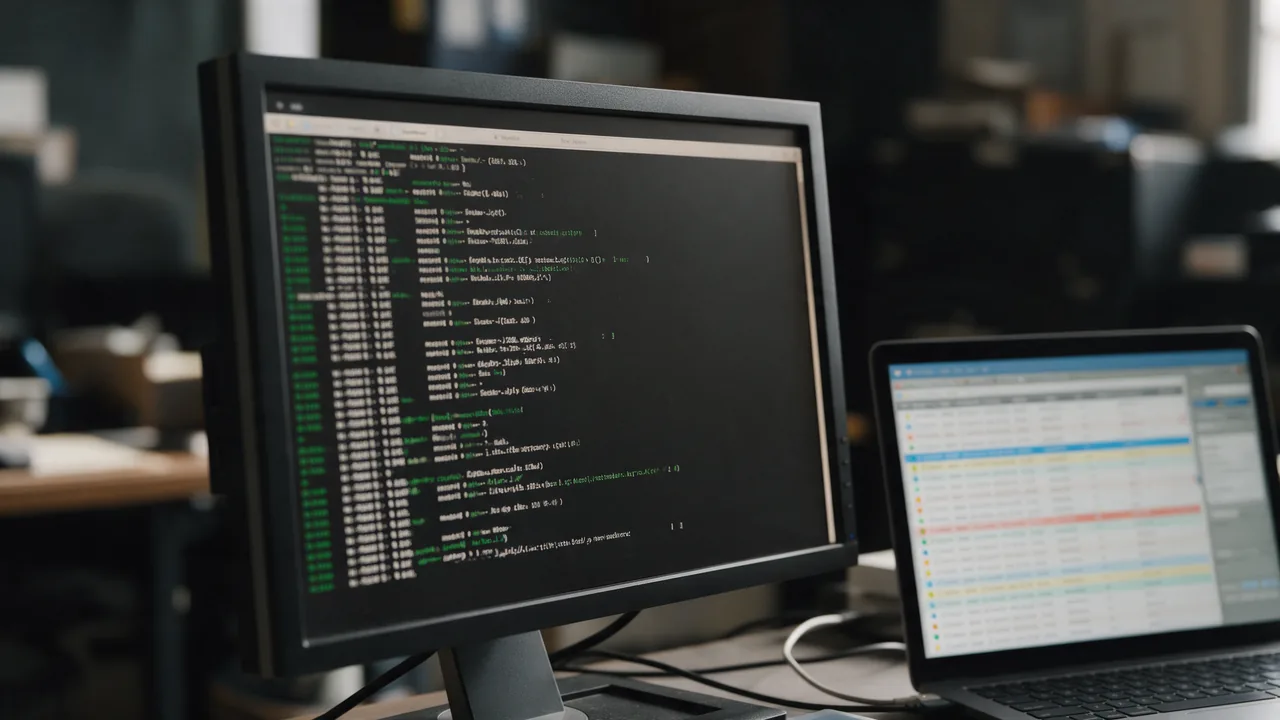
Start with openssl s_client -connect host:443 -servername host: it prints the negotiated protocol and cipher, the certificate chain and the exact alert. Then curl -v for the application view and Wireshark for the packets. Most failures are one of five: missing SNI, incomplete chain, no common cipher, protocol version mismatch, ALPN mismatch.
Below: step-by-step, working examples, common pitfalls, FAQ.
Free online tool — SSL certificate checker: instant results, no signup.
Step-by-Step Setup
- Quick probe:
openssl s_client -connect example.com:443 -servername example.com -showcerts - Check ALPN:
openssl s_client -alpn h2,http/1.1 -connect example.com:443 - Check TLS versions:
openssl s_client -tls1_3 -connect example.com:443,-tls1_2,-tls1 - Check a specific cipher:
openssl s_client -cipher ECDHE-RSA-AES128-GCM-SHA256 -connect example.com:443 - Network-level with Wireshark: capture tcp port 443, use "(pre)-Master-Secret log" to decrypt
- Application-level:
curl -v https://example.com 2>&1 | grep -E "SSL|TLS|ALPN" - Overall assessment: Enterno SSL checker — grade + full chain + issues
Working Examples
| Scenario | Config |
|---|---|
| Basic handshake probe | openssl s_client -connect example.com:443 -servername example.com </dev/null 2>&1 | grep -E "Protocol|Cipher" |
| ALPN negotiation | openssl s_client -alpn h2 -connect example.com:443 </dev/null | grep -i alpn |
| Test TLS 1.3 | openssl s_client -tls1_3 -connect example.com:443 </dev/null |
| Wireshark filter | tcp.port == 443 and tls.record.content_type == 22 # handshake records |
| curl with ciphers | curl -v --tls13-ciphers TLS_AES_128_GCM_SHA256 https://example.com 2>&1 | grep "SSL connection" |
Common Pitfalls
- Without -servername openssl skips SNI → server sends default cert, not yours
- Wireshark without TLS keys can't decrypt payload (metadata visible)
- curl CURLOPT_VERBOSE on PHP skips TLS handshake detail, only application
- Session tickets cache and replay a successful handshake — use -no_ticket for debug
- Corporate proxy with TLS inspection alters the handshake result — test outside proxy
TL;DR: How to Debug a TLS Handshake
To debug a TLS handshake, use tools like OpenSSL to capture and analyze the handshake process. Start with the command openssl s_client -connect example.com:443 -msg to view detailed messages exchanged during the handshake. If issues arise, check the server's certificate chain, verify supported protocols, and inspect firewall settings. For a deeper analysis, consider using Wireshark to capture network packets.
Understanding the TLS Handshake Process
The TLS handshake is a crucial part of establishing a secure connection between a client and a server. It involves several steps, including:
- Client Hello: The client sends a 'Client Hello' message to the server, which includes supported TLS versions, cipher suites, and a randomly generated number.
- Server Hello: The server responds with a 'Server Hello' message, confirming the TLS version and cipher suite chosen from the client's offered list.
- Server Certificate: The server sends its digital certificate to the client, which contains the server's public key and is issued by a trusted Certificate Authority (CA).
- Key Exchange: The client and server perform a key exchange to establish a shared secret, using the server's public key.
- Finished Messages: Both parties send 'Finished' messages to confirm that the handshake was successful.
Debugging this process requires a thorough understanding of each stage and the potential issues that can arise. Here are some common problems and how to troubleshoot them:
- Certificate Issues: Ensure the server’s certificate is valid, trusted, and not expired. Use the command
openssl x509 -in server.crt -text -nooutto inspect the certificate details. - Protocol Mismatches: Verify that both the client and server support compatible TLS versions. Use the command
openssl s_client -connect example.com:443 -tls1_2to test TLS 1.2 specifically. - Cipher Suite Compatibility: Check that the selected cipher suite is supported by both parties. Use
openssl ciphers -vto list the available ciphers on the server.
Additionally, you can use Wireshark to capture and analyze the TLS handshake. Start Wireshark and apply a filter for TLS traffic:
tlsAfter capturing the packets, look for the 'Client Hello' and 'Server Hello' messages to diagnose where the handshake fails. Each message will provide insights into the supported versions and cipher suites, allowing you to identify mismatches.
For instance, if the 'Client Hello' offers TLS 1.2 but the 'Server Hello' responds with a TLS 1.0 session, it indicates a version mismatch. In such cases, ensure that the server is configured to support the desired protocols by checking server settings in configuration files like nginx.conf or httpd.conf.
In conclusion, debugging a TLS handshake involves a systematic approach: analyze the handshake messages, verify certificates, check protocol and cipher compatibility, and utilize network analysis tools. By methodically addressing each component, you can effectively troubleshoot and resolve TLS handshake issues.
Why teams trust us
How it works
Enter domain
TLS chain verified
Expiry date & vulnerabilities
What Does the SSL Check Cover?
SSL/TLS is the encryption protocol that protects data between the browser and server. Our tool analyzes the certificate, chain of trust, TLS version, and knownvulnerabilities.
Certificate Details
Issuer, validity period, signature algorithm, covered domains (SAN), and validation type (DV/OV/EV).
Chain of Trust
Full chain verification: from leaf certificate through intermediates to root CA.
TLS Analysis
Protocol version (TLS 1.2/1.3), cipher suites, Perfect Forward Secrecy (PFS) support.
Expiry Alerts
Set up a monitor — get Telegram and email alerts 30/14/7 days before expiration.
DV vs OV vs EV Certificates
- Confirms domain ownership only
- Issued in minutes automatically
- Free via Let's Encrypt
- Suitable for most websites
- Most common certificate type
- Organization (OV) or Extended Validation (EV)
- Issued in 1-5 business days
- Costs $50 to $500/year
- For finance, e-commerce, government sites
- Increases user trust
Who uses this
DevOps
SSL certificate monitoring
Security
TLS config audit
SEO
HTTPS as ranking factor
E-commerce
customer trust
Common Mistakes
www and subdomains.Best Practices
Strict-Transport-Security header forces browsers to always use HTTPS.Get more with a free account
SSL certificate monitoring, check history and alerts 30 days before expiry.
Sign up freeLearn more
Frequently Asked Questions
How to decrypt a Wireshark capture?
Run browser with SSLKEYLOGFILE=/tmp/sslkeys.log. In Wireshark → Edit → Preferences → TLS → (Pre)-Master-Secret log → /tmp/sslkeys.log.
openssl shows old cipher — normal?
Yes, server offers in preference order. Negotiated cipher is in the "Cipher: XXX" line.
How to check OCSP stapling?
openssl s_client -status -connect example.com:443 &1 | grep "OCSP Response". Should be "OCSP Response Status: successful".
How to see TLS version in browser?
DevTools → Security tab → Connection. Or chrome://net-internals/#ssl.
Try the live tool that powered this guide
Free plan — 10 monitors, checks every 5 min, no card required. Upgrade for 1-minute interval and multi-region monitoring.