Cloudflare DNS 1.1.1.1 is a free public DNS resolver: set 1.1.1.1 and 1.0.0.1 as your DNS servers and your lookups go to Cloudflare instead of your ISP. It comes in three address pairs (unfiltered, malware blocking, family), supports DNS over HTTPS and DNS over TLS, needs no account, and fails mainly where a network intercepts the address.
What 1.1.1.1 is
Cloudflare DNS is a public recursive resolver running on the company's anycast network. Your query lands at the point of presence nearest to you rather than at one server in a particular country: 1.1.1.1 is announced from many places at once and routing picks the closest. The address block itself belongs to APNIC, the regional internet registry for Asia-Pacific, which provides it to Cloudflare under a research partnership.
What separates it from Quad9 and AdGuard DNS is what the primary address does not do: it filters neither advertising nor malicious domains. Plain 1.1.1.1 returns the answer as it is. Filtering lives on separate addresses, and that is a deliberate choice — not deciding on your behalf what you may see.
A public resolver does not make you anonymous. It only changes who sees your DNS queries. Your ISP still sees the IP addresses you connect to, and the SNI field in the TLS handshake often reveals the hostname anyway.
Cloudflare DNS addresses: three pairs
| Pair | IPv4 | IPv6 | What it does |
|---|---|---|---|
| Primary | 1.1.1.1 1.0.0.1 | 2606:4700:4700::1111 2606:4700:4700::1001 | No filtering at all |
| Malware blocking | 1.1.1.2 1.0.0.2 | 2606:4700:4700::1112 2606:4700:4700::1002 | Blocks malicious domains |
| Family | 1.1.1.3 1.0.0.3 | 2606:4700:4700::1113 2606:4700:4700::1003 | Malware plus adult content |
The scheme is convenient because the final digit encodes the mode outright: .1 unfiltered, .2 protected, .3 family. Easier to remember than a set of unrelated subnets. The full list, including the encrypted endpoints for each pair, is on Cloudflare's IP addresses page.
Do not mix addresses from different pairs. Combining 1.1.1.1 with 1.0.0.2 gives behavior that depends on which resolver answered first: one malicious domain is filtered, the next one is not.
What is the alternate DNS for 1.1.1.1?
The alternate (secondary) server for 1.1.1.1 is 1.0.0.1; for 1.1.1.2 it is 1.0.0.2, and for 1.1.1.3 it is 1.0.0.3. The two addresses sit in different /24 blocks, which is exactly why the pair survives a network that mishandles one of them. In the Windows "Alternate DNS server" field or a router's "Secondary DNS" field, enter 1.0.0.1. Operating systems do not strictly use the first server first, so treat the pair as two equal servers rather than "main plus spare".
What is the Cloudflare DNS hostname?
Encrypted DNS is configured by name, not by address, and each pair has one:
| Mode | DoT hostname | DoH URL |
|---|---|---|
| Unfiltered | one.one.one.one (also cloudflare-dns.com) | https://cloudflare-dns.com/dns-query |
| Malware blocking | security.cloudflare-dns.com | https://security.cloudflare-dns.com/dns-query |
| Family | family.cloudflare-dns.com | https://family.cloudflare-dns.com/dns-query |
The hostname one.one.one.one is not a joke but a working host that resolves to the same addresses. It goes straight into Android's Private DNS field, which insists on a name rather than an IP.
Why is 1.1.1.1 blocked or not working?
This is the most common and most confusing problem with it, and the root is historical rather than technical.
The address is short and memorable, and long before Cloudflare was given it to operate, network engineers used it as a placeholder for years: in test configurations, in documentation examples, as the internal "virtual" address of Wi-Fi controllers and captive portals, as a sink for traffic that had to go somewhere. Some equipment and ISP networks still treat 1.1.1.1 specially — intercepting it, dropping it, or answering in its place.
There are three other common causes, and none of them is a fault in the resolver:
- Port 53 interception. Some ISPs, hotel and office networks redirect every plain DNS packet to their own resolver, whatever address you typed. Lookups "work", but it is not Cloudflare answering.
- Policy blocks. Corporate firewalls, school networks and parental-control routers often allow only their own DNS server, so outbound queries to any public resolver are dropped.
- Encrypted DNS filtering. A network can block TCP port 853, which stops DoT while plain DNS still passes. Android then reports that the Private DNS server "cannot be accessed".
The symptom is recognizable: 1.1.1.1 does not answer while 1.0.0.1 works fine. Or everything is fine at home and silent on an office network or public Wi-Fi.
# Does the address answer at all
dig +short +time=3 example.com @1.1.1.1
dig +short +time=3 example.com @1.0.0.1

# Where the traffic actually goes — interception shows in the hop count
traceroute -n -m 8 1.1.1.1

# Which Cloudflare data center answered? A three-letter code (e.g. FRA, IAD) means the real resolver;
# no answer or something odd means somebody else is replying in its place
dig +short CH TXT id.server @1.1.1.1

# Windows equivalent of the first check
nslookup example.com 1.1.1.1
If 1.0.0.1 works and 1.1.1.1 does not, use the second address as your primary — the order carries no meaning. If neither answers while other resolvers do, the problem sits in the network between you and Cloudflare. On a managed network (work, school) the network's own DNS policy wins; talk to whoever runs it rather than fighting the setting.
Is Cloudflare 1.1.1.1 DNS safe?
As a resolver, yes — with a clear idea of what "safe" covers. It is safe in the sense that the operator publishes a privacy commitment and validates DNSSEC, so forged answers for signed zones are rejected. It is not a security filter unless you pick 1.1.1.2 or 1.1.1.3, and plain DNS on port 53 is still unencrypted on the wire until you switch to DoH or DoT.
The stated policy is that the source IP address of a query is never written to disk and that logs are deleted within 25 hours; the data is not sold to advertisers. Cloudflare has had outside auditors examine those claims — not a guarantee in itself, but more than a promise on a page. The exact wording is in the 1.1.1.1 privacy commitments.
One detail matters for comparison: on the primary address Cloudflare does not send ECS (EDNS Client Subnet), so part of your IP address never reaches authoritative servers. A gain for privacy and a loss for CDN geolocation accuracy: content may occasionally be served from a more distant node.
The realistic risks are elsewhere: a configuration profile or "DNS app" from an untrusted source that points to a lookalike resolver, and a network that silently redirects your queries. Both are checked in a minute with the commands above or at https://1.1.1.1/help, Cloudflare's own diagnostic page, which reports whether you are connected to 1.1.1.1 and whether DoH or DoT is in use.
How do I set up 1.1.1.1 DNS?
Router
Find the WAN, Internet or DHCP section and the field for manual DNS entry. Enter 1.1.1.1 and 1.0.0.1 (and 2606:4700:4700::1111, 2606:4700:4700::1001 if the router has IPv6 DNS fields), save, reboot. Configuring the router covers the whole network, including devices with no DNS settings of their own. Some ISP-supplied routers lock these fields; then configure the devices individually.
Windows, macOS, Linux
# Windows (Command Prompt as administrator)
netsh interface ip set dns name="Ethernet" static 1.1.1.1
netsh interface ip add dns name="Ethernet" 1.0.0.1 index=2
ipconfig /flushdns

# Windows (PowerShell as administrator)
Set-DnsClientServerAddress -InterfaceAlias "Ethernet" -ServerAddresses ("1.1.1.1","1.0.0.1")

# macOS
sudo networksetup -setdnsservers "Wi-Fi" 1.1.1.1 1.0.0.1
sudo dscacheutil -flushcache

# Linux with systemd-resolved
sudo resolvectl dns wlan0 1.1.1.1 1.0.0.1
sudo resolvectl flush-caches
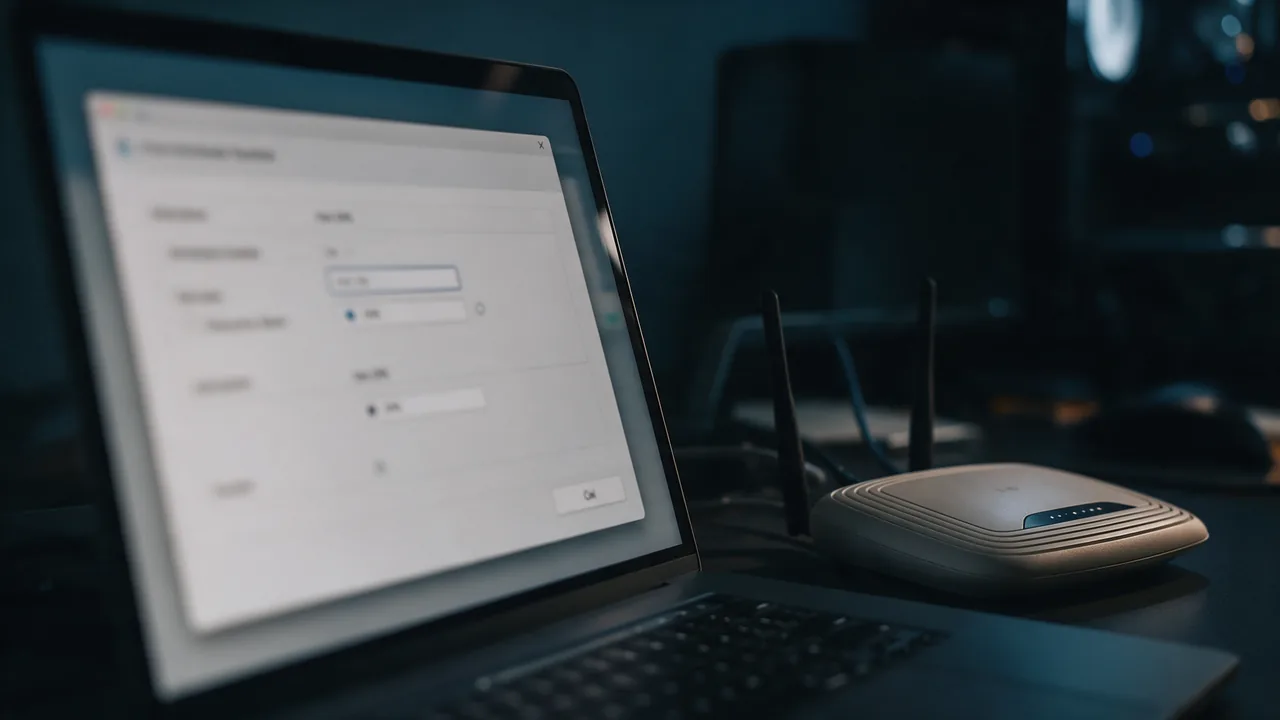
Replace Ethernet, Wi-Fi and wlan0 with your interface name (netsh interface show interface, networksetup -listallnetworkservices, resolvectl status). On Windows 11 the graphical path is Settings → Network & internet → your connection → Hardware properties → DNS server assignment → Edit → Manual; the same dialog has a "DNS over HTTPS" switch, and Windows recognizes Cloudflare's addresses automatically.
After switching, flush the system and browser caches or some domains will keep answering from the old resolver. Every caching layer is covered in the guide on flushing the DNS cache.
iPhone and iPad
For one Wi-Fi network: Settings → Wi-Fi → the (i) next to the network → Configure DNS → Manual, remove the existing servers and add 1.1.1.1 and 1.0.0.1. This applies only to that network and does not cover cellular data. System-wide encrypted DNS on iOS comes either from Cloudflare's 1.1.1.1 app or from a DNS configuration profile pointing at https://cloudflare-dns.com/dns-query. A profile changes where all your lookups go, so install one only from a source you trust and check it afterwards at https://1.1.1.1/help.
Android
Settings → Network & internet → Private DNS → Private DNS provider hostname → one.one.one.one (or family.cloudflare-dns.com for the family mode). This is DNS over TLS for every network, Wi-Fi and mobile alike. Menu names vary slightly between phone makers; searching settings for "Private DNS" always finds it.
Browsers
- Chrome: Settings → Privacy and security → Security → Use secure DNS → Select DNS provider → Cloudflare (1.1.1.1).
- Edge: Settings → Privacy, search, and services → Security → Use secure DNS → Choose a service provider → Cloudflare.
- Firefox: Settings → Privacy & Security → DNS over HTTPS → Increased or Max Protection → Cloudflare.
- Safari has no DoH setting of its own and follows the system resolver.
1.1.1.1 DNS over TLS and DNS over HTTPS
Plain DNS travels unencrypted over UDP port 53, which is exactly what makes interception possible. DNS over TLS (RFC 7858) wraps queries in TLS on port 853; DNS over HTTPS (RFC 8484) sends them as HTTPS requests on port 443, where they blend with ordinary web traffic.
# DoH — for browsers and apps
https://cloudflare-dns.com/dns-query

# DoT — hostname for system resolvers and Android
one.one.one.one

# Test DoH with the JSON API
curl -s -H 'accept: application/dns-json' \
  'https://cloudflare-dns.com/dns-query?name=example.com&type=A'

# Test DoH in wire format (RFC 8484 example query)
curl -s -H 'accept: application/dns-message' \
  'https://cloudflare-dns.com/dns-query?dns=AAABAAABAAAAAAAAA3d3dwdleGFtcGxlA2NvbQAAAQAB' \
  | xxd | head -3

# Test DoT (BIND 9.18+ dig, or kdig from Knot)
dig +tls @1.1.1.1 example.com
kdig -d @1.1.1.1 +tls-ca +tls-host=cloudflare-dns.com example.com
To make a Linux machine use DoT for everything, set it in /etc/systemd/resolved.conf and restart systemd-resolved:
[Resolve]
DNS=1.1.1.1#cloudflare-dns.com 1.0.0.1#cloudflare-dns.com
DNSOverTLS=yes
The name after # is the one the TLS certificate is checked against; without it the connection is encrypted but the server's identity is not verified. The mechanics of encrypted DNS are covered in the article on DNS over HTTPS.
A browser may query its own DoH resolver regardless of system settings. Verify the setup from the browser rather than from a system utility alone, or it is easy to conclude everything switched when only half of it did.
1.1.1.1 and WARP are not the same thing
The app called "1.1.1.1" does two different jobs and they are constantly confused. In resolver mode it simply directs DNS queries to 1.1.1.1 over an encrypted channel. In WARP mode it wraps all of the device's traffic in a tunnel to the nearest Cloudflare node.
The difference is practical. Changing your resolver does not change your visible IP address and does not affect how traffic is routed. WARP changes both: sites see a Cloudflare node's address rather than yours, which can also change which language or region version of a site you get. If the goal is only to change DNS, WARP is unnecessary; the app's DNS-only mode or the system settings above do that job.
Availability and large-scale outages
Cloudflare is both a resolver and a very large CDN sitting in front of millions of sites, which makes its availability a broader question than one resolver's uptime. When something goes wrong at that scale, it affects sites as much as name resolution.
The practical conclusion is simple: do not treat an unreachable 1.1.1.1 as proof that your own machine is broken. Compare with another resolver first — if the others answer and Cloudflare does not, the cause sits outside your device.
Cloudflare 1.1.1.1 vs Google 8.8.8.8
Both are large anycast resolvers with no filtering on the primary address, both validate DNSSEC and both support DoH and DoT. The real differences are privacy handling and how they treat CDN geolocation:
| Property | Cloudflare 1.1.1.1 | Google Public DNS 8.8.8.8 |
|---|---|---|
| Addresses | 1.1.1.1, 1.0.0.1 | 8.8.8.8, 8.8.4.4 |
| DoT hostname | one.one.one.one | dns.google |
| Sends ECS to authoritative servers | No | Yes, with a truncated client subnet |
| Filtered variants | 1.1.1.2 (malware), 1.1.1.3 (family) | None |
| Full-IP logs | Not written to disk; logs deleted within 25 hours | Temporary logs, deleted within 24–48 hours |
| Speed | Decided by the distance to the nearest point of presence from your network — measure it | |
Pick 1.1.1.1 when privacy and a built-in family option matter; pick 8.8.8.8 if a CDN-heavy service consistently serves you from a distant node through Cloudflare, since ECS helps it choose a closer one. A good practical setup uses one operator's pair; a third server from a different operator only helps where the device lets you list more than two.
Cloudflare, Quad9 and AdGuard compared
| Property | Cloudflare 1.1.1.1 | Quad9 9.9.9.9 | AdGuard DNS |
|---|---|---|---|
| Filtering on the primary address | None | Malicious domains | Ads and trackers |
| Other variants | 1.1.1.2 (malware), 1.1.1.3 (family) | 9.9.9.10 (no filtering), 9.9.9.11 (with ECS) | Family and non-filtering addresses |
| Encrypted DNS | DoH, DoT | DoH, DoT | DoH, DoT, DoQ |
| Operator | Commercial company, US | Non-profit foundation, Switzerland | Commercial company, Cyprus |
Pick by the job: a resolver that decides nothing on your behalf — Cloudflare; protection from malicious domains without interfering with content — Quad9; advertising gone across every device — AdGuard. A broader comparison lives in our roundup of public DNS servers.
Is 1.1.1.1 still the best DNS?
Cloudflare is frequently called the fastest resolver, and in comparative benchmarks such as DNSPerf it often does come first. But those benchmarks average the entire world, and the only location that matters to you is yours.
Speed comes from the distance to a given network's nearest point of presence and the quality of the route there. A network with more points has better odds, not a guarantee: an ISP will sometimes route you to the "nearest" point through another country. "Best" also depends on the job — unfiltered speed, malware blocking, ad blocking or CDN accuracy each point to a different answer. The only honest method is measurement.
# Compare response time of four resolvers from where you actually are
for R in 1.1.1.1 8.8.8.8 9.9.9.9 94.140.14.14; do
  echo -n "$R: "
  dig +noall +stats example.com @$R | awk '/Query time/{print $4, $5}'
done
Run it a few times: the first query can miss the resolver's cache and look slow, repeats show the steady state. A difference of a few milliseconds per lookup is invisible in browsing; a resolver that is regularly tens of milliseconds slower from your network is worth replacing.
How to check that Cloudflare DNS is working
Three things deserve checking: which resolver actually answers, whether anyone is answering in its place along the way, and whether anything you need has broken.
- Open
https://1.1.1.1/help: it shows whether your device is connected to 1.1.1.1 and whether DoH or DoT is active. - Run
dig +short CH TXT id.server @1.1.1.1: a data-center code confirms the real resolver answered. - Compare answers for a domain you care about across resolvers. If
digis unavailable, DNS Lookup returns every record type and compares roughly twenty resolvers in one table, so a divergence between Cloudflare and the rest is immediately visible. - Where you suspect interference on the path, compare through the DNS propagation check: identical answers everywhere except on your own connection point at tampering rather than a domain problem.
For site owners: if your records stop resolving at a major public resolver for any reason, part of your audience simply will not reach the site and will not tell you. Records can be placed under continuous monitoring, turning that into an alert rather than a traffic decline.
Migration checklist
- Pick a pair: .1 unfiltered, .2 with malware protection, .3 adding adult content.
- Configure both addresses of the chosen pair without mixing pairs.
- Start at the router to cover devices with no DNS settings of their own.
- Add the IPv6 addresses if IPv6 is active on your network.
- Turn on DoH or DoT where the device supports it, using the hostname of the same pair.
- Flush the system and browser caches.
- Confirm Cloudflare is answering rather than a cached older resolver or an intercepting network.
- If 1.1.1.1 is silent, test 1.0.0.1 before hunting for a fault on your side.
- Do not confuse changing the resolver with enabling WARP; they are different.
- Measure response times yourself instead of trusting averaged reviews.
FAQ
Can I use 1.1.1.1 DNS for free?
Yes. The public addresses, the DoH and DoT endpoints and the 1.1.1.1 app's DNS mode are free and need no registration. Cloudflare's paid products — its CDN, security services and the Zero Trust Gateway resolver for organizations — are separate from 1.1.1.1.
Is 1.1.1.1 safe or not?
It is a legitimate resolver with a published no-logging-of-IP commitment and DNSSEC validation. For malware blocking use 1.1.1.2, and switch to DoH or DoT so the queries cannot be read or rewritten along the way.
Why is 1.1.1.1 blocked on my network?
Usually because some equipment treats that address as internal, the network redirects all port-53 traffic to its own resolver, or a firewall only allows the local DNS server. Try 1.0.0.1; if that answers too, the block was specific to 1.1.1.1.
Is 8.8.8.8 or 1.1.1.1 better?
Neither wins everywhere. 1.1.1.1 does not pass your subnet to authoritative servers and offers filtered variants; 8.8.8.8 sends ECS, which can help CDNs pick a closer node. Measure both from your own network.
What is the DNS over TLS hostname for 1.1.1.1?
one.one.one.one (or cloudflare-dns.com) for the unfiltered resolver, security.cloudflare-dns.com for malware blocking and family.cloudflare-dns.com for the family mode.
Do I need a backup resolver?
Configure both addresses of the pair. It also helps to remember a resolver from a different operator: if the whole Cloudflare network is unreachable, its second address will not save you but someone else's resolver will.