In short. The main nginx config is /etc/nginx/nginx.conf; everything else is pulled in with include — on Debian and Ubuntu through sites-enabled/ symlinks pointing at sites-available/, on RHEL-like systems and nginx.org packages through conf.d/*.conf only. Directives live in the contexts main → events → http → server → location and are inherited downward. Always validate with nginx -t, then apply with systemctl reload nginx.
What nginx is and when Apache still makes sense
Nginx is a web server and reverse proxy built on an event-driven model. It runs one master process (reads the config, binds privileged ports, supervises the rest) and a handful of worker processes, usually one per CPU core. A single worker handles thousands of concurrent connections in one thread: instead of blocking on a slow client, it switches between ready sockets via epoll on Linux or kqueue on BSD. The practical consequence is that memory usage barely depends on how many connections are open — it depends on how much data is actually moving. That is why nginx is the natural front door: static files, TLS termination, caching, load balancing, rate limiting, and shielding the backend from slow clients.
Apache was historically built the other way round: a connection is served by a dedicated process or thread. With the prefork MPM, every request means a process weighing tens of megabytes, so a thousand slow concurrent clients exhaust RAM long before they exhaust CPU. Modern Apache ships an event MPM and closes much of the gap on static workloads, but the configuration philosophy still differs.
Apache remains a reasonable choice where
.htaccessmatters — per-directory rules a site owner can edit without touching the main config — and where an application is historically tied tomod_phpand its in-process PHP execution. Nginx deliberately does not support per-directory config files: it would cost a filesystem lookup on every request. In nginx every rule is declared centrally and applied by reloading the config.
In practice, on a typical VPS you put nginx in front and keep the application — PHP-FPM, Node.js, Python, Java — behind it over a socket or a port. Sometimes Apache stays behind nginx too: nginx serves static files and TLS while Apache keeps handling the .htaccess logic of a legacy site. The general shape of that setup is covered in what a reverse proxy is.

Where nginx config files live and how they are included
The only file nginx reads on its own is the main config. Everything else enters the configuration exclusively through the include directive. The path to the main file is fixed at build time, so do not guess — ask the binary:
nginx -V 2>&1 | tr ' ' '\n' | grep -E 'conf-path|prefix|error-log-path'
# --prefix=/etc/nginx
# --conf-path=/etc/nginx/nginx.conf
# --error-log-path=/var/log/nginx/error.log
The layout then depends on where nginx came from. This is the single most common reason a tutorial fails to work: it talks about sites-available and your server has no such directory.
Debian and Ubuntu, distribution package
/etc/nginx/nginx.conf          # main config
/etc/nginx/conf.d/*.conf       # included from the http context
/etc/nginx/sites-available/    # all site definitions, storage
/etc/nginx/sites-enabled/      # symlinks to enabled sites
/etc/nginx/snippets/           # reusable fragments (ssl-params and friends)
/var/www/html                  # default document root
/var/log/nginx/access.log
/var/log/nginx/error.log
Inside the http block of nginx.conf you will find two lines:
include /etc/nginx/conf.d/*.conf;
include /etc/nginx/sites-enabled/*;
Enable a site with a symlink, never a copy — a copy gives you two diverging versions of the same config:
ln -s /etc/nginx/sites-available/example.conf /etc/nginx/sites-enabled/example.conf
# disabling a site means removing the symlink; the file itself stays
rm /etc/nginx/sites-enabled/example.conf
RHEL, Rocky, AlmaLinux and official nginx.org packages
Here the sites-available scheme does not exist at all — Debian maintainers invented it. You get only:
/etc/nginx/nginx.conf
/etc/nginx/conf.d/*.conf       # site definitions go here
/etc/nginx/conf.d/default.conf # stock default site
/usr/share/nginx/html          # default document root
To disable a site, rename the file so it no longer matches the glob: mv example.conf example.conf.disabled. If you prefer the Debian layout you can recreate it manually — create the directories and add include /etc/nginx/sites-enabled/*; to http. Just remember a package upgrade may overwrite nginx.conf and take your include with it.
Never guess which file is actually loaded.
nginx -T(capital T) prints the effective configuration — the whole include tree flattened into one text, annotated with lines like# configuration file /etc/nginx/conf.d/example.conf:. If your server block is not in the output ofnginx -T, nginx does not know about it and editing it changes nothing.
nginx -T | grep -n 'configuration file'      # every file that is loaded
nginx -T | grep -n -A5 'server_name example.com'  # where a given site is defined
Contexts and directives: hierarchy and inheritance
An nginx config is a tree. A directive applies in the context where it is declared and, as a rule, is inherited by nested contexts until something overrides it. Understanding the hierarchy removes half of the "why doesn't this work" questions.
user www-data;                  # main
worker_processes auto;          # main
error_log /var/log/nginx/error.log warn;   # main

events {                        # events
    worker_connections 1024;
}

http {                          # http
    include       /etc/nginx/mime.types;
    default_type  application/octet-stream;
    sendfile      on;
    keepalive_timeout 65;
    gzip on;

    server {                    # server
        listen 80;
        server_name example.com;
        root /var/www/example;

        location / {            # location
            try_files $uri $uri/ =404;
        }
    }
}| Context | Where it is declared | Typical directives | Inherited downward |
|---|---|---|---|
main | Top level of nginx.conf, outside any block | user, worker_processes, pid, error_log, include, load_module | Partly: error_log yes, the rest is global and cannot be overridden |
events | Inside events { }, exactly one block | worker_connections, use, multi_accept | No, it has no nested contexts |
http | Inside http { }, exactly one block | include mime.types, gzip, sendfile, keepalive_timeout, log_format, access_log, upstream, proxy_cache_path | Yes — into every server and location |
server | Inside http, any number of blocks | listen, server_name, root, index, ssl_certificate, return, error_page | Yes — into its own location blocks |
location | Inside server, nesting allowed | try_files, alias, proxy_pass, fastcgi_pass, expires, limit_except | Yes — into nested location blocks |
upstream | Inside http, next to server | server, keepalive, least_conn, zone | Neither inherits nor is inherited; referenced by name |
if | Inside server or location | return, rewrite, set | Use sparingly: inside location the behaviour is non-obvious |
Inheritance follows the rule "a directive set is replaced wholesale, not merged". If http declares add_header X-Frame-Options SAMEORIGIN; and a nested location adds add_header Cache-Control "no-store";, the first header disappears in that location: the lower-level add_header set fully replaces the upper one. It is one of the nastiest traps — details and workarounds are in the breakdown of security headers.
A minimal working server block, server_name and default_server
The minimal static-site config
Below is a complete file for one site. Put it in /etc/nginx/sites-available/example.conf (Debian) or /etc/nginx/conf.d/example.conf (RHEL).
server {
    listen 80;
    listen [::]:80;

    server_name example.com www.example.com;
    root /var/www/example;
    index index.html;

    access_log /var/log/nginx/example.access.log;
    error_log  /var/log/nginx/example.error.log warn;

    location / {
        try_files $uri $uri/ =404;
    }

    # long-lived cache for assets
    location ~* \.(css|js|jpg|jpeg|png|gif|webp|avif|svg|woff2|ico)$ {
        expires 30d;
        add_header Cache-Control "public, immutable";
        access_log off;
    }

    # block dotfiles except ACME
    location ~ /\.(?!well-known) {
        deny all;
    }
}
The mandatory directives, one by one:
listen 80;— port and optional address.listen [::]:80;adds IPv6. Without that second line the site will not open over IPv6 even if an AAAA record exists.server_name— the names nginx uses to select this block. A missing name does not block access; it sends the request to a different server block.root— the filesystem root the request URI is appended to. Declare it inserver, not in everylocation, so you cannot forget it somewhere.index— what to serve for a directory request. If the file is missing andautoindexis off you get 403, not 404.try_files— tries each candidate in order and serves the first one that exists; the trailing=404sets the fallback status code.
server_name, default_server and requests for unknown domains
For each listen socket nginx picks a server block in this order: exact server_name match, then a leading wildcard like *.example.com, then a trailing wildcard like www.example.*, then regular expressions in the order they appear in the config. If nothing matches, the request goes to the block flagged default_server; if there is no such flag, to the first server block declared for that port.
Hence a classic annoyance: someone points a foreign domain at your IP and your site answers on it. Or a scanner hits the bare IP with Host: 1.2.3.4 and lands in whichever block came first, polluting logs and analytics. The fix is an explicit catch-all:
server {
    listen 80 default_server;
    listen [::]:80 default_server;
    server_name _;
    return 444;   # nginx-specific: close the connection with no response
}
The HTTPS equivalent needs a certificate — even a self-signed one, otherwise the TLS handshake fails before nginx can apply the rule:
server {
    listen 443 ssl default_server;
    http2 on;
    server_name _;
    ssl_certificate     /etc/nginx/ssl/dummy.crt;
    ssl_certificate_key /etc/nginx/ssl/dummy.key;
    ssl_reject_handshake on;   # available in recent versions: refuse the handshake
    return 444;
}
The
default_serverflag may appear only once per address:port pair. Twolisten 80 default_server;lines in different files producea duplicate default server for 0.0.0.0:80and nginx refuses to start. Look for the duplicate inconf.d/default.conforsites-enabled/default— the stock site is easy to forget.
If you host many long domain names and hit could not build server_names_hash, raise server_names_hash_bucket_size in the http context to the next power of two, usually 64 or 128.
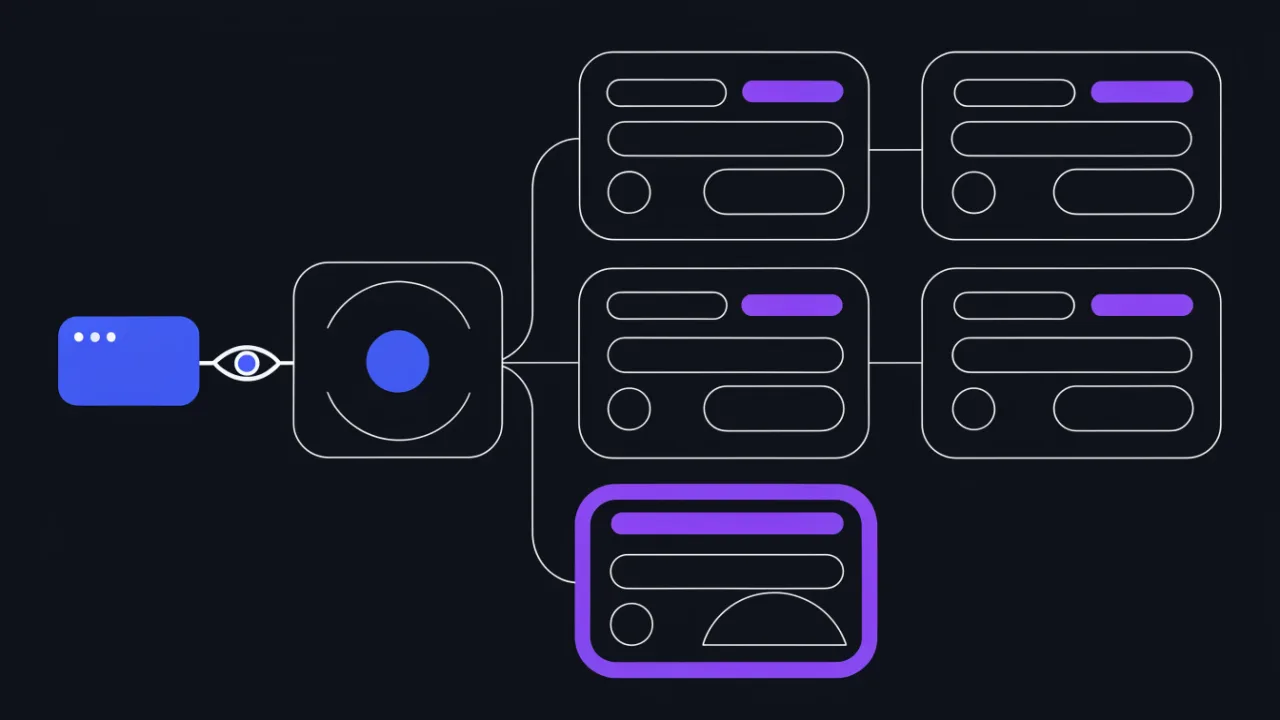
Location matching order, root versus alias and try_files
This is where beginners go wrong most often. Declaration order in the file barely matters — the modifier does.
- Exact matches
location = /pathare checked first. On a hit the search stops immediately. - Then the longest matching prefix is found and remembered.
- If that prefix carries the
^~modifier, the search stops and regular expressions are never evaluated. - Otherwise regular expressions are tried:
~(case-sensitive) and~*(case-insensitive), in the order they appear in the config. The first match wins. - If no regular expression matches, the prefix remembered in step 2 is used.
location = /health        { return 200 "ok\n"; }        # 1) exact
location ^~ /static/      { root /var/www; }            # 3) prefix, stops regex
location ~* \.(jpg|png)$  { expires 30d; }              # 4) regular expression
location /images/         { root /var/www/legacy; }     # 2) plain prefix
location /                { try_files $uri $uri/ =404; }# 2) fallback
In this config /static/logo.png is served by the ^~ /static/ block, not by the extension regex, because ^~ halts the search. Meanwhile /images/logo.png falls through to the regex, because /images/ has no modifier. That is exactly how caching headers silently "disappear" — or how file serving suddenly stops working.
root versus alias
root appends the full URI to the given path. alias replaces the matched part of the location. Take the request /files/report.pdf:
location /files/ { root  /var/data; }   # → /var/data/files/report.pdf
location /files/ { alias /var/data/; }  # → /var/data/report.pdf
Security rule: with
alias, the trailing slash on the location and on the path must match. Writinglocation /files { alias /var/data/; }without the slash opens a path traversal — the request/files../etc/passwdconcatenates into/var/data/../etc/passwd. If the location is a regular expression, the alias must use capture groups. Preferrootwhere you can: it is safe by construction.
try_files and the standard PHP application template
server {
    listen 80;
    server_name app.example.com;
    root /var/www/app/public;
    index index.php index.html;

    client_max_body_size 32m;

    location / {
        try_files $uri $uri/ /index.php?$query_string;
    }

    location ~ \.php$ {
        try_files $uri =404;          # critical line: never execute non-existent files
        include fastcgi_params;
        fastcgi_pass unix:/run/php/php-fpm.sock;   # check the real socket path in your PHP-FPM pool
        fastcgi_param SCRIPT_FILENAME $document_root$fastcgi_script_name;
        fastcgi_read_timeout 60s;
    }

    location ~ /\.ht { deny all; }
}
The line try_files $uri =404; inside the PHP location is not optional. Without it, and with certain PHP settings, a request like /uploads/avatar.jpg/x.php can end up executing an uploaded file as PHP code. The second non-negotiable point: the document root must be the framework's public (or web, httpdocs) directory, not the repository root — otherwise .env, composer.json and the vendor tree become reachable over HTTP. More rules of this kind are collected in the web server hardening checklist.
Proxying to a backend: proxy_pass and the headers you must set
When a Node.js, Python or Java application sits behind nginx, the config boils down to proxy_pass plus a set of headers. A bare proxy_pass with no headers works, and is almost always wrong.
upstream app_backend {
    server 127.0.0.1:3000;
    keepalive 32;
}

server {
    listen 80;
    server_name app.example.com;

    location / {
        proxy_pass http://app_backend;

        proxy_http_version 1.1;
        proxy_set_header Host              $host;
        proxy_set_header X-Real-IP         $remote_addr;
        proxy_set_header X-Forwarded-For   $proxy_add_x_forwarded_for;
        proxy_set_header X-Forwarded-Proto $scheme;
        proxy_set_header X-Forwarded-Host  $host;

        # websockets
        proxy_set_header Upgrade    $http_upgrade;
        proxy_set_header Connection "upgrade";

        proxy_connect_timeout 5s;
        proxy_read_timeout    60s;
        proxy_buffering       on;
    }
}
What breaks without each header:
- Host. By default nginx puts the
proxy_passtarget intoHost— literallyapp_backendor127.0.0.1:3000. The application then sees the wrong domain and generates links, redirects and outgoing email with an internal address. Multi-domain applications cannot tell which site was requested at all. - X-Real-IP and X-Forwarded-For. Without them the backend sees every client as
127.0.0.1. Logs, geolocation, fraud scoring, rate limiting and IP bans all break at once. The difference between the two headers and how to decide which to trust is covered in the article on the X-Forwarded-For header. - X-Forwarded-Proto. If TLS terminates on nginx, the backend receives plain HTTP and assumes the site runs unencrypted. The result is
http://links on an HTTPS page, mixed content, and an infinite redirect loop when the framework tries to force HTTPS on its own.
A trailing slash changes the meaning of
proxy_pass.proxy_pass http://backend;forwards the URI unchanged.proxy_pass http://backend/;strips the matched location prefix. Forlocation /api/and a request to/api/users, the first form sends/api/usersupstream, the second sends/users. Both are legitimate — just pick deliberately.
If you see 502 or 504 after enabling the proxy, start with /var/log/nginx/error.log: the exact reason is there — connect() failed (111: Connection refused) when the backend is down, upstream timed out when it is slow, no live upstreams when health checks removed every server. A step-by-step walkthrough lives in the guide to fixing 502 Bad Gateway.
HTTPS: redirecting from HTTP, HSTS and factoring out repeats
The canonical shape is two server blocks: one listening on port 80 that only redirects, one serving 443.
server {
    listen 80;
    listen [::]:80;
    server_name example.com www.example.com;

    # keep the ACME challenge reachable over plain HTTP
    location ^~ /.well-known/acme-challenge/ {
        root /var/www/certbot;
    }

    location / {
        return 301 https://$host$request_uri;
    }
}

server {
    listen 443 ssl;
    listen [::]:443 ssl;
    http2 on;
    server_name example.com www.example.com;

    ssl_certificate     /etc/letsencrypt/live/example.com/fullchain.pem;
    ssl_certificate_key /etc/letsencrypt/live/example.com/privkey.pem;

    include /etc/nginx/snippets/ssl-params.conf;

    add_header Strict-Transport-Security "max-age=31536000; includeSubDomains" always;

    root /var/www/example;
    index index.html;

    location / {
        try_files $uri $uri/ =404;
    }
}
Three details matter here. First, use return 301 rather than rewrite — it is cheaper and does not create surprising loops. Second, $host instead of a hardcoded domain preserves both example.com and www.example.com, so one block serves both; do www canonicalisation as a separate explicit redirect if you need it. Third, the always parameter on add_header makes the header appear on error responses too — without it HSTS vanishes on 404 and 500 pages.
Repeated TLS parameters belong in a separate file pulled in with include:
# /etc/nginx/snippets/ssl-params.conf
ssl_protocols TLSv1.2 TLSv1.3;
ssl_prefer_server_ciphers off;
ssl_session_cache shared:SSL:10m;
ssl_session_timeout 1d;
ssl_session_tickets off;
ssl_stapling on;
ssl_stapling_verify on;
resolver 1.1.1.1 8.8.8.8 valid=300s;
HSTS with a long
max-ageis a commitment. Browsers will remember that the domain is HTTPS-only and refuse to open it over HTTP until the timer expires; you cannot revoke that early, you can only shipmax-age=0and wait for every client to come back. Turn it on once HTTPS is stable across all subdomains, and start with a small value. The migration order is described in the guide to moving a site to HTTPS.
Validating and applying changes: nginx -t, reload and restart
The rule is simple: never reload nginx without testing the config first.
nginx -t
# nginx: the configuration file /etc/nginx/nginx.conf syntax is ok
# nginx: configuration file /etc/nginx/nginx.conf test is successful

systemctl reload nginx        # apply without dropping connections
systemctl status nginx --no-pager
journalctl -u nginx -n 50 --no-pager
The difference between reload and restart is fundamental:
| Action | What happens | Connections dropped | If the config is broken |
|---|---|---|---|
systemctl reload nginx (SIGHUP) | The master re-reads the config, starts new workers, lets old workers finish in-flight requests | No | The reload is not applied, the master keeps running the old config, the error goes to error.log — the site stays up |
systemctl restart nginx | The process stops completely and starts again | Yes, every active connection is cut | Nginx will not come back up and the site is down until you fix it |
nginx -s reload | Same as SIGHUP, bypassing systemd | No | Same as reload |
nginx -t / nginx -T | Syntax check only / print the effective config | No | Reports the file and line number of the error |
You only need a restart when something cannot be picked up on the fly: the set of loaded modules, permissions on socket files, some listen parameters, and environment variables of the systemd unit. Everything else is a reload.
What to do when the config is invalid
On failure nginx -t always prints a file path and a line number. Read that line instead of re-reading the whole config by eye:
nginx: [emerg] unknown directive "prox_pass" in /etc/nginx/sites-enabled/app.conf:14
nginx: configuration file /etc/nginx/nginx.conf test failed
Common messages decoded:
unknown directive— a typo, or a directive from a module that is not compiled in or loaded.unexpected end of file, expecting "}"— an unclosed brace; the reported line is the end of file, look further up.directive is not allowed here— wrong context (for exampleproxy_passinserverinstead oflocation).bind() to 0.0.0.0:80 failed (98: Address already in use)— another process holds the port; checkss -tlnp | grep :80.cannot load certificate ... No such file or directory— wrong certificate path, or the certificate has not been issued yet.invalid number of arguments— a missing semicolon on the previous line.

Common beginner mistakes and how to fix them
The config is not included
The classic Debian and Ubuntu case: the file exists in sites-available but there is no symlink in sites-enabled. Or, on RHEL, the file is named example.config instead of example.conf and never matches the *.conf glob. One check settles it: nginx -T | grep 'configuration file'.
The wrong server block answers
If two blocks declare the same server_name, nginx warns at startup with conflicting server name "example.com" on 0.0.0.0:80, ignored and uses the first one. The usual culprit is the distribution's stock site: sites-enabled/default or conf.d/default.conf. Disable it before debugging anything else.
403 Forbidden on static files
Three causes, by frequency. First: workers run as the user from the user directive (www-data on Debian, nginx on RHEL) and lack read permission on the file, or the execute bit on at least one parent directory. Second: a directory was requested, it contains no file from index, and autoindex is off. Third: on RHEL with SELinux enforcing, the files carry the wrong context.
# which user the workers run as
ps -o user,comm -C nginx

# verify the path is readable by that specific user
sudo -u www-data test -r /var/www/example/index.html && echo readable

# baseline permissions
chown -R root:www-data /var/www/example
find /var/www/example -type d -exec chmod 755 {} +
find /var/www/example -type f -exec chmod 644 {} +

# SELinux (RHEL/Rocky/Alma)
ls -Z /var/www/example
restorecon -Rv /var/www/example
Changes did not take effect
Check in this order: was a reload issued at all; does the file appear in nginx -T; is the response coming from an nginx cache (proxy_cache, fastcgi_cache) or the browser cache; is a CDN sitting in front. The fast way to bypass client caching is curl, not a browser refresh.
curl -sI -H 'Cache-Control: no-cache' https://example.com/ | head -n 20
curl -sI --resolve example.com:443:203.0.113.10 https://example.com/   # bypass DNS and CDN
Location matching produced an unexpected result
When you cannot tell which block fired, temporarily add a diagnostic header to the suspects and read it off the response. That beats reasoning about priorities in your head.
location ~* \.(css|js)$ {
    add_header X-Debug-Location "static-regex" always;
    expires 30d;
}
Remove diagnostic headers as soon as debugging is done. Any extra header leaking internal detail is a hint for whoever is mapping your infrastructure, and a finding in the next audit.
Upload too large or response too slow
413 Request Entity Too Large is fixed with client_max_body_size (default 1 MB). 504 Gateway Time-out is fixed by raising proxy_read_timeout or fastcgi_read_timeout — but first understand why the backend is that slow. Fine-tuning buffers, workers and keepalive is a separate topic: nginx performance tuning.

How to verify the result from the outside
A local curl only proves the server answers you. Nginx changes affect what browsers and crawlers see from the public internet, through CDNs, intermediate proxies and load balancers. After every meaningful edit, run the external checks:
- Response headers. The HTTP header checker shows what actually reaches the client: whether
Strict-Transport-Securitysurvived a nestedadd_header, whetherCache-Controlapplies to assets, whether debug headers and the server version are still exposed. - SSL and the certificate chain. The SSL certificate check reports expiry, chain completeness and enabled protocols. A missing intermediate certificate is a classic: desktop browsers open the site fine while a mobile app or
curlrefuses. If an error is already showing, see common SSL errors. - Redirects. The redirect chain tracer confirms HTTP reaches HTTPS in a single 301 hop rather than through two or three, and never loops. Each extra hop is an extra round trip for the user and a diluted signal for search engines.
- Speed. A response time measurement before and after shows whether the edit made things slower: compression on dynamic responses,
sendfileturned off, an extra proxy hop or unlucky timeouts all show up here. - Ongoing control. A one-off check catches a bad deploy but not a certificate expiring in three months. Add uptime monitoring so you hear about it before your users do.
Frequently asked questions
Where exactly is the nginx config file?
The main file is /etc/nginx/nginx.conf on the vast majority of distributions. The exact path for your build comes from nginx -V 2>&1 | tr ' ' '\n' | grep conf-path. Site definitions live in /etc/nginx/conf.d/ or, on Debian and Ubuntu, in /etc/nginx/sites-available/ with symlinks in sites-enabled/.
How do I restart nginx without taking the site down?
Run nginx -t && systemctl reload nginx. A reload does not cut established connections: the master starts new workers with the new config while the old workers finish their current requests and exit. A full restart drops everything, and with a broken config it leaves the site down.
What does "invalid nginx configuration" mean?
It is the output of nginx -t when the parser rejects a file. The message always names the file and the line. Most often it is a missing semicolon, an unclosed brace, a misspelled directive, a directive in the wrong context, or a reference to a certificate file that does not exist.
Nginx or Apache for a new project?
For a new project nginx in front is the sensible default: leaner memory use under many connections and a better fit as a proxy and TLS terminator. Apache stays justified when the application depends on .htaccess or mod_php and nobody is available to rewrite those rules. Nginx in front of Apache is a working compromise for legacy stacks.
Why did nothing change after I edited the config?
In descending order of likelihood: no reload was issued; the file is not included (missing symlink or wrong extension) — check nginx -T; another server block matched because of a server_name conflict; the response came from an nginx, browser or CDN cache.
Do I need to reload nginx after renewing a certificate?
Yes. Nginx reads the certificate and key files at startup and on config reload, then keeps them in memory. After a renewal you need systemctl reload nginx — normally wired as a deploy hook on the ACME client so nobody has to remember it.
Pre-deploy checklist
- The real config path was confirmed with
nginx -V, not recalled from memory. - The site file is actually loaded: it appears in
nginx -T | grep 'configuration file'. listenincludes an IPv6 line if the domain has an AAAA record.- Exactly one
default_serverper address:port pair; the catch-all returns 444. - No
conflicting server namewarnings duringnginx -t. rootpoints at the application's public directory, not the repository root.- The PHP location contains
try_files $uri =404;. - The location priority order is understood: exact,
^~, regex, prefix. - Proxy blocks set
Host,X-Real-IP,X-Forwarded-ForandX-Forwarded-Proto. - HTTP returns a single 301 to HTTPS;
/.well-known/acme-challenge/stays reachable. - The HSTS
add_headercarriesalwaysand is not shadowed by nested blocks. - Repeated TLS parameters were moved into
snippets/and pulled in withinclude. nginx -tran before the reload; changes were applied withreload, notrestart.- File permissions match the user from the
userdirective; SELinux context checked on RHEL. - Debug headers removed and the version hidden with
server_tokens off;. - After deploy, verify headers, the certificate, redirects and response time.
The authoritative reference for every directive is nginx.org: it lists the valid context, the default value and the version each directive appeared in. That is the only source worth trusting when a config copied from someone else's article refuses to work.