Short answer. In Russia the phrase "certificate authority" covers two unrelated things: a CA that issues TLS certificates for websites (the Ministry of Digital Development CA, also known as Russian Trusted CA) and an accredited e-signature CA used for signing documents. Only the first one has anything to do with your website. The practical problem with Russian TLS certificates is the trust chain: the root is absent from standard trust stores, and it has to be installed on servers, not just in browsers.
Why an international team runs into this at all
If you have never deployed a certificate in Russia, this topic still reaches you through the back door. It usually arrives as a failing integration rather than as a browser warning, which is exactly why it costs so much time to diagnose.
Typical entry points:
- Your service calls a Russian bank, payment provider, logistics carrier or government API over HTTPS, and the call started failing with a certificate error that makes no sense.
- You run a subsidiary, branch office or partner integration in Russia and their endpoints moved to a domestic certificate authority.
- Your CI pipeline pulls an artifact or mirror hosted in Russia and the build breaks on TLS verification.
- You own a site with Russian users and someone asked whether you should switch certificate authorities.
- A customer reports that your site shows a security warning on their machine, and you cannot reproduce it anywhere.
In every one of those cases the certificate itself is fine. What is missing is a root certificate in the trust store of whatever is making the request. The rest of this article is about finding out which trust store, and fixing it in the right place.
Two different things called a certificate authority
Russian search traffic for "certificate authority" splits into two audiences that never overlap. One wants a padlock and https:// in the address bar. The other wants an electronic signature to file tax reports or sign contracts. The vocabulary is identical, the technology is not. Find your row before reading further.
| What you need | Which kind of CA | Where to go |
|---|---|---|
A padlock and https:// for your website | Web TLS CA issuing server certificates. In Russia: the Ministry of Digital Development CA, branded Russian Trusted CA | This article. To inspect a live certificate use the SSL checker |
| A browser says the site certificate is not trusted | Web TLS: a trust chain problem, not a certificate defect | This article plus the breakdown of ERR_CERT_AUTHORITY_INVALID |
| Your server or script fails when calling a Russian API | Web TLS, but the failure is client side: the root is missing from the system store | This article, the server installation section |
| Signing tax filings, contracts, participating in state procurement | Accredited electronic signature CA | Not this article. You need an accredited CA, a cryptographic service provider such as CryptoPro CSP, and a hardware token such as Rutoken or JaCarta |
| Logging into a government portal with a signature certificate | Electronic signature | Not this article: browser plugin, token driver, signature certificate |
| Running TLS with GOST cryptographic algorithms | A separate world at the intersection of the two | Requires GOST cryptography on both ends; a stock browser cannot negotiate it without extra software |
If you came here for electronic signatures, none of the openssl commands below apply. A signature certificate lives on a token and inside a cryptographic provider, never on a web server, and it will never appear in a browser address bar. Everything that follows is about server TLS certificates.
Why the confusion is so persistent
Both objects are X.509 certificates. Both are issued by something called a certificate authority. Both have a validity period, a fingerprint, an issuer and a chain up to a root. Even the verbs match: revoke, renew, verify the chain. They diverge in three places, and three is enough:
- Purpose encoded inside the certificate. A server TLS certificate carries
serverAuthin its Extended Key Usage extension. A signature certificate carries document-signing purposes. A web server will not accept a signature certificate as a server certificate, and the reverse is equally impossible. - Who reads it. A TLS certificate is read by browsers and by every HTTP client: curl, mobile apps, someone else's backend. A signature certificate is read by a cryptographic provider at the moment a file is signed.
- Where it lives. A TLS certificate is a file on a server next to its private key. A signature certificate normally lives on a hardware token from which the private key cannot be exported by design.
Accreditation rules, the list of accredited authorities and the technical requirements around Russian electronic signatures change over time. This article deliberately contains no decree numbers, effective dates or fee amounts, because they age faster than the text does. Verify against an official source before acting.
How the trust chain breaks with a Russian root
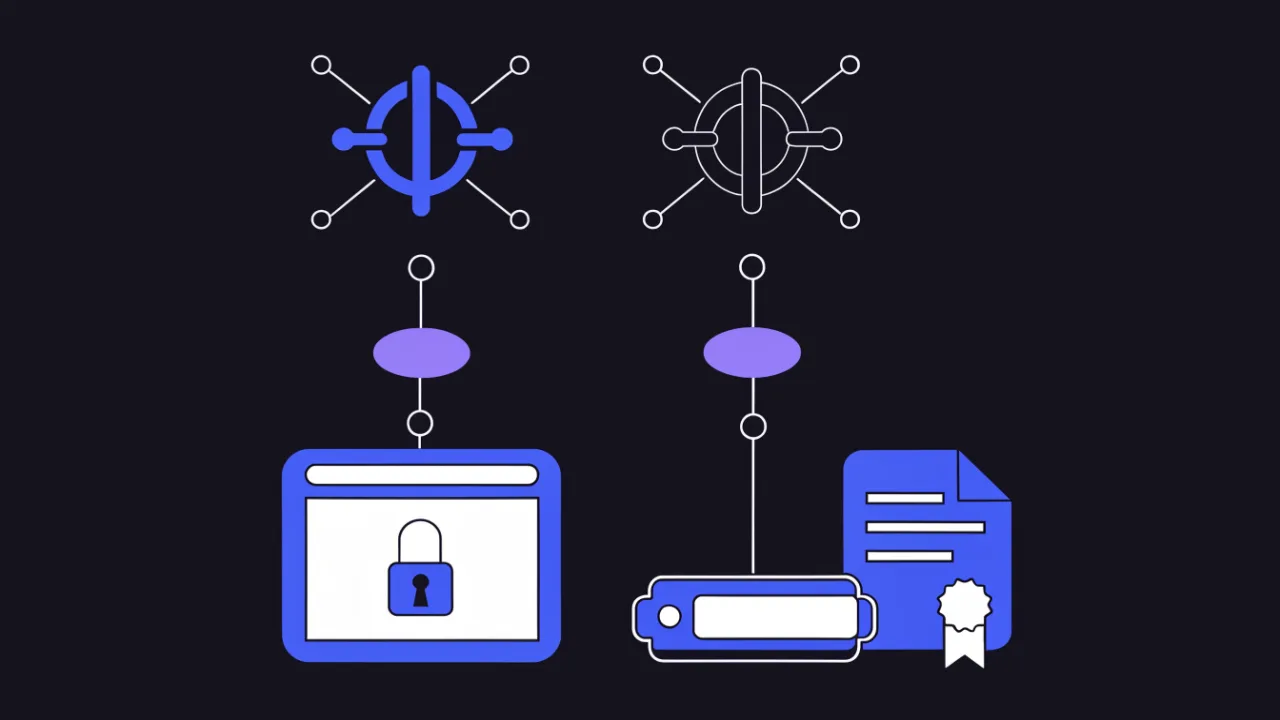
A certificate issued by the Russian national CA is an ordinary X.509 certificate. The validity dates are fine, the domain matches the SAN entry, the signature verifies. Exactly one thing is different: the root that terminates the chain is not part of the Mozilla, Chrome, Apple or Microsoft root programs. It is therefore absent from Firefox, Chrome, macOS, Windows, most Linux distributions and every stock Docker image.
The client cannot anchor the chain, and says so in its own dialect:
- Chrome and Chromium browsers —
ERR_CERT_AUTHORITY_INVALID. Detailed walkthrough: fixing that specific error. - Firefox —
SEC_ERROR_UNKNOWN_ISSUER. Firefox ships its own trust store and does not consult the system store on Windows and Linux by default, so a system install does not fix it. - curl and server-side clients —
SSL certificate problem: unable to get local issuer certificate, exit code 60. - Java —
PKIX path building failed: unable to find valid certification path to requested target. - Python —
CERTIFICATE_VERIFY_FAILED: unable to get local issuer certificate.
Five messages, one condition: no path to a trusted root. They read differently only because the stores are different.
The general mechanics of chain building, path validation and the usual breakage patterns are covered separately in incomplete certificate chain. Everything below is the Russian-specific part.
A certificate is never "valid" in the abstract. It is valid relative to one specific trust store on one specific client. Your browser, your curl, your JVM and your mobile app hold four different stores that never synchronise with each other.
What the visitor can do, and what the site owner can do
A visitor can install the root certificate into their system or browser. That is their action, on their machine, entirely outside your control. A site owner can do three things: serve the full chain, publish an honest installation guide, and — most importantly — decide in advance what share of the audience will never install anything.
Some Russian browser builds ship the root preinstalled; Yandex Browser and Atom are the usual examples. The hedge in that sentence is deliberate: the set of preinstalled roots changes between versions, and the only reliable way to know is to open the trusted root list in the specific build and search for Russian Trusted.
Russian CA versus international CA: what actually differs
| Property | Russian national CA | International CA |
|---|---|---|
| Root of trust | national root plus an intermediate | root included in the Mozilla, Chrome, Apple and Microsoft programs |
| Preinstalled on clients | not guaranteed; some Russian builds ship it | essentially everywhere out of the box |
| Format | X.509 with standard extensions | X.509 with standard extensions |
| Validity checking | standard, same commands | standard |
| Issuance and renewal automation | typically portal based rather than ACME, so the usual certbot workflow does not apply | ACME everywhere, renewal happens in the background |
| Public Certificate Transparency logs | do not count on the issuance appearing in public CT logs | logging is effectively mandatory for Chrome trust |
| Inventory via crt.sh and similar | may return nothing; keep your own registry | works |
| Best fit | Russian audiences and environments where you control the trust stores | universal and international audiences |
One clarification that saves a lot of confusion: a Russian TLS certificate and GOST cryptography are not the same thing. The national CA issues ordinary X.509 certificates with widely supported signature algorithms, which is precisely why a normal browser accepts them the moment the root appears in its store. Verify what you actually hold with one command:
# signature algorithm and key parameters of a certificate file
openssl x509 -in russian_trusted_root_ca.cer -inform DER -noout -text \
  | grep -E 'Signature Algorithm|Public Key Algorithm|Public-Key'

# the same for whatever the live server actually serves
echo | openssl s_client -connect example.ru:443 -servername example.ru 2>/dev/null \
  | openssl x509 -noout -text | grep -E 'Signature Algorithm|Issuer:|Subject:'
If GOST algorithms show up in the output, you are not dealing with ordinary web TLS. In that case a root in the trust store is not enough — the client needs a cryptographic provider that implements those algorithms.
Installing the root on the server, not in the browser
The most expensive mistake in this area is assuming the Russian root only matters to end users. In practice your own servers break first. A browser at least shows a human a readable warning; a server-side integration just writes a line to a log, usually silently and usually at night.
What typically breaks:
- a cron job pulling exchange rates or a reference dataset from a Russian portal;
- a backend integration with a Russian bank or payment API;
- a reporting export over HTTPS;
- a Java connector to a document exchange system;
- outbound webhooks you send to a partner whose endpoint uses a domestic certificate;
- a CI job that fetches a dependency from a Russian mirror.
The symptom is always the same string in the log: unable to get local issuer certificate. The browser is irrelevant here — it has its own store, and the fact that the site opens fine on your laptop tells you nothing about the server.
AlmaLinux, RHEL, Rocky, CentOS, Fedora
# drop BOTH the root and the intermediate into the anchors directory
sudo cp russian_trusted_root_ca.cer /etc/pki/ca-trust/source/anchors/
sudo cp russian_trusted_sub_ca.cer  /etc/pki/ca-trust/source/anchors/

# rebuild the system bundle (accepts both PEM and DER)
sudo update-ca-trust extract

# confirm the anchor landed in the extracted store
trust list --filter=ca-anchors | grep -i -B2 'Russian Trusted'

# fallback check: search the generated bundle directly
grep -c 'BEGIN CERTIFICATE' /etc/pki/ca-trust/extracted/pem/tls-ca-bundle.pem
The source/anchors/ directory accepts both PEM and DER files, so no conversion is required up front. Running update-ca-trust with no arguments does the same work as update-ca-trust extract.
Debian and Ubuntu
# this directory takes PEM ONLY and the .crt extension ONLY
sudo cp russian_trusted_root_ca.pem /usr/local/share/ca-certificates/russian_trusted_root_ca.crt
sudo cp russian_trusted_sub_ca.pem  /usr/local/share/ca-certificates/russian_trusted_sub_ca.crt
sudo update-ca-certificates

# if the file arrived in DER, convert it first
openssl x509 -inform DER -in root.cer -outform PEM -out russian_trusted_root_ca.crt

# verify
awk -v cmd='openssl x509 -noout -subject' \
  '/BEGIN/{c=cmd} c{print | c} /END/{close(c); c=0}' \
  /etc/ssl/certs/ca-certificates.crt | grep -i 'russian'
Two traps eat the most time here. First, update-ca-certificates only picks up files with the .crt extension. A file named root.pem or root.cer will sit in that directory doing absolutely nothing, and you get no error at all. Second, the content must be PEM; DER content under a .crt name fails just as silently. A successful run prints a line like 1 added, 0 removed — if that number is zero, nothing was installed.
Alpine and containers
# inside an Alpine container
apk add --no-cache ca-certificates
cp russian_trusted_root_ca.crt /usr/local/share/ca-certificates/
update-ca-certificates

# in the Dockerfile, so the fix survives an image rebuild
# COPY russian_trusted_root_ca.crt /usr/local/share/ca-certificates/
# RUN update-ca-certificates
Installing a root inside a running container lasts exactly until that container is recreated. Bake the certificate into the image with COPY, or mount a bundle from outside. Otherwise the integration breaks at the worst possible moment — during a routine image update, when nobody will think to look at certificates.
Runtimes with their own trust store: Java, Node.js, Python
Installing the root system-wide is necessary but not sufficient. Several popular runtimes never look at the system store at all. This is the source of the classic complaint: curl works on the server, the application does not.
| Client | Uses the system store | Extra work required |
|---|---|---|
| curl, wget | yes | system install is enough |
| PHP (cURL and OpenSSL streams) | usually yes | check curl.cainfo and openssl.cafile in php.ini: if a custom bundle is configured, extend that bundle instead |
| Go on Linux | yes | system install is enough |
| .NET on Linux | yes | system install is enough |
| Java (JVM) | no — its own cacerts file | import with keytool |
| Node.js | no — a compiled-in root list | NODE_EXTRA_CA_CERTS environment variable |
| Python: requests, httpx | no — the certifi bundle | SSL_CERT_FILE, REQUESTS_CA_BUNDLE or an explicit verify argument |
| Python: ssl, urllib | usually yes | uses OpenSSL default paths, no extra work |
| Browsers | Chrome and Edge yes; Firefox no | Firefox needs the root in its own store |
Java: importing into cacerts
# Java 9 and newer keep the store at $JAVA_HOME/lib/security/cacerts
sudo keytool -importcert -trustcacerts -noprompt \
  -alias russian-trusted-root \
  -file /etc/pki/ca-trust/source/anchors/russian_trusted_root_ca.cer \
  -keystore "$JAVA_HOME/lib/security/cacerts" -storepass changeit

# confirm the alias exists
keytool -list -keystore "$JAVA_HOME/lib/security/cacerts" -storepass changeit \
  | grep -i russian
The default store password is changeit; substitute yours if it was changed. Java 8 keeps the file elsewhere: $JAVA_HOME/jre/lib/security/cacerts. And the important part: a JDK upgrade replaces cacerts wholesale, taking your import with it. For anything critical, keep a separate truststore file and point the JVM at it with -Djavax.net.ssl.trustStore, so upgrades cannot silently undo the fix.
Node.js and Python
# Node.js reads this once at process start, PEM only
NODE_EXTRA_CA_CERTS=/etc/ssl/certs/russian_trusted_root_ca.pem node app.js

# Python: locate the certifi bundle that requests actually uses
python3 -c "import certifi; print(certifi.where())"

# the right fix is an explicit bundle, not editing certifi in place
export SSL_CERT_FILE=/etc/ssl/certs/ca-certificates.crt
export REQUESTS_CA_BUNDLE=/etc/ssl/certs/ca-certificates.crt
python3 -c "import requests; print(requests.get('https://example.ru').status_code)"
Do not append the root to the certifi bundle file itself. The next package upgrade wipes the edit, and the failure returns with no change anywhere in your code — which makes it extremely hard to trace. Set the bundle through an environment variable in the service unit file or in the container environment.
How not to verify the install: the gosuslugi.ru trap
Do not test your root installation by curling gosuslugi.ru. The portal restricts requests originating from data centre address ranges, so a request from your server is refused in a way that looks like a certificate failure even though the certificate and the trust store are perfectly fine. Test against a host that does not filter data centre addresses instead — sberbank.ru works well for this.
This trap is expensive precisely because it is convincing. You have just installed the root, you test against the most obvious government site, and you get refused. From there people start reinstalling the certificate, rebuilding the bundle and hunting for a typo in a path, while the actual problem sits in a completely different layer.
The discriminator is simple: find out whether the TLS handshake completed at all.
| What you observe | TLS handshake | Diagnosis |
|---|---|---|
SSL certificate problem: unable to get local issuer certificate, curl exit code 60 | did not complete | root missing from the store, or the client reads a different store |
SSL certificate problem: certificate has expired, exit code 60 | did not complete | the server certificate expired; unrelated to root installation |
| An HTTP response arrived — 403, 429 or a challenge page — curl exit code 0 | completed successfully | the certificate is fine; you were blocked by IP reputation or a WAF |
Connection timed out or Connection reset, exit code 28, 35 or 56 | never started or was cut | network, filtering or missing egress — not a certificate problem |
openssl s_client prints Verify return code: 0 (ok) but the application still fails | completed | different stores: openssl used the system one, the application uses its own (Java, Node.js, certifi) |
# 1. TLS only, no HTTP: inspect the certificate and the trust path
echo | openssl s_client -connect sberbank.ru:443 -servername sberbank.ru 2>/dev/null \
  | grep -E 'Verify return code|subject=|issuer='

# 2. verbose curl shows exactly which step failed
curl -sv -o /dev/null https://sberbank.ru 2>&1 \
  | grep -Ei 'SSL certificate|issuer|subjectAltName|HTTP/'

# 3. the curl exit code is the fastest discriminator: 0 versus 60
curl -sS -o /dev/null https://sberbank.ru; echo "curl exit=$?"
How to read it: if openssl s_client reached the Verify return code line, TLS did its job and the question is no longer about certificates. If curl exited 0 and handed you an HTTP status — even a 403 — the certificate was accepted by definition, because no HTTP response is possible without a completed handshake.
Diagnosing the chain: openssl s_client and Verify return code
# how many certificates the server actually sends
echo | openssl s_client -connect example.ru:443 -servername example.ru -showcerts 2>/dev/null \
  | grep -c 'BEGIN CERTIFICATE'

# who signed what: subject and issuer per chain level
echo | openssl s_client -connect example.ru:443 -servername example.ru -showcerts 2>/dev/null \
  | grep -E '^ *[0-9]+ s:|^ *[0-9]+ i:'

# the verdict of path validation
echo | openssl s_client -connect example.ru:443 -servername example.ru 2>/dev/null \
  | grep 'Verify return code'
The codes you will actually meet in this scenario:
0 (ok)— a path was built from your system store. Good, on this machine specifically.20 (unable to get local issuer certificate)— no issuer was found locally for the topmost certificate the server sent.21 (unable to verify the first certificate)— usually means the server sent the leaf certificate only.2 (unable to get issuer certificate)— same family: issuer not found.10 (certificate has expired)— validity, not trust; nothing to do with the CA.19 (self signed certificate in certificate chain)— a self-signed certificate somewhere in the chain.
Telling "missing intermediate" apart from "missing root"
Two different diagnoses with nearly identical error text. Two commands separate them.
- Count the certificates in the server response. If
grep -c 'BEGIN CERTIFICATE'returns 1, the server is sending only the leaf. That is the site owner's problem and it is fixed in the server config, not on the client. - If two or more arrive and the error persists, the topmost certificate sent is signed by a root that is not in the store. That is fixed on the client side by installing the root.
- Test the hypothesis directly by supplying the root explicitly and seeing whether the verdict changes.
# point openssl at the root file explicitly
echo | openssl s_client -connect example.ru:443 -servername example.ru \
  -CAfile /etc/pki/ca-trust/source/anchors/russian_trusted_root_ca.cer 2>/dev/null \
  | grep 'Verify return code'
If the verdict becomes 0 (ok) with -CAfile and stays broken without it, the diagnosis is unambiguous: the certificate and chain are correct and the root simply is not installed system-wide. This is the fastest check in the whole workflow and it resolves most disputed cases in seconds.
If the server is sending only the leaf, here is the fix on the site owner's side:
# nginx: ssl_certificate must point at a "leaf + intermediates" file
cat leaf.crt sub_ca.crt > /etc/nginx/ssl/example.ru.fullchain.crt
nginx -t && systemctl reload nginx

# Apache: leaf in SSLCertificateFile, intermediates in SSLCertificateChainFile
apachectl configtest && systemctl reload httpd
Order matters: leaf first, then intermediates from the bottom up. Do not append the root — it belongs in the client's store, not in the server response. More on assembling chains in incomplete certificate chain, and the general inspection workflow in how to check an SSL certificate.
What it means if you own the site
Choosing a certificate authority here is a product decision, not a technical one. Both options work identically at the protocol level; what differs is how many of your users see a warning.
When a Russian certificate makes sense
- The audience is entirely Russian and you are willing to maintain a clear root installation guide.
- An internal or corporate perimeter where you manage the workstations and can push the root centrally.
- An international CA is unavailable to your organisation or domain for any reason.
- The service already requires users to install extra software, so the root folds into an existing onboarding step rather than adding new friction.
When it does not
- You have international visitors, partner integrations or payment gateways.
- The product is a public API called by other people's servers: they will not have the root, and you cannot fix their trust stores in principle.
- The site lives on organic search: some crawlers and third-party checkers simply will not reach the content.
- You are not prepared to staff a support flow around "please install this root" — that is ongoing load, not a one-off task.
The rule of thumb: the more consumers your site has whose trust store you do not control, the more expensive a non-standard root becomes. For a public API it is almost always unacceptable; for an internal portal it is almost always fine.
Dual issuance: international plus domestic
The idea sounds reasonable — serve the Russian certificate to clients that have the root and the international one to everybody else. It does not work, and the reason is worth understanding before you design around it.
During the TLS handshake a client never tells the server which roots it trusts. It sends the hostname in the SNI extension and a list of supported algorithms, and that is all. The server physically cannot select a certificate based on the client's trust store, because that information is not in the protocol. Multiple ssl_certificate directives in nginx select by key type — RSA versus ECDSA — not by client trust.
So in practice dual issuance always means separate entry points rather than automation inside a single server:
- Separate hosts. The main domain on an international certificate, a dedicated subdomain or mirror on the domestic one, with an explicit link and explanation.
- Separate addresses by geography. DNS hands different users different IP addresses, each front-end holding its own certificate. It works, but it adds a whole infrastructure layer and a new class of incidents.
- Separate channels. Public website on an international certificate, internal and partner integrations on the domestic one. This is usually both the cheapest and the most honest arrangement.
Expiry and monitoring without ACME
An expired certificate breaks the connection regardless of which CA issued it. With Russian certificates the odds of missing a renewal are higher for two reasons: there is usually no ACME automation renewing in the background, and there is usually no public CT log entry, which is how many teams unknowingly inventory their certificate estate. Two familiar safety nets disappear at once.
# validity dates, subject and issuer in one command
echo | openssl s_client -connect example.ru:443 -servername example.ru 2>/dev/null \
  | openssl x509 -noout -dates -subject -issuer

# will it expire within 14 days? exit code 1 means yes, 0 means no
echo | openssl s_client -connect example.ru:443 -servername example.ru 2>/dev/null \
  | openssl x509 -noout -checkend 1209600
The -checkend form is convenient in cron: it returns a ready-made exit code, so no date parsing is required.
On enterno.io the SSL monitor checks validity on a schedule and alerts ahead of time — by default a warning at 14 days and a critical alert at 3 days. It is configured under monitoring, with notifications to Telegram and email.
One caveat specific to domestic certificates: keep "expiring" and "not trusted" as separate signals in your monitoring. An external checker without your root will report a trust failure, and that failure masks the real expiry date. Read the validity date from the certificate independently of the path-validation verdict, or you will get a false alarm instead of a genuine two-week warning.
Related reading: SSL certificate monitoring and what to do when a certificate has already expired.
Symptom, cause, check, fix
| Symptom | Likely cause | Check | Fix |
|---|---|---|---|
| Site opens in Yandex Browser but not in Chrome | the root ships only in some builds | search for Russian Trusted in each browser's trusted root list | publish an installation guide; for a public site, reconsider the CA choice |
curl on the server: unable to get local issuer certificate | root missing from the system bundle | trust list or a search through ca-certificates.crt | update-ca-trust or update-ca-certificates |
curl works, the Java service fails with PKIX path building failed | the JVM has its own cacerts | keytool -list filtered by alias | keytool -importcert into cacerts, or a dedicated truststore |
Python: CERTIFICATE_VERIFY_FAILED while curl succeeds | requests reads certifi, not the system store | python3 -c "import certifi; print(certifi.where())" | set SSL_CERT_FILE and REQUESTS_CA_BUNDLE |
| Everything broke again after an image update | the root was installed inside a running container | inspect the anchors directory inside the new container | move the install into the Dockerfile |
| Java stopped trusting after a JDK upgrade | the upgrade replaced cacerts | keytool -list — the alias is gone | re-import, or switch to your own truststore via a JVM flag |
Verify return code: 21 and only one certificate in the response | the server sends the leaf only | grep -c 'BEGIN CERTIFICATE' | assemble a fullchain file and reload the web server |
| 403 from the server, 200 from a laptop | data centre address filtering, not a certificate issue | compare curl exit codes: 0 versus 60 | test against a host that does not filter data centre ranges |
| Certificate not found on crt.sh | issuance is not logged in public CT | compare against the live server response via s_client | maintain your own certificate registry |
How to check it on enterno.io
- SSL checker — chain, issuer, validity, protocol and cipher suite. Start here: the issuer field immediately tells you whether the root is domestic or international.
- SSL error reference — when the browser already shows a specific error code.
- Security scanner — headers, HSTS, the HTTPS redirect and mixed content.
- Monitoring — an SSL monitor tracking validity, with a warning at 14 days and a critical alert at 3 days, delivered to Telegram.
- HTTP header checker — the redirect chain from http to https and what the server really returns.
Related walkthroughs: cannot verify server certificate, DV, OV and EV certificate types, self-signed certificates, checking site availability from Russia and abroad.
FAQ
Is a Russian web CA the same as an electronic signature CA?
No. Different organisations, different certificates, different technology — only the Russian phrase is shared. A web TLS CA issues server certificates for websites. An accredited electronic signature CA issues certificates for signing documents; those work with a cryptographic provider and a hardware token and are never installed on a web server.
I have an electronic signature certificate on a token. Can I use it for my website?
No. Its Extended Key Usage declares a different purpose, the private key cannot be exported from the token by design, and a web server will not accept it as a server certificate. A website needs a separate TLS certificate with the serverAuth purpose.
Why does curl fail on the server while the browser opens the site fine?
Because those are two different trust stores. Your browser already has the root, either because you installed it or because the build shipped with it. Nobody touched the system bundle on the server. Install the root on the server separately, and then check whether your runtime uses its own store on top of that.
Is installing the root alone enough, without the intermediate?
If the server sends the intermediate itself, the root is enough. If it does not, the client has nowhere to obtain it. The safer approach is to do both: put the root and the intermediate into the anchors directory, and separately fix the fullchain on the server so you do not depend on every client's configuration.
How do I confirm the root actually landed in the system store?
On RHEL-family systems: trust list --filter=ca-anchors filtered by name. On Debian and Ubuntu: search the generated /etc/ssl/certs/ca-certificates.crt. The most reliable test is comparing openssl s_client with and without -CAfile: if the verdict is 0 (ok) only with the flag, the root is not installed system-wide.
Should I put a domestic certificate on a public API?
Usually not. A public API is called by other people's servers, whose trust stores you neither control nor can repair. Every one of those clients hits a path validation error that only they can fix. For public integrations this is an expensive choice.
Can CT logs help me track domestic certificate issuance?
Do not rely on it. Certificate Transparency logging obligations come from browser root programs, and certificates outside those programs are not covered. Replace crt.sh style inventory with your own registry plus monitoring based on what servers actually serve.
Does installing the root weaken my security posture?
Adding any root to a trust store means trusting that authority to vouch for any hostname, so treat it as a real decision rather than a formality. Install it on the machines that genuinely need to reach those endpoints, keep the change in configuration management so it is auditable, and prefer a dedicated truststore for a single service over a system-wide change when the scope is narrow.
Checklist
- You have identified which kind of CA you actually need: web TLS for a site, or electronic signature for documents.
- You know what share of your audience and which integrations lack the domestic root.
- The server sends a full chain: leaf plus intermediates, with the
BEGIN CERTIFICATEcount greater than one. - Root and intermediate are installed in the system store on every server that talks to Russian endpoints.
- The installation is captured in the Dockerfile or image configuration, not applied by hand inside a running container.
- Runtimes with their own store have been handled: Java, Node.js, Python with requests.
- You verified the install against a host that does not filter data centre addresses, not against gosuslugi.ru.
- You can tell curl exit code 60 apart from an HTTP 403 delivered at exit code 0.
- Expiry monitoring exists with at least a two-week lead time, and it separates "expiring" from "not trusted".
- Renewal is on a calendar: ACME auto-renewal is usually unavailable here.
Check your certificate and its chain now: run an SSL check on enterno.io and enable expiry monitoring with Telegram alerts. If a browser is already showing an error, start from the SSL error reference.