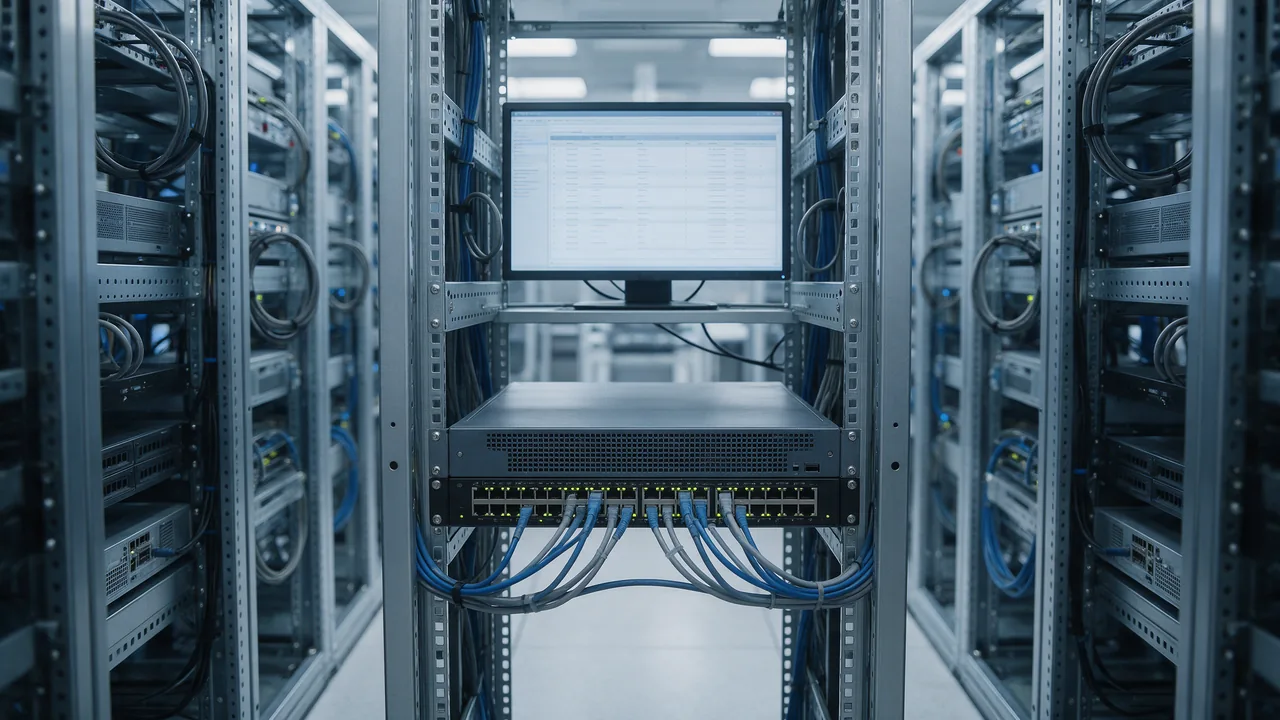
What is a firewall? A firewall is a traffic filter that sits between a device or network and everything else, and decides — rule by rule — which connections to let through and which to drop. It looks at addresses, ports, protocols and connection state, and the sane default is to block anything you have not explicitly allowed.
A firewall in plain terms
Think of a building with a single reception desk. Every packet that arrives is a visitor: the desk checks where it came from (source IP), which door it wants (destination port) and what kind of pass it carries (TCP, UDP, ICMP). If a line on the list matches, the visitor goes in; if not, they are turned away. The list is your rule set, and the desk is the firewall.
The name comes from construction, where a firewall is a fire-resistant wall that stops a blaze spreading from one part of a building to another. The network version does the same job for traffic: it keeps problems on one side of the boundary.
It helps to be clear about what a firewall does not do. It does not scan files for malware, it cannot tell a phishing email from a real one, and it offers no protection for a service you have deliberately exposed. If your site on port 443 has a vulnerability, the attack arrives through the very rule that lets your visitors in. The firewall's job is narrower and still essential: make sure only what you chose to publish is reachable at all.
How a firewall decides what to block
Stateless packet filtering
The oldest approach inspects each packet on its own, using header fields: source and destination address, port, protocol, interface. "Allow TCP to port 22 from 203.0.113.5" is a classic packet-filter rule. It is fast but has no memory, so it cannot tell whether an incoming packet is a reply to something you asked for.
Stateful inspection
A stateful firewall keeps a connection table. When your laptop opens a web page, the outbound connection is recorded and the server's replies are allowed back automatically. Anything inbound that does not belong to a known connection and is not explicitly permitted gets dropped. Windows Defender Firewall, Linux netfilter with conntrack, cloud security groups and almost every home router ("SPI firewall" in the router menu) work this way.
Application-layer filtering: proxies, WAFs and NGFWs
Packet and stateful filters never look inside the request, so an HTTP request carrying SQL injection looks exactly like a normal one. Application-layer firewalls close that gap. A web application firewall parses HTTP and blocks common attacks on sites — see what a WAF is and how it protects a site. Next-generation firewalls in corporate networks go further: they identify applications regardless of port, can inspect TLS traffic and apply intrusion signatures.
Rule order, default policy, DROP vs REJECT
Rules are evaluated top to bottom and the first match wins; whatever falls through hits the default policy, which for inbound traffic should be deny. Denial comes in two flavours. DROP discards the packet silently, so the client waits for a timeout and a scanner reports the port as filtered. REJECT answers with a TCP reset or ICMP unreachable, so the client fails immediately. DROP is the usual choice facing the internet; REJECT is friendlier for troubleshooting inside your own network.
| Firewall type | What it inspects | Typical place | Blind spot |
|---|---|---|---|
| Stateless packet filter | IP, port, protocol per packet | Router ACLs, simple netfilter rules | Whether a packet is a reply; payload |
| Stateful | Headers plus connection state | Windows, ufw, firewalld, home routers, cloud security groups | Attacks inside an allowed protocol |
| Host-based | Traffic of one machine, often per program | Windows, macOS, Linux servers | Other devices on the network |
| WAF | HTTP parameters, headers, body | In front of the web server, in a CDN, as a proxy module | Anything that is not HTTP |
| NGFW | Applications, users, TLS traffic, signatures | Corporate network edge | Depends on policy and licences; complex to run |
Windows Defender Firewall
Windows 10 and 11 ship with a stateful firewall that blocks unsolicited inbound connections and allows outbound ones by default. Rules apply per network profile — Domain, Private and Public — and an unknown Wi-Fi network should always be marked Public, which gets the strictest rules.
- Windows 11: Settings → Privacy & security → Windows Security → Firewall & network protection.
- Full rule editor: press Win+R and run
wf.msc(Windows Defender Firewall with Advanced Security). - Status from a terminal:
netsh advfirewall show allprofiles stateorGet-NetFirewallProfile | Format-Table Name, Enabled.
To let a program accept connections, use "Allow an app through firewall" → "Change settings" and tick the profiles it needs. To open a port, go to wf.msc → Inbound Rules → New Rule → Port → TCP → Specific local ports → Allow the connection → pick profiles → name it, then restrict remote addresses on the rule's Scope tab if only your LAN needs access. The PowerShell equivalents, run as administrator:
New-NetFirewallRule -DisplayName "Web 8080" -Direction Inbound -Protocol TCP -LocalPort 8080 -RemoteAddress 192.168.1.0/24 -Action Allow

New-NetFirewallRule -DisplayName "MyApp" -Direction Inbound -Program "C:\Program Files\MyApp\app.exe" -Action Allow

Remove-NetFirewallRule -DisplayName "Web 8080"
Guides that tell you to switch the firewall off to "fix" a connection problem are solving the wrong problem: turning it off exposes every listening service on the machine, including file sharing and remote-access protocols. If you need to confirm the firewall is the cause, disable one profile briefly (Set-NetFirewallProfile -Profile Private -Enabled False), test, turn it back on with -Enabled True and write a specific rule. Error 0x80070422 usually means the Windows Defender Firewall service (MpsSvc) is stopped or disabled — check it with sc query mpssvc. Microsoft's own overview is on Microsoft Learn.
macOS firewall
The macOS application firewall is off by default. Turn it on in System Settings → Network → Firewall; under Options you can allow or block incoming connections per app and enable stealth mode so the Mac ignores ping and probes to closed ports. Check the state with /usr/libexec/ApplicationFirewall/socketfilterfw --getglobalstate.
Linux servers: ufw, firewalld and nftables
All three are front ends to netfilter in the kernel. Pick one per server and do not mix them — and always allow SSH before enabling a default-deny policy, or you will lock yourself out.
ufw on Ubuntu and Debian
sudo ufw default deny incoming
sudo ufw default allow outgoing
sudo ufw allow OpenSSH
sudo ufw allow 80,443/tcp
sudo ufw allow from 203.0.113.5 to any port 5432 proto tcp
sudo ufw enable
sudo ufw status numbered
sudo ufw limit 22/tcp rate-limits new SSH connections; for real brute-force protection pair the firewall with fail2ban.
firewalld on RHEL, AlmaLinux, Rocky and Fedora
sudo firewall-cmd --get-active-zones
sudo firewall-cmd --list-all
sudo firewall-cmd --permanent --add-service=https
sudo firewall-cmd --permanent --add-port=8080/tcp
sudo firewall-cmd --reload
Raw nftables or iptables
A minimal inbound policy accepts loopback, established and related traffic, SSH and web, and drops the rest:
sudo iptables -A INPUT -i lo -j ACCEPT
sudo iptables -A INPUT -m conntrack --ctstate ESTABLISHED,RELATED -j ACCEPT
sudo iptables -A INPUT -p tcp -m multiport --dports 22,80,443 -j ACCEPT
sudo iptables -P INPUT DROP
These rules vanish on reboot unless you persist them (on Debian and Ubuntu, sudo netfilter-persistent save from the iptables-persistent package). Remember IPv6: iptables rules do not cover it, so you need ip6tables or an nftables inet table. sudo nft list ruleset shows what the kernel is actually enforcing.
Two traps: Docker and the cloud
Docker writes its own netfilter rules for published ports, and they are evaluated before ufw's chains. A container started with -p 5432:5432 is reachable from the internet even with ufw default deny incoming. Publish local-only services on loopback (-p 127.0.0.1:5432:5432) and put filtering for exposed ports in the DOCKER-USER chain, as the Docker packet-filtering docs describe.
In the cloud there is a second firewall you do not see from inside the VM: security groups or the provider's network firewall. AWS security groups, for instance, are stateful and are evaluated before traffic reaches the instance. A port can therefore be open in ufw and still unreachable, or closed in ufw and wide open because Docker bypassed it — which is why you verify from outside.
Home routers
A home router combines NAT, which gives devices behind it no public address, with a stateful SPI firewall. The holes are the ones you or your software create: manual port forwarding and UPnP, which lets applications open ports on their own. Turn UPnP off if nothing on your network needs it, review your forwarding list now and then, and check IPv6 separately — if your ISP provides it, there is no NAT and the router's IPv6 firewall is all that stands in the way.
How to check which ports your firewall leaves open
- List listening sockets on the machine:
sudo ss -tulpnon Linux,Get-NetTCPConnection -State Listenon Windows. Anything bound to 0.0.0.0 or [::] is a candidate for exposure. - Look from outside. Find your public address with the IP lookup and run the port scanner against it. Open means a service answered; closed means the firewall let the probe through but nothing listens or a REJECT rule replied; filtered means packets are silently dropped. Behind a home router you are scanning the router, not the PC.
- Test a single port from another host:
Test-NetConnection 203.0.113.10 -Port 22in PowerShell ornc -zv 203.0.113.10 22on Linux and macOS.
Databases, admin panels and RDP (3389) should never show up in that scan unless restricted to trusted addresses. More on the risky ones in open server ports and why they are dangerous, and other methods in how to check open ports.
FAQ
Do I need a firewall if I have antivirus?
Yes. Antivirus inspects files and processes; a firewall controls network connections. Many security suites replace the built-in firewall with their own, which is fine as long as something is filtering.
Is it safe to turn off Windows Firewall?
Not as a fix. Every access problem can be solved with a specific allow rule for a program or port, while a disabled firewall exposes every listening service — especially risky on public Wi-Fi.
What is the difference between a firewall and a WAF?
A network firewall decides whether a connection may reach a port at all. A WAF lets the connection reach port 443 and then inspects the HTTP request itself. A public website benefits from both.
Is my router's firewall enough?
Against unsolicited connections from the internet, mostly, if you have no port forwards and UPnP is off. It does nothing for threats inside the same network or for a laptop on someone else's Wi-Fi, so keep the host firewall on.
I added a rule but the port is still closed from outside. Why?
Check each layer: is the service listening on the external interface rather than 127.0.0.1, is a deny rule higher up, is there a router port forward or cloud security group rule, is the ISP blocking the port? An outside scan tells you where the connection dies.