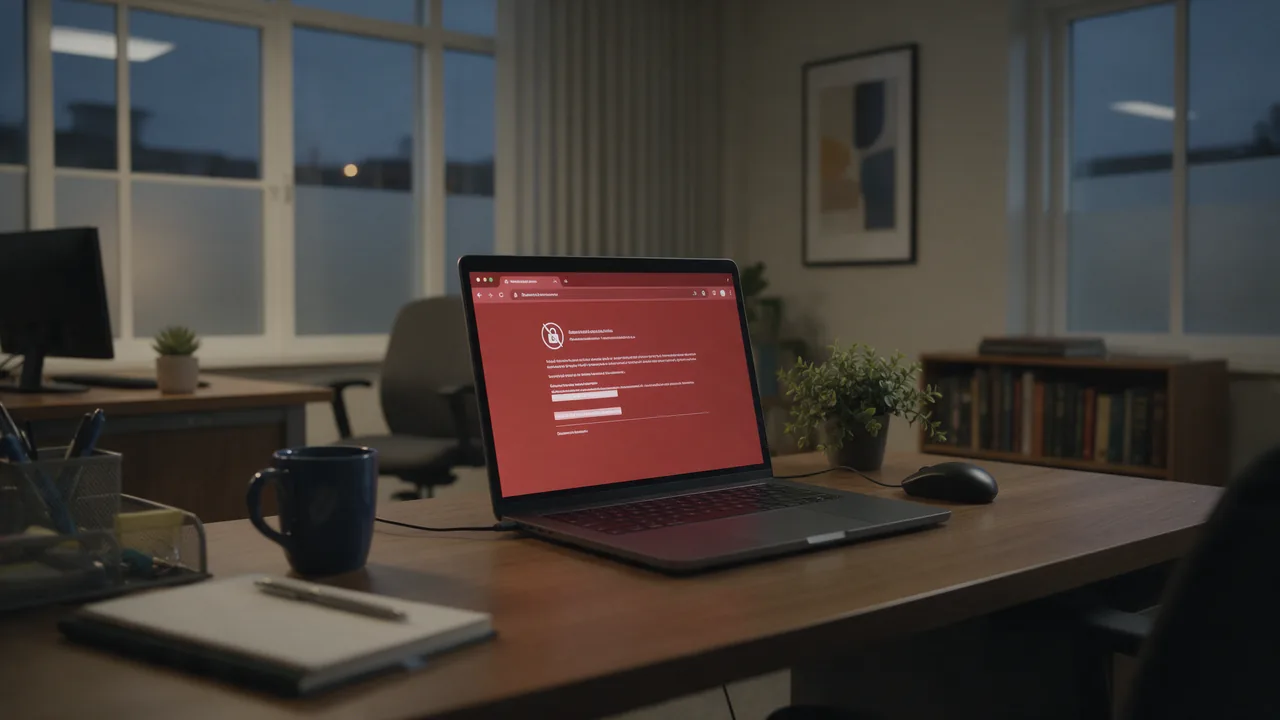
In short. HTTPS is ordinary HTTP wrapped in a TLS encryption layer. Browser and server open a protected channel, so the page path, headers, cookies, passwords and the server response stay unreadable to anyone on the wire. On top of that, the browser uses a certificate to confirm it is really talking to the domain shown in the address bar.
What HTTPS is in plain terms
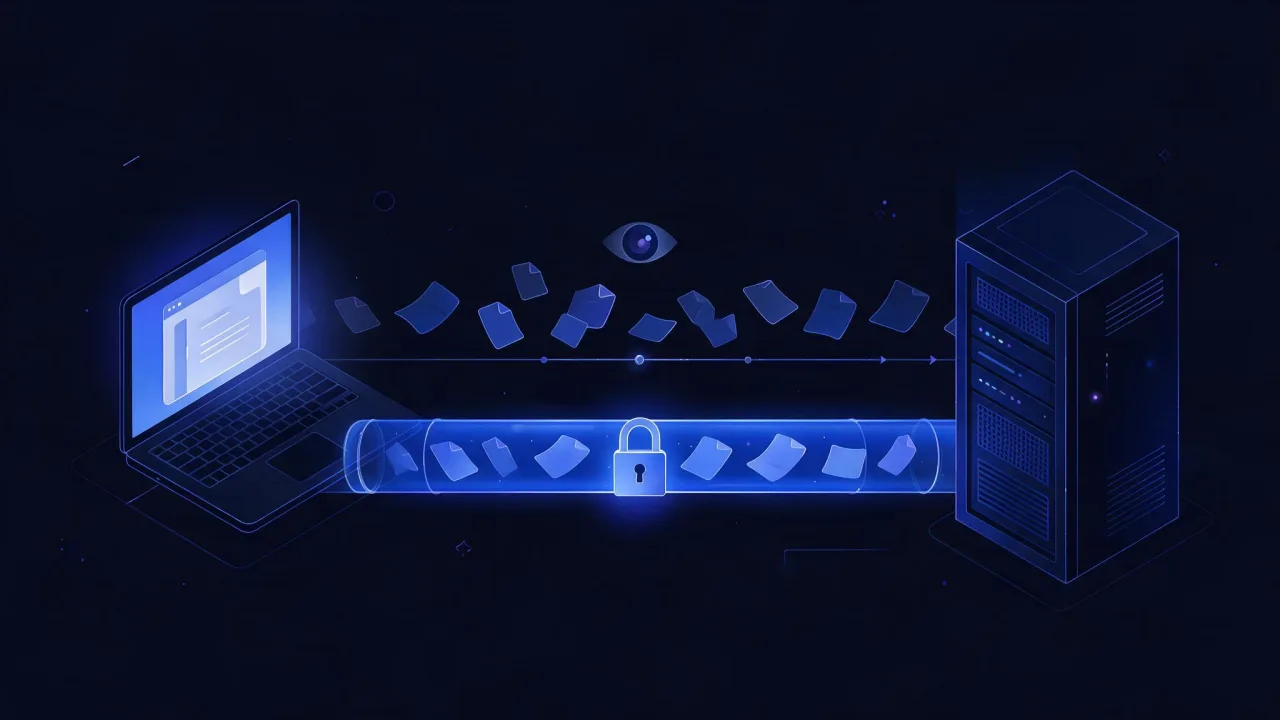
HTTP is the set of rules a browser uses to ask a server for a page and get an answer back. The rules work well, but they have one property: everything travels as plain text. Any hop along the way — a cafe Wi-Fi access point, an ISP, a corporate proxy, a compromised router — sees the whole request and can modify it.
HTTPS (HyperText Transfer Protocol Secure) is the exact same HTTP, except it goes through an encrypted TLS channel first. The HTTP protocol itself does not change: same GET and POST, same headers, same status codes. Only the transport underneath changes. The https:// URI scheme is defined in RFC 9110, and the encryption protocol in RFC 8446 (TLS 1.3).
An analogy that actually holds: HTTP is a postcard. Every courier reads it, and any of them can add a line without the recipient noticing. HTTPS is a sealed envelope whose seal also gets verified.
Three things HTTPS gives you
- Confidentiality. Request and response contents are encrypted. An observer sees that a connection happened, not what was inside it.
- Integrity. Data is authenticated by the cipher. If an ISP or a malicious hop flips a single byte of the response, the connection fails with an error instead of handing you a tampered page.
- Server authentication. The certificate proves to the browser that the other end really is the server for the requested domain, not a machine that intercepted the traffic.
Note the wording of the third point: it confirms the domain, not the good faith of whoever owns it. That distinction matters, and there is a dedicated section below on what the padlock does not prove.
How HTTPS differs from HTTP
The difference is not just one letter. Here are the practical differences a site owner or an admin actually feels.
| Property | HTTP | HTTPS |
|---|---|---|
| URL scheme | http:// | https:// |
| Default port | 80 | 443 |
| Channel encryption | no | yes, TLS |
| Server authentication | no | yes, via certificate |
| Protection from in-transit tampering | no | yes, integrity at the cipher level |
| Certificate required | no | yes |
| HTTP/2 in browsers | not supported | supported |
| HTTP/3 (QUIC) | does not exist without TLS | supported, TLS 1.3 mandatory |
| Address bar label | "Not secure" | padlock |
| Service Workers, geolocation, camera | blocked by the browser | available |
Referer when linking out to an HTTP site | sent | not sent by default |
The HTTP/2 and HTTP/3 rows deserve a note. The HTTP/2 standard formally allows cleartext operation (the h2c mode), but no mainstream browser ever implemented it. In practice, moving to modern protocol versions is only possible over HTTPS — which makes this a speed question, not only a security one. If you are measuring page load speed, part of the HTTP/2 and HTTP/3 win is simply unavailable without HTTPS.
There is a second effect people forget: browsers gradually moved "powerful" capabilities behind HTTPS. Service Workers, camera and microphone access, precise geolocation and Web Push either do not work at all on an HTTP page, or work only on localhost during development.
How the TLS handshake works
Before the first byte of an HTTP request goes out, client and server have to agree on keys. That exchange is the handshake. Without the academic tedium, it looks like this.
TLS 1.3 — one round trip
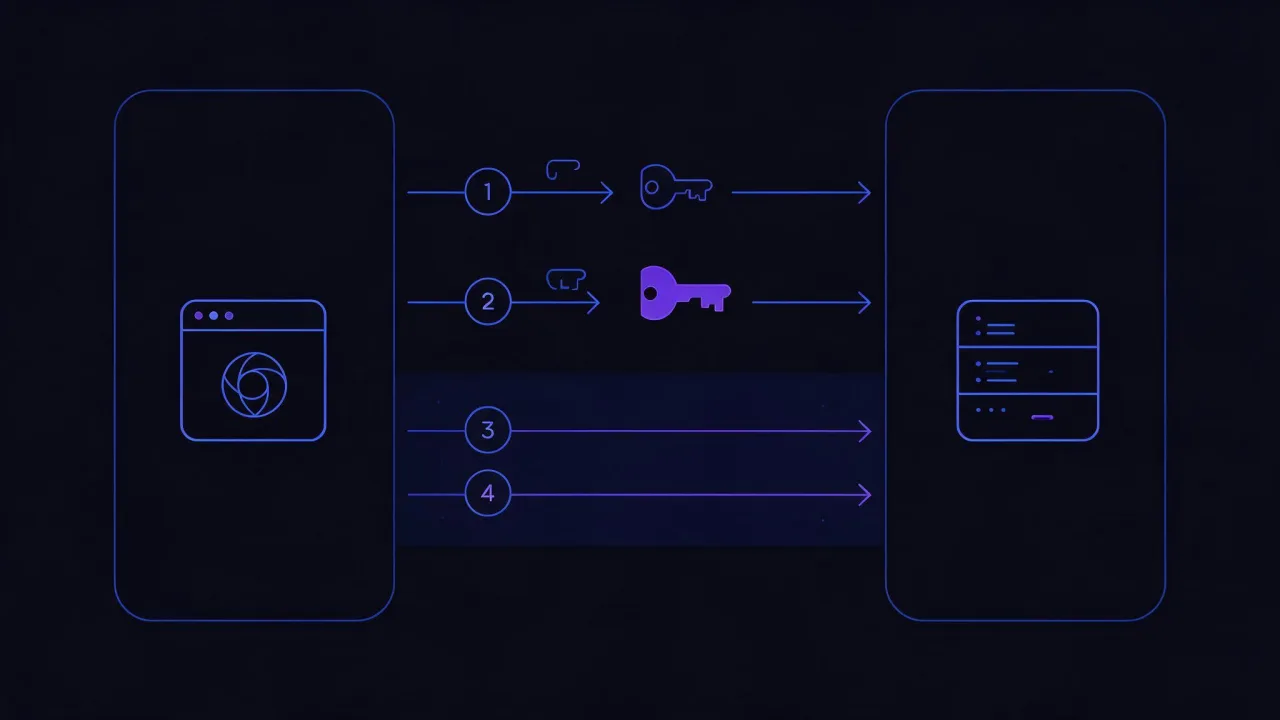
- ClientHello. The browser announces supported TLS versions, its cipher list, the hostname it wants (the SNI extension) and — crucially — immediately sends its half of an elliptic-curve Diffie-Hellman key exchange. It guesses which group the server will pick instead of waiting to be told.
- ServerHello. The server picks a cipher and returns its half of the key. From this point both sides independently derive a shared secret that never travelled across the network.
- Certificate and signature. The server sends its certificate chain and signs the entire handshake with it (the CertificateVerify message). That proves it holds the private key matching the certificate. In TLS 1.3 all of this is already encrypted.
- Finished. Both sides compare a hash of the whole conversation. If anyone in the middle changed a single byte, the hashes diverge and the connection is dropped.
Net result: one round trip, then the HTTP request can go.
How TLS 1.2 differed
In TLS 1.2 the server first replied with its hello and certificate, and only then did the client send its key material — two round trips instead of one. On top of that, the server certificate travelled in the clear, so any observer could see which domain it was issued for. TLS 1.3 encrypts the certificate and drops legacy constructions such as RSA key transport, which offered no forward secrecy.
TLS 1.0 and TLS 1.1 are formally deprecated by a dedicated IETF document, RFC 8996. Current browsers no longer negotiate them. If your server offers nothing else, a visitor gets a connection error rather than an old-fashioned but working page.
You can see what your server and client actually negotiated with one command. It opens a TLS connection and prints the agreed protocol version, cipher and chain verification result:
echo | openssl s_client -connect example.com:443 -servername example.com -verify_hostname example.com 2>&1 \
  | grep -E 'Protocol|Cipher|Verify return code'
The -servername flag is mandatory here: it sends SNI. Without it, a server hosting several sites on one IP returns its default certificate and you end up debugging somebody else's. A line reading Verify return code: 0 (ok) means the chain was built — and only that. The name is not part of it: without -verify_hostname the command prints 0 (ok) for a certificate issued to somebody else's domain too. That is why the flag is in the command above; any other number is worth investigating.
To test whether a specific protocol version is available, force it. If the server cannot do TLS 1.3, the command fails at negotiation:
openssl s_client -connect example.com:443 -servername example.com -tls1_3 </dev/null

# and the reverse — confirm that ancient versions are off:
openssl s_client -connect example.com:443 -servername example.com -tls1_1 </dev/null
What an SSL certificate is and who issues it
A certificate is a file that binds a domain name to a public key and is signed by a Certificate Authority (CA). The name "SSL certificate" is historical: the SSL protocol was replaced by TLS long ago, but the label stuck. Technically it is an X.509 certificate used for TLS.
Trust works as a chain. Your operating system and browser ship a root store — a few hundred CAs the vendor decided to trust. A root signs an intermediate, and the intermediate signs your site's certificate. The browser walks the chain up to a root it already has, and only then shows the padlock.
The most common misconfiguration is serving only the leaf certificate and omitting the intermediate. Desktop Chrome may still open such a site (it sometimes reconstructs the chain on its own), while a mobile browser or curl fails outright. Always serve the full chain: with Let's Encrypt that is
fullchain.pem, notcert.pem.
Validation levels: DV, OV, EV
| Type | What the CA verifies | Issuance | What the visitor sees |
|---|---|---|---|
| DV (Domain Validation) | domain control only: a DNS record, a file on the site or mail to a role address | minutes, automated | a normal padlock |
| OV (Organization Validation) | additionally, that the legal entity exists | days, with paperwork | a normal padlock; the company name lives inside the certificate |
| EV (Extended Validation) | extended organization vetting per CA/Browser Forum rules | days to weeks | a normal padlock; browsers stopped giving EV special address-bar treatment years ago |
The practical conclusion is inconvenient for anyone selling expensive certificates: in terms of encryption, DV, OV and EV are identical. Same algorithms, same strength. The only difference is what is written in the owner field and how much paperwork it took to get there. A visitor never sees that difference unless they open the certificate by hand, and almost nobody does.
Free certificates and lifetimes
Let's Encrypt made DV certificates free and automatic. Its standard certificate lifetime is 90 days, and renewal is designed for automation: a client such as certbot renews on a schedule, typically once about a third of the lifetime remains.
The broader industry trend is shrinking maximum lifetimes for publicly trusted TLS certificates. The specific limit is set by CA/Browser Forum requirements and gets revised from time to time, so check the current Baseline Requirements rather than a number in an article. The practical takeaway does not change either way: renewing by hand once a year is a strategy that eventually ends with a site down over a weekend.

To see which names a certificate covers and when it expires:
echo | openssl s_client -connect example.com:443 -servername example.com 2>/dev/null \
  | openssl x509 -noout -subject -issuer -dates

# every domain the certificate covers (OpenSSL 1.1.1 and newer):
echo | openssl s_client -connect example.com:443 -servername example.com 2>/dev/null \
  | openssl x509 -noout -ext subjectAltName
The subjectAltName (SAN) field is the only one that matters for name checking. Modern clients ignore the legacy Common Name field; the rules for verifying server identity are set out in RFC 9525. If a domain is missing from SAN, the browser raises a name mismatch error even when the certificate is otherwise perfectly valid.
One more useful fact: every publicly trusted certificate is recorded in public Certificate Transparency logs (RFC 6962). That means any issuance for your domain is publicly visible — including one you never ordered. Reviewing those logs for your domain periodically is a good habit.
What the padlock means — and what it does not guarantee
This is the most misunderstood piece of UI in the history of the web. Let's be honest about it.
What the padlock genuinely proves
- The connection to the server is encrypted, and page contents cannot be read in transit.
- The certificate has not expired and was not revoked as of the check.
- The certificate was issued for the exact domain name in the address bar.
- The certificate is signed by a CA your browser trusts.
What the padlock does not prove
- That the site is not a scam. A DV certificate is free and issued automatically to anyone who proves domain control — including the owner of a phishing domain. A padlock on a fake banking page is the norm today, not the exception.
- That anyone vetted the owner. DV validation checks nothing beyond domain control. Not the company, not the person, not the address.
- That the site carries no malicious code. The channel is encrypted, not the content. An infected page arrives intact and unmodified — which is precisely what TLS promises.
- That your data is safe after delivery. Whether the password gets hashed on the server or written to a log in plain text is something TLS cannot know.
- That the domain belongs to the brand whose name you read. A domain like
paypal-account-support.examplegets a certificate exactly the same way the real one does.
The padlock means "the channel to this domain is protected", not "this site can be trusted". These are different claims, and swapping one for the other has been a working phishing technique for years. Read the domain with your eyes instead of looking for the padlock.
When you are assessing someone else's site rather than your own, reputation signals beat the padlock: domain age, registration data, presence in malware databases. Dedicated checks live on the malware scan page and in the WHOIS tool.
What an HTTPS request hides — and what stays visible
"HTTPS encrypts everything" is a convenient phrase but an inaccurate one. Some metadata stays visible, and that matters in any privacy conversation.
| Element | Visible to a network observer | Note |
|---|---|---|
Path and query string (/order?id=42) | no | fully encrypted |
| Request headers, cookies, tokens | no | encrypted |
| Request and response bodies | no | encrypted |
| Server IP address and port | yes | otherwise the packet cannot be routed |
| Hostname in SNI | yes | sent in the clear during the handshake |
| The DNS lookup beforehand | yes, unless DoH or DoT | plain DNS is unencrypted |
| Traffic volume and timing | yes | response size can sometimes reveal which page was loaded |
| Server certificate | only in TLS 1.2 | encrypted in TLS 1.3 |
The practical conclusion: HTTPS reliably hides what you do on a site, but not the fact that you contacted the domain. Encrypted Client Hello, the mechanism that hides SNI too, is still an IETF draft at the time of writing and is far from universally enabled. Encrypting the DNS lookup itself is a separate job, handled by DoH or DoT.
A second takeaway, this one for developers. Since path and query are encrypted, intermediate hops will not see a token in the URL. But server logs will, the Referer header sent to third-party resources will, and so will browser history. HTTPS does not repeal the rule that secrets do not belong in a query string.
HTTPS and www are different things
The confusion comes from both living at the start of the address. They sit at different levels:
https://is the scheme, the access protocol. It answers "how to connect".wwwis a subdomain, part of the hostname. It answers "connect to whom". Technicallywww.example.comis a subdomain just likeblog.example.com; it is only conventional, not special.
Which means there are four combinations, and to a browser, a cache and a search engine those are four different addresses.
| Address | Scheme | Host | What should happen |
|---|---|---|---|
http://example.com | HTTP | apex | 301 to the canonical address |
http://www.example.com | HTTP | www | 301 to the canonical address |
https://example.com | HTTPS | apex | canonical, or 301 |
https://www.example.com | HTTPS | www | canonical, or 301 |
The rule is simple: pick one canonical variant and send the other three there with a permanent redirect. Which one to pick is an organisational question, not a technical one — both work. The single technical argument for www: an apex domain cannot host a CNAME record alongside its other records, so pointing a bare domain at a CDN requires provider-specific workarounds, while www needs only an ordinary CNAME.
A certificate for
example.comdoes not automatically coverwww.example.com— both names must be in SAN. And the reverse: a wildcard certificate for*.example.comcoverswww.example.combut does not coverexample.comitself, nora.b.example.com— the asterisk replaces exactly one label.
A minimal nginx configuration that covers all four addresses and enables HSTS:
server {
    listen 80;
    listen [::]:80;
    server_name example.com www.example.com;
    return 301 https://example.com$request_uri;
}

server {
    listen 443 ssl;
    listen [::]:443 ssl;
    http2 on;                      # nginx 1.25.1+; before that: listen 443 ssl http2;
    server_name www.example.com;
    ssl_certificate     /etc/letsencrypt/live/example.com/fullchain.pem;
    ssl_certificate_key /etc/letsencrypt/live/example.com/privkey.pem;
    return 301 https://example.com$request_uri;
}

server {
    listen 443 ssl;
    listen [::]:443 ssl;
    http2 on;
    server_name example.com;

    ssl_certificate     /etc/letsencrypt/live/example.com/fullchain.pem;
    ssl_certificate_key /etc/letsencrypt/live/example.com/privkey.pem;
    ssl_protocols       TLSv1.2 TLSv1.3;
    ssl_prefer_server_ciphers off;

    add_header Strict-Transport-Security "max-age=31536000; includeSubDomains" always;
}
Note that the redirecting block on port 443 also carries a certificate. That is not redundancy: to serve a redirect over HTTPS the server must first complete a TLS handshake, and for that it needs a certificate valid for www. The directives are documented in the nginx documentation.
About HSTS — handle with care
The Strict-Transport-Security header (RFC 6797) tells the browser to reach the domain over HTTPS only for max-age seconds, even if the user typed http://. That closes the vulnerability window on the very first request.
Two things need care. First, includeSubDomains applies to every subdomain, including internal services that may have no certificate — they simply stop opening. Second, a long max-age is only safe once HTTPS has run without incident. Start small, confirm everything works, and raise it to a year afterwards.
How to check HTTPS on your own site
"There is a padlock, so we are fine" misses most real-world problems. Five checks below catch almost all of them.
1. The certificate: names, chain, expiry
Confirm the certificate covers the right names, the chain is complete and there is enough time before expiry. The fastest route is the SSL certificate check: it unrolls the chain and shows SAN entries, issuer, expiry date and detected problems. The local equivalent is the openssl commands from the certificate section above. A detailed walk-through of what to look for in the output is in the article on checking an SSL certificate.
2. Redirects: HTTP really does lead to HTTPS
A classic mistake is configuring the redirect for the home page only while inner URLs still answer 200 over HTTP. Check the whole chain, and always on an inner URL rather than just the root:
curl -sIL http://example.com/catalog/page | grep -Ei '^(HTTP/|location:)'

# one line: final URL, status code and certificate verification result
curl -sS -o /dev/null -L -w '%{http_code} %{ssl_verify_result} %{url_effective}\n' http://example.com
An ssl_verify_result of zero means certificate verification succeeded — but it is only meaningful if the final URL in the output actually starts with https://. A plain HTTP connection reports zero as well, simply because there was nothing to verify. The full hop chain with status codes is easier to read in the redirect checker, which also exposes redundant intermediate hops worth collapsing.
3. Security headers
HTTPS is the foundation, not the whole house. HSTS, a Content-Security-Policy, and the Secure and HttpOnly cookie flags sit on top of it. The full set of response headers is shown by the HTTP header viewer, and a graded assessment with recommendations by the security scanner.
curl -sSI https://example.com \
  | grep -iE 'strict-transport-security|content-security-policy|x-content-type-options'
4. Mixed content
If a page is served over HTTPS but pulls an image, script or stylesheet over http://, the browser either blocks the resource or removes the padlock. A rough first pass over the raw HTML:
curl -s https://example.com | grep -oE '(src|href)="http://[^"]+' | sort -uThe command honestly catches only what is present in the HTML; resources injected by scripts or referenced from CSS stay invisible to it. A full breakdown of causes and fixes is in the article on mixed content.
5. Expiry monitoring
An expired certificate is an outage that happens on a date known well in advance and still catches everyone off guard. Set up monitoring so you get a notification weeks ahead instead of a call from a customer. This also covers the case where auto-renewal quietly broke: certbot ran fine, but the service never reloaded the new certificate.
Frequently asked questions
Does HTTPS slow a site down
The handshake adds one round trip when a connection is established, and encryption with modern ciphers on CPUs with hardware support is effectively free. Meanwhile HTTPS unlocks HTTP/2 and HTTP/3, which multiplex requests and win noticeably on pages with many resources. On real sites the net result usually favours HTTPS. You can measure it on your own project with the speed test.
Does a brochure site with no forms or payments need HTTPS
Yes, and the reasons go beyond passwords. Without HTTPS the browser labels the page "Not secure", part of the browser feature set is unavailable, an ISP can technically inject its own script or banner into the page, and a contact form still transmits personal data. On top of that, HTTP/2 and HTTP/3 do not work in browsers without TLS.
Is a free certificate worse than a paid one
Cryptographically, no — the strength is identical. The differences are the validation level (DV versus OV and EV), the validity period, and the warranty and support that come with some paid products. Visitors see no difference at all: the browser shows the same padlock.
Does HTTPS affect search rankings
Google has publicly described HTTPS as a lightweight ranking signal, but expecting position gains from installing a certificate alone is unrealistic. The bigger effect is indirect: no "Not secure" label and access to faster protocol versions. The general rule is that HTTPS removes a reason to lose traffic rather than adding a reason to gain it.
What do I do when the browser says "Your connection is not private"
Read the error code — it names the cause. Most often it is an expired certificate, a name mismatch (you opened www but the certificate covers only the apex), an incomplete chain, or a wrong clock on the device. A breakdown of specific codes and what to do about each is in the SSL error reference.
What does moving to TLS 1.3 give me if 1.2 works
A shorter handshake, an encrypted server certificate and a cleaned-up cipher list with no legacy constructions. Keeping both — TLSv1.2 TLSv1.3 — is normal practice: new clients get 1.3 and older ones keep working. There is more detail in the article on TLS 1.3 improvements.
Checklist: HTTPS configured correctly
- The certificate is valid, not expired, and the full chain is served (
fullchain, not just the leaf). - The certificate SAN lists every name in use: both the apex and
www. - All four address variants converge on a single canonical one via 301.
- The HTTPS redirect works on inner URLs, not only on the home page.
- Only TLS 1.2 and TLS 1.3 are enabled; deprecated versions are off.
- The HSTS header is served, and
max-agewas raised to a long value only after verification. includeSubDomainswas enabled deliberately — every subdomain can do HTTPS.- No mixed content: the page pulls nothing over
http://. - Cookies carry the
SecureandHttpOnlyflags. - Certificate auto-renewal is configured and tested, and the service reloads the new file.
- An expiry notification is set up weeks in advance.
- You understand that the padlock proves the channel and the domain, not the site's good faith.