In short. A domain does not become available the day it expires. First it stops resolving while still belonging to the previous registrant, who keeps an exclusive right to renew. Then it enters a deletion stage, and only after that does it become free for anyone to register. WHOIS expiry and status fields tell you exactly where a domain stands. Buying a dropped domain makes sense only after checking its history, blocklists and backlink profile.
Below: how the domain lifecycle works for gTLDs such as .COM under ICANN policy and for ccTLDs such as .RU/.РФ under their own registry rules, how to catch the moment a name drops, why a good domain almost never costs the base registration fee, what to verify before buying a drop, and how not to lose a domain you already own.
What happens to a domain after it expires
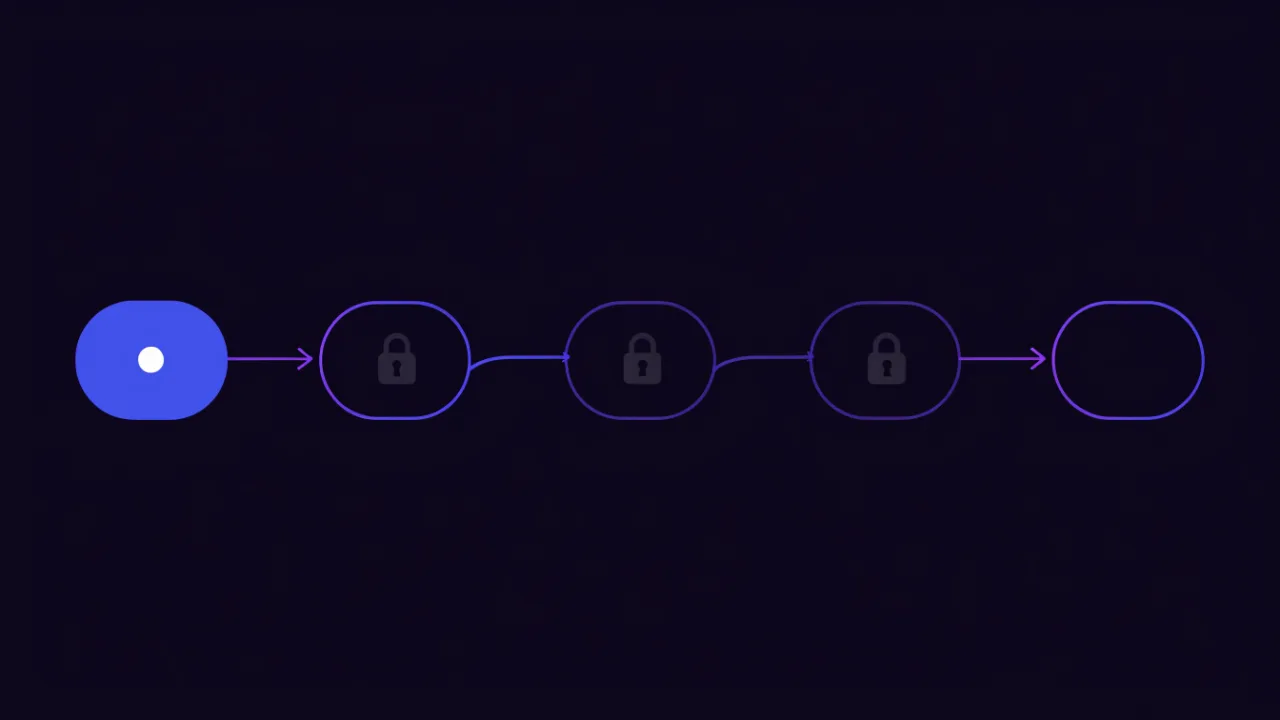
Domain registration is a lease, not a purchase. When the paid term ends, the name does not become free instantly: the registry gives the previous registrant time to reconsider and the registrar time to settle the paperwork. The general logic is the same everywhere; only the stage names and durations differ.
1. Active domain
The domain is delegated, name servers answer, the site and mail work. WHOIS shows the end of the paid term. Only the current registrant can renew, and only through their own registrar.
2. Expired, delegation removed
The first thing an owner notices is that the site stopped loading and mail stopped flowing. Technically the registry has removed delegation: the domain's NS records are no longer published in the zone and resolvers return NXDOMAIN or SERVFAIL. In gTLDs the same effect is usually achieved by a clientHold or serverHold status set by the registrar. The domain is still registered to the previous holder — it has simply become invisible.
A dead website does not mean an available domain. In the vast majority of cases a domain that stopped resolving yesterday cannot be registered for several more weeks — and the previous owner has priority over you.
3. The previous registrant's exclusive window
The longest and least understood stage. The domain no longer works but is still tied to the previous registrant: only they can bring it back, usually at the normal renewal price early on and at a premium later. Nobody else can register it during this window, no matter how many requests they send.
4. Deletion stage
If no renewal happens, the domain moves to a stage where recovery is either impossible or substantially more expensive, and the name is queued for removal from the registry. This is where WHOIS starts showing the exact point after which the domain becomes registrable.
5. Available
The domain is purged from the registry and open to anyone who submits a valid request through an accredited registrar. For desirable names, "anyone" is decided in fractions of a second — more on that below.
| Lifecycle stage | Site and mail working | Who can renew or register | What the owner should do |
|---|---|---|---|
| Active paid term | Yes | Current registrant only | Enable auto-renew, verify the contact mailbox, set up expiry monitoring |
| Expired, delegation removed | No | Previous registrant only, at the normal renewal price | Renew immediately — the cheapest and fastest way back |
| Exclusive renewal window / redemption | No | Previous registrant only, usually at a premium recovery fee | Contact the registrar and restore the domain without delay |
| Pending deletion | No | Nobody: renewal is closed, registration is not open yet | Line up a backorder through a registrar and prepare a fallback name |
| Available | No | Anyone, through an accredited registrar | Register via a drop-catching service; expect an auction if there is competition |
How long until a domain becomes available: gTLDs versus ccTLDs
This is where most people get it wrong. There is no universal "a domain drops after N days". The rules are set by the registry operating the zone, and they differ between gTLDs and national ccTLDs.
gTLDs: .COM, .NET, .ORG and friends
ICANN policies apply to all accredited registrars. The typical sequence after expiry is an auto-renew grace period at the registrar, then a Redemption Grace Period during which the domain can be restored for a separate premium fee, and finally a short Pending Delete window before the name is released. Under ICANN policy the redemption period is commonly around 30 days and pending delete around 5 days, but the auto-renew grace period, the recovery fee and the exact handling vary from registrar to registrar — some shorten the grace window at their own discretion. The primary source for these policies is ICANN.
ccTLDs such as .RU and .РФ
National zones run on their own rules rather than on ICANN's gTLD policies. For .RU and .РФ the registration rules are published by the Coordination Center for TLD RU. The overall shape is similar — delegation is removed at expiry, the registrant keeps an exclusive renewal window of roughly a month, then the name is released — but the exact durations change from time to time. Rather than memorising a number, read the WHOIS record: these zones expose a dedicated field with the release date. The current rules are published by the Coordination Center.
Do not rely on "the internet says 30 days". Confirm your own registrar's grace periods and recovery pricing before you need them, not after. The gap between a renewal fee and a redemption fee can be an order of magnitude.
The practical takeaway for anyone waiting on someone else's domain: the only reliable source is the domain's own WHOIS record, not a "registration date plus term" calculation. Reading WHOIS in detail is covered in the WHOIS lookup guide.
How to find out when a domain will be released
Everything you need lives in WHOIS. Only the field names differ: ccTLDs use their own format, gTLDs use a standardised output with EPP status codes.
Reading a ccTLD WHOIS record
For .RU and .РФ the key fields are state (registered and delegated, or registered but not delegated), paid-till (end of the paid term) and free-date (the date from which the name becomes available). That last field is the direct answer to "when does it drop".
# ccTLD: state, paid term and release date
whois -h whois.tcinet.ru example.ru | grep -aiE 'state|paid-till|free-date|registrar'

# internationalised names are queried in punycode
idn --quiet --to-ascii пример.рф
whois -h whois.tcinet.ru xn--e1afmkfd.xn--p1ai

# gTLD: expiry date and EPP statuses
whois example.com | grep -aiE 'Registry Expiry Date|Domain Status|Registrar:'
What the EPP statuses mean
The Domain Status field pins down the exact stage without guesswork:
okorclientTransferProhibited— active, normal state.autoRenewPeriod— the registry auto-renewed the domain and the registrar can still reverse that renewal. The paid term has already passed.clientHoldorserverHold— not delegated, the site is down. Often a sign of non-payment, but it is also used for other reasons.redemptionPeriod— redemption. Only the previous holder can restore the name, only through their registrar, and only for a separate fee.pendingRestore— restoration is already under way; the domain is going back to its previous owner.pendingDelete— the final stage. The name will be released within days.
Drop lists and monitoring
Registries and large registrars publish lists of domains that have reached the final stage. Drop list services build on those feeds, enriching names with metrics (age, number of archived pages, backlink estimates) and offering filters by length, zone and dictionary. For one or two names you care about it is simpler to run your own monitor: poll WHOIS daily and alert on a status change.
#!/usr/bin/env bash
# watch-domains.sh — daily expiry and status check for a list of names
set -u
DOMAINS="example.com example.ru shop.example.net"

for d in $DOMAINS; do
  raw=$(whois "$d" 2>/dev/null)
  exp=$(printf '%s' "$raw" | grep -aiE 'Registry Expiry Date|paid-till' | head -1)
  st=$(printf '%s' "$raw"  | grep -aiE 'Domain Status|^state:'          | head -3 | tr '\n' ' ')
  free=$(printf '%s' "$raw" | grep -aiE 'free-date'                      | head -1)
  printf '%-22s | %s | %s | %s\n' "$d" "${exp:--}" "${st:--}" "${free:--}"
done

# crontab: once a day at 07:10
# 10 7 * * * /usr/local/bin/watch-domains.sh >> /var/log/domains.log 2>&1
If you would rather not maintain a script and a cron entry, a hosted expiry check with advance alerts does the same job — see domain expiry monitoring.

Drop auctions and backorders: why a good name never costs base price
The moment a domain drops in a popular zone is not a "visit the registrar's site and buy it" situation. Attractive names attract thousands of simultaneous requests from specialised services in the very second they are released.
How drop catching works
Registries cap the number of concurrent sessions and the request rate per accredited registrar. Drop-catching services get around that with volume: they hold agreements with dozens of registrars and hit the registry from every channel at once the instant the name is deleted. A human clicking "register" in a web interface has no chance — their request arrives seconds after the name is already taken.
Backorders and auctions
Hence the backorder model: you place a request with a catching service in advance. If yours is the only request, the domain is simply registered to you and you pay the service fee on top of the registration. If several people want it — and any meaningful dictionary word attracts several — the service catches the name for itself and auctions it among the backorder holders. The final price is then set by what your competitors are willing to pay, not by a registrar's price list.
Rule of thumb: if a domain came at the base registration price, nobody else wanted it. For short, dictionary and brandable names that is almost never the case. Budget for an auction or pick an available name instead.
A backorder guarantees nothing. The domain may be renewed by its owner on the last day, lost to a competitor at auction, or reserved by the registry. Always keep a fallback name in reserve — how to choose a domain name covers the selection process, and the guide to checking domain availability shows how to confirm a candidate is free right now.
What to check before buying a dropped domain
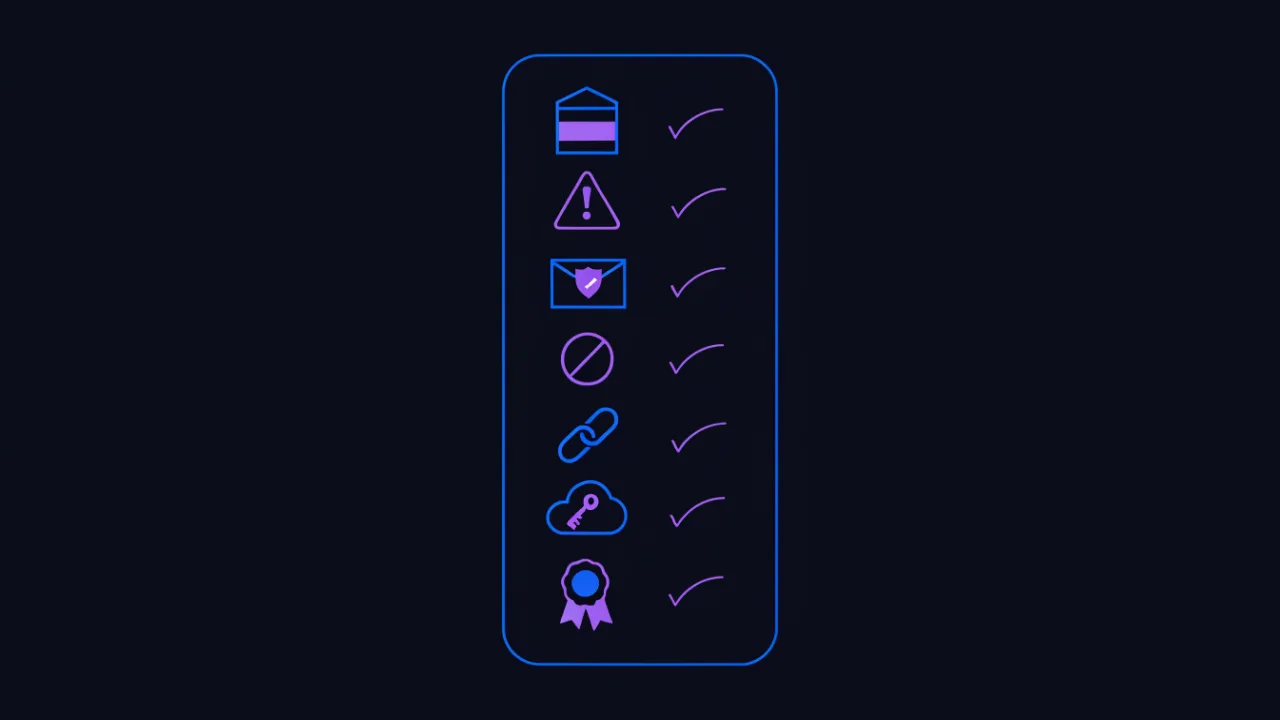
The most important section. An expiring domain is not a blank slate. Along with the name you inherit its entire past: search engine index, backlink mass, reputation in spam filters and entries in blocking registries. The checks below take about half an hour and pay for themselves many times over.
Web archive history
Start by looking at what lived on the domain and for how long. Web archives give you dated snapshots. Look for continuity (a domain that changed topic every six months was almost certainly traded between spammers), the language and region of its audience, and the type of content.
# is there any snapshot near a given date
curl -s 'https://archive.org/wayback/available?url=example.com×tamp=20180101'
# full capture list: timestamp, URL, status code, MIME type
curl -s 'https://web.archive.org/cdx/search/cdx?url=example.com/*'\
'&fl=timestamp,original,statuscode,mimetype&collapse=urlkey&limit=300'
# how many distinct URLs were archived per year
curl -s 'https://web.archive.org/cdx/search/cdx?url=example.com/*&fl=timestamp'\
'&collapse=timestamp:4&filter=statuscode:200'
Past topic: adult, pharma, gambling, doorway pages
Red flags in the archive: pages in a language unrelated to the domain's stated history; tens of thousands of near-identical URLs with city names or product models in the path (the classic doorway pattern); gambling, unlicensed pharmacy, adult content or financial pyramid themes. Such a domain can carry manual search penalties and corporate content-filter classifications for years — and you will only find out after launch.
Spam lists, blocklists and reputation
A domain used for spam ends up in mailbox providers' reputation lists. The consequence is direct: your mail on that domain lands in spam folders or is rejected at the gateway, and rebuilding reputation takes months. Check separately whether the name appears in malware and phishing databases — those records outlive ownership changes.
Blocking registries and regional access restrictions
Some countries maintain registries of domains and IPs that access providers must block. If your audience lives in such a country, a domain already on the list simply will not open for a share of your users, regardless of who owns it today. Getting a name removed is a separate procedure with an unpredictable timeline.
Backlink profile and its quality
Drop sellers love to advertise "hundreds of referring domains". What matters is composition, not count: real topical sites or a private blog network, live pages or long-deleted ones, natural anchors or commercial keywords at industrial scale. A profile built from purchased links is not an asset but a liability — you inherit someone else's negative signal and cannot remove it, because you do not control the linking sites.
External services still bound to the domain
An underrated risk. Over the years the domain may have been tied to mailboxes, social accounts, SSO integrations, cloud console logins, certificates and subscriptions. Registering it gives you the ability to receive mail at the old addresses — including password reset messages for other people's accounts and other people's personal data. That is not a bonus but a legal and reputational risk: under GDPR-style regimes, processing that correspondence is not something you are entitled to do. Configure mail to reject unknown local parts and never reuse the previous owner's addresses.
# what is still published in the domain's DNS and public records
dig +short NS example.com
dig +short MX example.com
dig +short TXT example.com          # SPF, service verification tokens, leftovers
dig +short TXT _dmarc.example.com   # the previous owner's DMARC policy
dig +short A example.com
dig +short AAAA example.com

# previously issued TLS certificates and subdomains from transparency logs
curl -s 'https://crt.sh/?q=%25.example.com&output=json' | head -c 4000
Certificate transparency logs are especially useful: they reveal subdomains the name used to have, which often exposes both the old infrastructure and evidence of mass-generated doorway pages. The same technique works when auditing your own domains — see subdomain discovery.
Trademarks and the risk of a complaint
A domain matching someone else's registered trademark is a straight path to a UDRP complaint and loss of the name, no matter how much you paid at auction. Check the name against trademark databases in every country you plan to operate in, and search separately for whether the domain has already been taken from someone in a prior dispute — such histories are usually easy to find by searching the domain name itself.
The "aged domain with authority" myth
The main sales pitch for dropped domains is that age and accumulated authority will give you a head start in search. In practice this rarely works, and never the way it is promised.
First, search signals attach to content and its history, not to a string of characters. Changing the topic resets accumulated relevance: a domain that spent ten years as a travel blog gives no advantage to a plumbing store. It is effectively a new site with an old name and somebody else's backlinks.
Second, you inherit more than the positives. Manual penalties, link-scheme filters, spam-sending history and blocklist entries move with the domain. They are hard to diagnose from the outside and can take months to clear.
Third, the economics. A domain with a genuinely good history sells high at auction because professionals compete for it. What comes cheap is what the professionals rejected — usually for exactly the reasons above.
When a drop is genuinely worth it
- Recovering your own former domain. You lost it through an oversight and mail, printed links and integrations still depend on it. The price is measured against the cost of migrating everything else, and overpaying is usually rational.
- Exact brand match. The name matches your company or product and you hold the rights to it. That removes both the legal risk and the recognition problem.
- Typosquatting defence. A name confusingly similar to yours is dropping — a typo variant, another TLD, a hyphenated version. Registering it is cheaper than fighting a phishing clone later.
- Zone consolidation. You already operate on one name and are closing the perimeter around your brand.
In every other case a fresh available name is cheaper and carries no hidden liabilities. To compare where to register it, see the domain registrar overview; for the specifics of registering in the Russian ccTLDs there is a separate walkthrough on domain registration with government-ID verification.
How not to lose your own domain
The flip side of the topic: most names in drop lists are not abandoned projects but live sites where nobody happened to renew. A short list of measures closes almost every common failure mode.
Auto-renew plus a working payment method
Auto-renew enabled is half the job. The other half: the stored card must not be expired and the balance must cover the charge. Registrars typically retry a few times and then give up silently. Check card expiry on the same schedule as domain expiry.
Current administrative contacts
Expiry warnings go to the contact address on file. If that is a departed employee's mailbox — or worse, a mailbox on the expiring domain itself — you will not receive a single one. The contact address must live on a different domain and be readable by more than one person.
Never use a mailbox on the same domain as the administrative contact. When the domain stops resolving, the renewal notices will be delivered exactly there — and you will never see them.
Your own expiry monitoring
Do not rely on registrar emails alone: they get lost in spam folders and corporate filters. An external WHOIS check that alerts at 60, 30 and 7 days before expiry is cheap insurance that works independently of anyone else's mail system.
Registrar lock and takeover protection
The clientTransferProhibited status should be on by default and lifted only for a planned transfer. Two-factor authentication on the registrar account is mandatory: access to that panel equals control over the domain, the mail and every service bound to it. The transfer procedure itself is covered in the domain transfer checklist.
Who actually owns it: the contractor problem
The most common way to lose a domain is not expiry but ownership. The name is registered to a web agency, a freelancer or a former sysadmin rather than to the company. While the relationship is good, nobody notices. The moment it sours or the contractor disappears, the company is left without its domain and without recourse. Check WHOIS for who the registrant actually is, and if it is not your legal entity, start the transfer of registrant rights now rather than in an emergency.

Your domain has already expired: what to do right now
If the site stopped loading and WHOIS shows the term has passed, act immediately. Every day of delay raises both the cost and the risk.
- Identify the stage. Pull WHOIS and read the status and release date. Early on the domain renews at the normal price; in redemption it costs a separate premium fee; after deletion the only route back is drop catching.
- Contact the registrar directly. Not through a generic contact page — by phone or a ticket flagged as urgent. Ask for the exact deadline for restoration and the exact fee.
- Pay the recovery fee without haggling. It is always far smaller than the cost of losing the name: migrating mail, losing rankings, broken inbound links, reissuing certificates, reprinting materials and updating contracts.
- Verify the domain is delegated again. Delegation does not come back instantly after renewal — the NS records must be republished and resolver caches must expire.
- Fix the root cause. Auto-renew failed, the notice went to the wrong mailbox, the domain was not in your company's name — address the cause or it repeats next year.
If the domain has already dropped and someone caught it, rushing to buy it back is not always rational. Price out a move to a new name first. Sometimes that is cheaper than what the new owner will ask.
How to check a domain: tools
A minimum viable check before buying a drop and after any ownership change — four steps, each under a minute.
- Registrant data, registrar and expiry. A WHOIS lookup shows the current registrar, the domain state, the end of the paid term and — in ccTLDs that expose it — the release date. This is the first thing to check for any question about timing.
- Where NS and A records point. After a change of owner or a renewal, verify the actual zone state with the DNS record checker, and how those changes have spread across public resolvers with the DNS propagation check. That tells you delegation really came back rather than sitting in a cache.
- Whether the domain is blocked. The blocking registry check shows whether the name or its IP appears in the Russian access-restriction registry. For a dropped domain aimed at that market this step is mandatory: the block travels with the name.
- Whether it is flagged as malicious. The malware check matches the domain against malware and phishing databases. Follow it with the site blacklist check to cover mail reputation as well.
If the domain is already yours and running, put a recurring availability and expiry check on it with monitoring so you never end up in a drop list yourself.
FAQ
How long after expiry does a .COM domain become available?
Under ICANN policy the sequence is an auto-renew grace period at the registrar, then a redemption period commonly around 30 days, then a pending delete window of about 5 days. In total this usually works out to roughly two and a half months, but the grace period length and recovery pricing differ between registrars. The current stage is always visible in the Domain Status field of WHOIS.
And for ccTLDs like .RU?
There is no single number worth memorising: the durations come from the registry's own registration rules and change over time. The practical answer is to read the free-date field in that domain's WHOIS record — it states the date from which the name becomes available. Roughly a month typically passes between the end of the paid term and release.
Can I grab a domain that simply stopped working?
No. A dead site only means delegation was removed. While the domain is still registered to its previous holder, no registrar will accept a registration request for it. What you have to wait for is release, not downtime.
Is it worth buying a domain for its history and backlinks?
Usually not. Changing the topic resets accumulated relevance, while negative signals — penalties, spam reputation, blocklist entries — transfer in full. A drop is justified when you want that specific name: it is your former domain, an exact brand match, or a typosquatting defence.
What do I do about mail arriving for the previous owner?
Reject delivery to unknown local parts and do not create mailboxes with the previous owner's addresses. Third-party correspondence, including password reset messages, is other people's personal data and handling it creates exposure for you. Accept mail only at addresses you created yourself.
How can I tell a domain was used for doorway pages?
Look at the number and shape of archived URLs. Thousands of near-identical paths containing city names, product models or keyword phrases, templated pages differing by a single word, or a sudden explosion in page count over a short period are all telltale signs. Cross-check certificate transparency logs for mass-generated subdomains.
Checklist
- Determine the stage from WHOIS:
Registry Expiry DateandDomain Statusfor gTLDs,state,paid-tillandfree-datefor ccTLDs. - Never equate "the site is down" with "the domain is available" — weeks usually separate them.
- Confirm your registrar's grace periods and recovery pricing in advance, not after you miss a renewal.
- Before buying a drop, review the entire archived history, not a single snapshot.
- Reject domains with a past in gambling, pharma, adult content or doorway pages.
- Check the name against blocking registries and malware or phishing databases.
- Judge the backlink profile by composition, not by the number of referring domains.
- Inspect leftover DNS records, MX, SPF, DMARC and certificate transparency logs.
- Screen the name against trademark databases in your target markets.
- Do not accept mail for unknown addresses on a newly acquired domain.
- For your own domains: auto-renew, a valid payment card, a contact mailbox on a different domain.
- Keep the transfer lock on and two-factor authentication enabled on the registrar account.
- Verify the registrant is your company, not a contractor.
- Run external expiry monitoring with alerts at 60, 30 and 7 days.