Short answer. AI readiness is a testable state: AI crawlers get your HTML without being blocked, find the text without running JavaScript, and can lift an answer out of it. You verify it with commands, not intuition — the status code a bot User-Agent gets, the word count in raw HTML, whether JSON-LD parses, and time to first byte.

What AI readiness is and how it differs from SEO
SEO answers the question "where does this page rank". AI readiness answers a different one: "can a model pull a fact out of this page and name the source". The overlap is large — both need reachable HTML and a clear structure — but the checks are different. In SEO you look at index coverage and queries; in AI readiness you look at what physically comes back in response to an HTTP request from a bot.
The practical consequence: a site can be indexed by Google, get traffic, and still serve an AI crawler a 403 from the CDN or an empty shell with no text. Neither shows up in Search Console — it only shows up in your logs and in a curl response.
AI readiness is not a score. It is a set of binary conditions: either the bot got the text or it did not. Anything you cannot check with a command and get a yes/no from does not belong on this list.
How to use the checklist: what counts as a pass
Every item below has the same shape — what you check, the command, what a pass looks like, what a failure looks like. Run it against one representative page of each template: home, listing, product or service page, article. Failures are almost always template-wide rather than page-specific.
Set up a variable with a real User-Agent string first; half the checks rely on it. Take the strings only from the operator's own documentation — the URL is right there in the User-Agent after the + sign.
UA_GPT='Mozilla/5.0 AppleWebKit/537.36 (KHTML, like Gecko); compatible; GPTBot/1.4; +https://openai.com/gptbot'
UA_BROWSER='Mozilla/5.0 (Macintosh; Intel Mac OS X 10_15_7) AppleWebKit/537.36 (KHTML, like Gecko) Chrome/131.0.0.0 Safari/537.36'
SITE='https://example.com'
The version number in the string changes over time — when filtering logs, match the substring GPTBot, never an exact version.
Block 1. Access: does your site let AI crawlers in
The most common failure is not missing markup — it is a plain refusal at the door. And the refusal happens in three different places, each fixed in a different place.
Item 1. robots.txt does not disallow the tokens you want
curl -sS "$SITE/robots.txt" | grep -inE -A6 'user-agent:[[:space:]]*(\*|GPTBot|OAI-SearchBot|ClaudeBot|Claude-SearchBot|Claude-User|PerplexityBot|Google-Extended|CCBot)'Pass: for every token you want to admit, its group contains no Disallow: /. Fail: a User-agent: * group with Disallow: / and no permissive per-bot groups; or the file returns 404 instead of 200 (under RFC 9309 that means crawling is allowed, but you lose both control and the Sitemap line).
The trap is group selection. A crawler applies one most specific group and ignores the rest entirely. If GPTBot has its own group, the Disallow under User-agent: * does not apply to it — and conversely, a carefully written wildcard block does nothing to a bot that has its own group with Allow: /. Full allow/deny scenarios live in the companion piece on robots.txt and AI bots.
robots.txt edits are not instant. OpenAI and Perplexity both document that their systems need roughly a day to pick up a changed file. Do not draw conclusions ten minutes after the edit.
Item 2. The WAF and CDN are not returning 403 to bots
robots.txt is an agreement; a WAF is an actual barrier. Some cloud providers ship AI-crawler blocking in their default managed rules, and the site owner never finds out. Compare two requests:
for ua in "$UA_GPT" "$UA_BROWSER"; do
  curl -s -o /dev/null -A "$ua" \
    -w 'code=%{http_code} bytes=%{size_download} ttfb=%{time_starttransfer}s\n' "$SITE/"
done
Pass: both return 200 with comparable body sizes. Fail: the bot string gets 403, 429, 503, or a 200 whose body is a few kilobytes — that is a challenge page, not your content.
What this test does not tell you. It cannot see IP-based rules: your address is not in the operator's ranges, so "allowed by IP" is not something you can verify from your own machine. The reverse case matters too — if a WAF lets any request through purely because the string says GPTBot, that is a hole, not a pass. The only real proof that a bot arrived is your logs (see how AI crawlers read your site).
Item 3. You know the price of each block
"Block all AI bots" costs different things for different tokens. The operators document the consequences explicitly.
| Token | Operator | What it does | What you lose by disallowing it |
|---|---|---|---|
| GPTBot | OpenAI | Collects content for model training | Use of your content in training. Does not affect ChatGPT search results |
| OAI-SearchBot | OpenAI | Indexing for ChatGPT search | Being surfaced in ChatGPT search answers |
| ChatGPT-User | OpenAI | Fetches a page when a user asks for it | User-initiated, so robots.txt rules may not apply |
| ClaudeBot | Anthropic | Collects content for training | Inclusion of your material in training sets |
| Claude-SearchBot | Anthropic | Indexing to improve search quality | Accuracy and visibility in search answers |
| Claude-User | Anthropic | Fetches a page on a user request | Visibility in user-directed web search |
| PerplexityBot | Perplexity | Indexing for linked results | Appearing in Perplexity results |
| Perplexity-User | Perplexity | Fetches on a user request | Documented as generally ignoring robots.txt |
| Google-Extended | Control token only; it has no User-Agent string of its own | Gemini training and grounding. Does not affect Google Search inclusion or ranking | |
| Applebot-Extended | Apple | Control token layered on Applebot | Use of your material in Apple foundation-model training |
| CCBot | Common Crawl | Open dataset many parties build on | Presence in the public corpus |
Google-Extended will never appear in your logs: it has no User-Agent of its own, and the fetching is done by regular Google agents. Grepping access.log for it is wasted time.
Block 2. Extractability: can the bot find the text
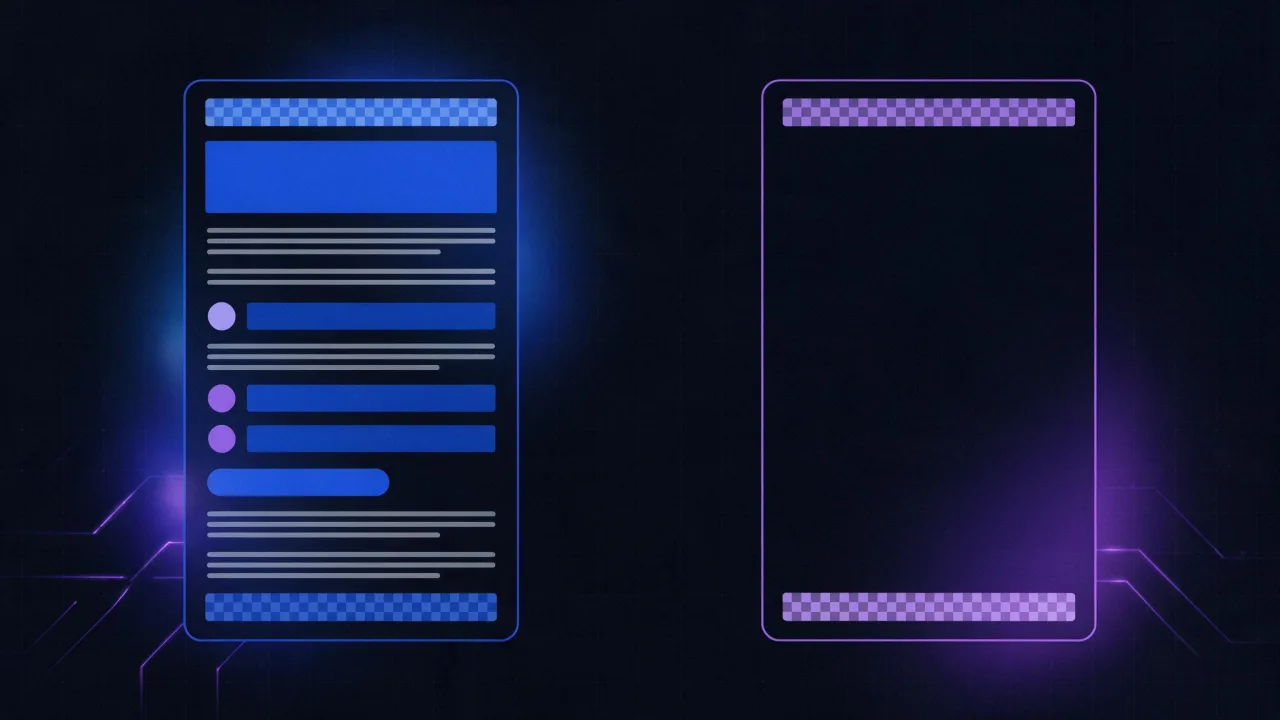
Access granted — now, are there any words in the response? This is where more than half of modern client-rendered sites break.
Item 4. The main text exists in the raw HTML
Look at the raw server response, not the Elements panel: the inspector shows the DOM after scripts have run.
curl -sL -A "$UA_GPT" "$SITE/page" \
| python3 -c "import sys,re,html
t=sys.stdin.read()
t=re.sub(r'(?is)<script.*?</script>|<style.*?</style>|<!--.*?-->',' ',t)
t=re.sub(r'(?s)<[^>]+>',' ',t)
t=re.sub(r'\s+',' ',html.unescape(t)).strip()
print('words:',len(t.split()))
print(t[:400])"
Pass: the word count is in the same ballpark as what you see on the page, and the first 400 characters are real page copy, not just the menu. Fail: 30–80 words and nothing but navigation and footer — the body is assembled on the client and the bot will not see it.
A useful rule of thumb: if the page visually holds 800 words and the command reports under 200, the content is client-side. Techniques for getting text back into the HTML are covered in content extractability.
Item 5. A direct answer sits in the first paragraph
A model assembles answers out of passages. A passage that opens with a definition or a conclusion gets quoted far more readily than a warm-up paragraph. The check is simple — read the first 60 words and ask whether they alone answer the question in the heading.
curl -sL "$SITE/page" \
| python3 -c "import sys,re,html
t=sys.stdin.read()
m=re.search(r'(?is)<h1[^>]*>(.*?)</h1>(.*?)<h2', t)
if not m: print('no h1 or h2 found'); raise SystemExit
f=lambda s: re.sub(r'\s+',' ',html.unescape(re.sub(r'<[^>]+>',' ',s))).strip()
print('H1:', f(m.group(1)))
print('LEAD:', ' '.join(f(m.group(2)).split()[:60]))"
Pass: a 40–80 word lead containing a direct answer and the key entities. Fail: no text at all between h1 and the first h2 (straight into an image, a subscribe box, breadcrumbs), or a lead that does not answer the heading.
Item 6. Markup is semantic, not a wall of divs
curl -sL "$SITE/page" | grep -oE '</?(h1|h2|h3|ul|ol|table|article|main|nav)\b' \
| sort | uniq -c | sort -rn
Pass: exactly one h1, several h2, lists present, and at least one main or article. Fail: zero h2, two or more h1, headings faked with large text inside a div.
Headings are not cosmetics. They define passage boundaries: where there are no h2 elements, the page is one long indivisible block to a machine, and cutting a precise answer out of it is harder.
Item 7. Text is not trapped inside images
A screenshot of a pricing table, an infographic full of numbers, a labelled diagram — to a model that is blank space. Run the command from item 4 and check whether the numbers and terms that live on your images survive in the text. If a key figure exists only inside a .png, repeat it as text or as a table beside the image.
Block 3. Structured data: what actually gets read
Item 8. JSON-LD is in the raw HTML and it parses
The typical failure is not missing markup — it is markup injected by a tag manager or a theme script. Visible in DevTools, absent from the server response.
curl -sL -A "$UA_GPT" "$SITE/page" \
| python3 -c "import sys,re,json,html
raw=sys.stdin.read()
blocks=re.findall(r'(?is)<script[^>]*ld\+json[^>]*>(.*?)</script>', raw)
print('JSON-LD blocks in raw HTML:', len(blocks))
for i,b in enumerate(blocks,1):
    try:
        d=json.loads(html.unescape(b)); d=d if isinstance(d,list) else [d]
        print(i,'ok  @type =', [x.get('@type') for x in d])
    except Exception as e:
        print(i,'DOES NOT PARSE:', e)"
Pass: at least one block, every block parses, and @type matches what the page actually contains. Fail: zero blocks in raw HTML while the browser shows markup; a parse error from a stray comma; a FAQPage on a page with no visible questions and answers.
Which types are worth the effort is covered separately in Schema.org for AI search. All that matters here is the fact: the markup must be in the server response and must not contradict the visible text.
Item 9. Metadata is neither empty nor duplicated
curl -sL "$SITE/page" | grep -oiE '<title>[^<]*|<meta[^>]+(description|robots|canonical)[^>]*' | headPass: a non-empty title, a description, a canonical URL, and no noindex on a page you want visible. Fail: a noindex left over from staging — the most expensive typo on this list.
Block 4. llms.txt: what it does and what it does not
The /llms.txt file is a community-proposed format: a short site description plus a list of priority material in Markdown. It is cheap, it does no harm, and it works nicely as a machine-readable table of contents for your own integrations.
# Site name
> One sentence: what the site is useful for and to whom.

## Core
- [AI-Readiness Checklist](/articles/ai-readiness-checklist): what to check and with which command
- [How AI crawlers read your site](/articles/how-ai-crawlers-read-sites): user agents, JS, logs

## Reference
- [llms.txt guide](/articles/llms-txt-guide): format and common mistakes
Pass: the file returns 200 as text/plain and every link inside it is alive.
curl -sI "$SITE/llms.txt" | head -n 3
curl -s "$SITE/llms.txt" | grep -oE '\]\(/[^)]+\)' | tr -d '](' | while read p; do
  printf '%s %s\n' "$(curl -s -o /dev/null -w '%{http_code}' "$SITE$p")" "$p"
done
The honest caveat. No major AI-search operator has publicly confirmed that it consumes llms.txt during crawling. Treating it as a route into AI answers is unfounded. It is a nice-to-have index, not a substitute for reachable HTML and a sitemap. Format and pitfalls are in the llms.txt guide; you can validate your own file with the llms.txt checker.
Block 5. Response speed and payload weight
Item 10. Time to first byte and HTML size are sane
A crawler does not wait forever and does not download an endless document. Google documents its limits openly: when crawling for Search it takes the first couple of megabytes of a supported file type (the docs state 2 MB, and 64 MB for PDF), the limit applies to uncompressed data, and every referenced resource is fetched separately under the same cap. Other operators publish no numbers — so measure and keep headroom.
curl -sL -o /tmp/page.html -A "$UA_GPT" \
  -w 'code=%{http_code}\ndns=%{time_namelookup}\nconnect=%{time_connect}\nttfb=%{time_starttransfer}\ntotal=%{time_total}\nredirects=%{num_redirects}\n' "$SITE/page"
wc -c /tmp/page.html
Pass: ttfb under roughly 0.8 s on a cold request, num_redirects of 0 or 1, uncompressed HTML in the hundreds of kilobytes rather than megabytes. Fail: multi-second TTFB, a chain of three or more redirects, a document bloated to several megabytes by inlined data.
| curl -w field | What it shows | Pass benchmark |
|---|---|---|
%{http_code} | Final status code | 200 |
%{time_namelookup} | Name resolution | < 0.1 s |
%{time_connect} | TCP connect | < 0.2 s |
%{time_starttransfer} | Time to first byte | < 0.8 s |
%{num_redirects} | Number of hops | 0–1 |
%{size_download} | Body size | Hundreds of KB, not megabytes |
Measure from an external node rather than your laptop on a home connection: a speed test and a response-header analysis give the same picture without your ISP in the way. Compression has its own write-up — gzip and Brotli.
Item 11. The site answers consistently, not usually
Crawls happen at moments you do not control. If the site returns 502 for five minutes once a day, the odds of landing in that window are not zero, and the next visit may be weeks away. Practical criterion: over the last 30 days the share of 5xx responses on public pages is close to zero. That is not an AI-specific concern — it is ordinary uptime monitoring.
One 503 during a crawl costs more than missing markup. Markup gets picked up on the next visit; a page that did not exist simply does not exist.
Block 6. Discoverability: how the bot learns the page exists
Item 12. Sitemap and internal links are in order
Crawling starts with links. A page that no ordinary <a href> points to and that is missing from the sitemap gets discovered only by accident.
curl -s "$SITE/robots.txt" | grep -i '^sitemap:'
curl -s "$SITE/sitemap.xml" | grep -c '<loc>'
Pass: robots.txt carries a Sitemap: line, the sitemap returns 200 and contains the expected number of URLs. Fail: a sitemap listing http:// URLs on an HTTPS site, entries that redirect, or pages marked noindex. Navigation built entirely in JavaScript with no real links is the same failure: those transitions do not exist for a bot. Details in the sitemap.xml guide; dead URLs are found by the broken link checker.
What does NOT help: six myths about AI readiness
Half the work is not doing the pointless half. These are the recurring time sinks.
- "Added llms.txt, therefore I am in AI answers." No. No major operator has publicly confirmed reading the file during crawling. A good habit, not a channel.
- "Blocking GPTBot protects my content from AI." GPTBot covers training. ChatGPT search runs on a separate token, and user-initiated fetchers (ChatGPT-User, Perplexity-User, Claude-User) are triggered by a human — per the operators' own documentation, robots.txt rules may not apply to them.
- "I can see Google-Extended in my logs." It has no User-Agent string of its own; it is purely a robots.txt control token. And it affects neither Google Search inclusion nor ranking.
- "More markup is better." Markup that contradicts the visible page violates the guidelines and risks manual action. A
FAQPagewith no visible FAQ is worse than noFAQPage. - "There are special AI meta tags." Invented directives such as
ai-contentdo not exist. The real mechanisms are robots.txt tokens,noindexandnosnippet— Apple explicitly documentsnosnippetas the opt-out from broad world-knowledge answers. - "Denser keywords, more citations." What gets extracted is the passage that answers the question. Keyword density does not move that and hurts readability.
Troubleshooting: symptom, cause, check, fix
| Symptom | Likely cause | How to check | Fix |
|---|---|---|---|
| Bot string gets 403, browser string gets 200 | A WAF rule or a CDN "AI scrapers" ruleset | curl -A with both strings | Allow the tokens you want by User-Agent together with the operator's published IP list |
| 200, but only 40 words in the body | Content is client-rendered | Word count from item 4 | Server-side rendering or prerendering of key templates |
Markup visible in DevTools, absent from curl | JSON-LD injected by a tag manager | Script from item 8 | Emit JSON-LD from the server in the raw HTML |
| The page exists but is never requested | No inbound links and no sitemap entry | grep -c <loc> on the sitemap | Add it to the sitemap and link to it with real anchors |
| Many crawler requests, little value | Faceted filters and sort parameters are being crawled | Group log lines by path | Disallow parameter URLs, keep canonical ones |
| Everything is "correct" yet nothing is cited | No original data: the page restates what a hundred others say | Manual comparison against the results page | Add your own measurements, numbers and worked cases |
The order is strict: access first, extractability second, markup and llms.txt last. Structured data on a page that returns 403 to the crawler buys you nothing.
How to check everything at once
Manual commands give a precise verdict for one page. For a site-wide picture, run the prepared checks:
- AI readiness check — crawler access, text in the HTML, structured data and llms.txt in one pass.
- llms.txt validator — file syntax and whether the links inside are alive.
- robots.txt checker — which group applies to a given bot and a given URL.
- Schema.org checker — which types are present in the raw HTML and whether they parse.
- Header analysis and speed test — status codes, redirects, TTFB.
- SEO audit — the shared foundation: titles, canonicals, duplicates.
Related reading: how AI crawlers read your site for crawl mechanics and log analysis, GEO and how to appear in AI answers for the content side, and AI Overviews, Perplexity, Bing Copilot and Yandex Neuro for platform specifics.
FAQ
Is AI readiness the same as SEO?
No. SEO targets a position in the results; AI readiness targets whether a model can extract a fact and attribute it. The foundation is shared — reachable HTML, structure, speed — but the checks differ: SEO reads webmaster reports, this reads the server's response to a bot request.
How many of the twelve items are critical?
The first five: robots.txt access, no WAF block, a deliberate choice of tokens, text present in the raw HTML, and a direct answer at the top. The rest amplify the result but do nothing on their own.
Do I need llms.txt if nobody has confirmed using it?
It is optional. Do it if it costs five minutes and a machine-readable index is useful to you. Skip it if it is delaying server-side rendering — the priorities are not comparable.
How often should I re-run the checks?
The full pass after any release that touches templates, the CDN or robots.txt. The quick pair — status code for a bot string and word count in the HTML — can go on continuous monitoring, so a regression shows up the same day.
Can I allow search but block training?
Yes. OpenAI and Anthropic separate the tokens: the training crawler and the search crawler are configured independently. Remember the user-initiated fetchers, though — they are triggered by a person, and robots.txt rules may not apply to them.
Does serving bots a different page version help?
No, that is cloaking: varying content by User-Agent breaks search-engine guidelines and invites manual action. The right path is one HTML document, equally complete for everyone.
What if the site is on a builder and server-side rendering is out of reach?
Run item 4 first: plenty of platforms do emit the text in HTML, and there is no problem to solve. If the text really is absent, the one available lever is moving key material — articles, descriptions, answers — onto pages the platform serves statically.
Checklist
- robots.txt returns 200; the tokens you want are not under
Disallow: /; the one-most-specific-group rule is accounted for. - A bot User-Agent gets 200 with a full body, not 403 or a CDN challenge.
- For every token you have decided deliberately what a block would cost.
- The raw HTML contains the main text: word count matches what is visible.
- A 40–80 word direct answer sits between
h1and the firsth2. - One
h1, severalh2, lists and tables present. - Meaningful numbers are duplicated as text rather than living only inside images.
- JSON-LD is in the server response, parses, and does not contradict the visible text.
- No stray
noindex;title, description and canonical are filled in. - llms.txt, if present, is served as
text/plainwith working links. - TTFB under roughly 0.8 s, 0–1 redirects, uncompressed HTML not in megabytes.
- The page is in sitemap.xml and real links point to it.