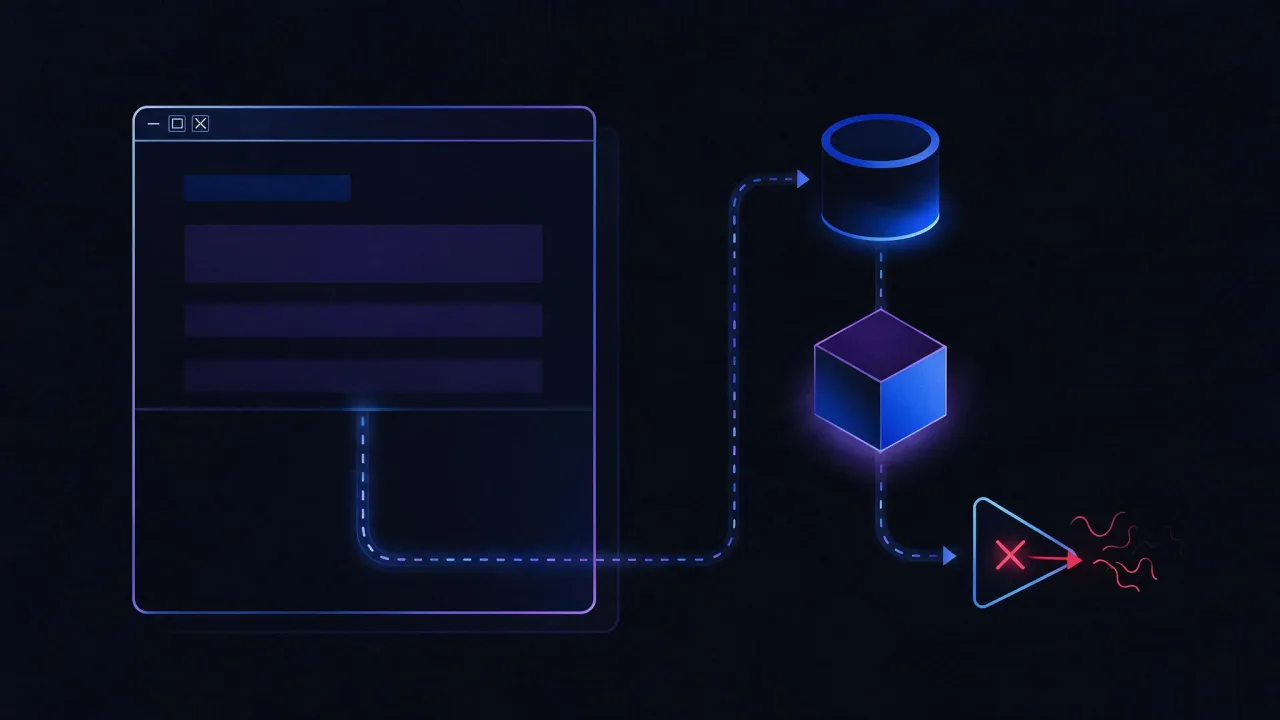
Short answer. An AI crawler is an ordinary HTTP client: one GET, the raw HTML, then it leaves. It keeps no cookies, returns rarely, and — Google aside — nobody publicly promises to execute JavaScript. Bots come in three classes: training, indexing for answers, and user-triggered fetchers, and robots.txt may not apply to the last group. Verify it from your logs.

What an AI crawler does and how it differs from a search bot
The mechanics are the same: resolve the name, open a connection, request /robots.txt, request the page, parse the HTML, follow links. The goals differ. A search robot builds an index so it can later return a list of links; an AI crawler collects text a model will turn into a coherent answer and — with luck — a source link beside it.
That leads to practical differences. A search engine cares about the whole page and its place in the site structure. A model cares about the passage: a paragraph that answers the question by itself. A search engine comes back when the page changes; AI crawls are less frequent and far less predictable, so one failed attempt costs more.
The key consequence: an AI crawler usually has no second attempt within any useful horizon. If you served a 503 or an empty shell during the crawl, that becomes its picture of your site for an indefinite time.
Three classes of bot: training, index, user-triggered
"I blocked the AI bots" usually means one token out of three was blocked while the other two kept working — or, worse, that search visibility got cut along with training. The operators separate the roles themselves and document them.
| Token | Class | Operator | What it does |
|---|---|---|---|
| GPTBot | Training | OpenAI | Collects material that may end up in training sets |
| OAI-SearchBot | Answer index | OpenAI | Indexing so the site can surface in ChatGPT search answers |
| ChatGPT-User | User-triggered | OpenAI | Visits a page at the moment a user asks; not used for automatic crawling |
| OAI-AdsBot | Utility | OpenAI | Validates landing pages submitted as ads |
| ClaudeBot | Training | Anthropic | Collects web content for model training |
| Claude-SearchBot | Answer index | Anthropic | Indexing to improve search relevance and accuracy |
| Claude-User | User-triggered | Anthropic | Fetches a site when a user asks a question |
| PerplexityBot | Answer index | Perplexity | Indexing for linked results; not used for foundation-model training |
| Perplexity-User | User-triggered | Perplexity | Fetches on a user request; documented as generally ignoring robots.txt |
| Googlebot | Index | Ordinary crawling; AI Overviews are built on the same index | |
| Google-Extended | Token only | Has no User-Agent string of its own. Controls Gemini training and grounding | |
| Applebot / Applebot-Extended | Index / token | Apple | Applebot crawls; Applebot-Extended is the training opt-out |
| CCBot | Open corpus | Common Crawl | Public dataset many models are trained on |
The difference between classes is not cosmetic. Disallowing a training token does not remove you from answers; disallowing an indexing token does. User-triggered fetches are initiated by a person, and the operators warn explicitly that robots.txt may not apply to them.
Allow/deny scenarios and ready-made robots.txt blocks are covered in a separate piece; what matters here is how these tokens look when they arrive at your server.
What a crawler request looks like on the server
Take a real request from the logs and compare it with a browser one. There are a handful of differences, and every one of them is useful for debugging.
- One method: GET. Forms, buttons and anything requiring a POST do not exist for a bot.
- No cookies, no session. Content that appears only "after accepting the banner" or after a modal is dismissed is visible to a bot only if it is already in the HTML.
- Usually no
Refererheader. Logic like "show the full text only to visitors from search" cuts the bot off. - The User-Agent contains its own documentation URL. Everything after the
+is the operator's page. That is how you check an unfamiliar string. - A separate marker for robots.txt. OpenAI documents that when fetching
robots.txtarobots.txtmarker may be added to the string, so owners can tell those requests apart even when paths are not logged.
You can reproduce a bot request exactly, headers included:
UA='Mozilla/5.0 AppleWebKit/537.36 (KHTML, like Gecko); compatible; GPTBot/1.4; +https://openai.com/gptbot'

curl -sS -D - -o /dev/null -A "$UA" \
     -H 'Accept: text/html,application/xhtml+xml' \
     -H 'Accept-Encoding: gzip, br' \
     https://example.com/page
Look at three things in the response: the status code, Content-Type, and whether Vary: User-Agent is present. The last one is a warning sign — it means the server or CDN serves different content to different agents, and you need to know exactly what the bot ends up with.
Do AI crawlers execute JavaScript
The honest answer: it varies, and almost nobody commits publicly.
- Google is the only one here that documents rendering: Googlebot renders pages, and AI Overviews are built on the Google index. Even there, referenced resources are fetched separately and fall under the size limits.
- OpenAI, Anthropic and Perplexity do not describe or promise JavaScript execution in their bot documentation. You cannot build a strategy on it.
Instead of believing, check your logs. The method is simple: take the IP the bot came from and look at which file types it requested in the same window.
BOTIP=203.0.113.10
awk -F'"' -v ip="$BOTIP" 'index($1, ip)==1 {split($2,r," "); print r[2]}' /var/log/nginx/access.log \
| grep -oE '\.[a-z0-9]+' | sort | uniq -c | sort -rn
How to read it. If the list contains only HTML paths and nothing else, no rendering happened — the bot took the markup as text. If you also see requests for .js, .css and your API endpoints from the same address in the same seconds, the page was rendered. That is not a guess; it is a fact from your own logs.
The practical rule does not change with the answer: key text belongs in the raw HTML. Even where rendering exists it costs resources and happens with a delay — markup without scripts is read always, and immediately.
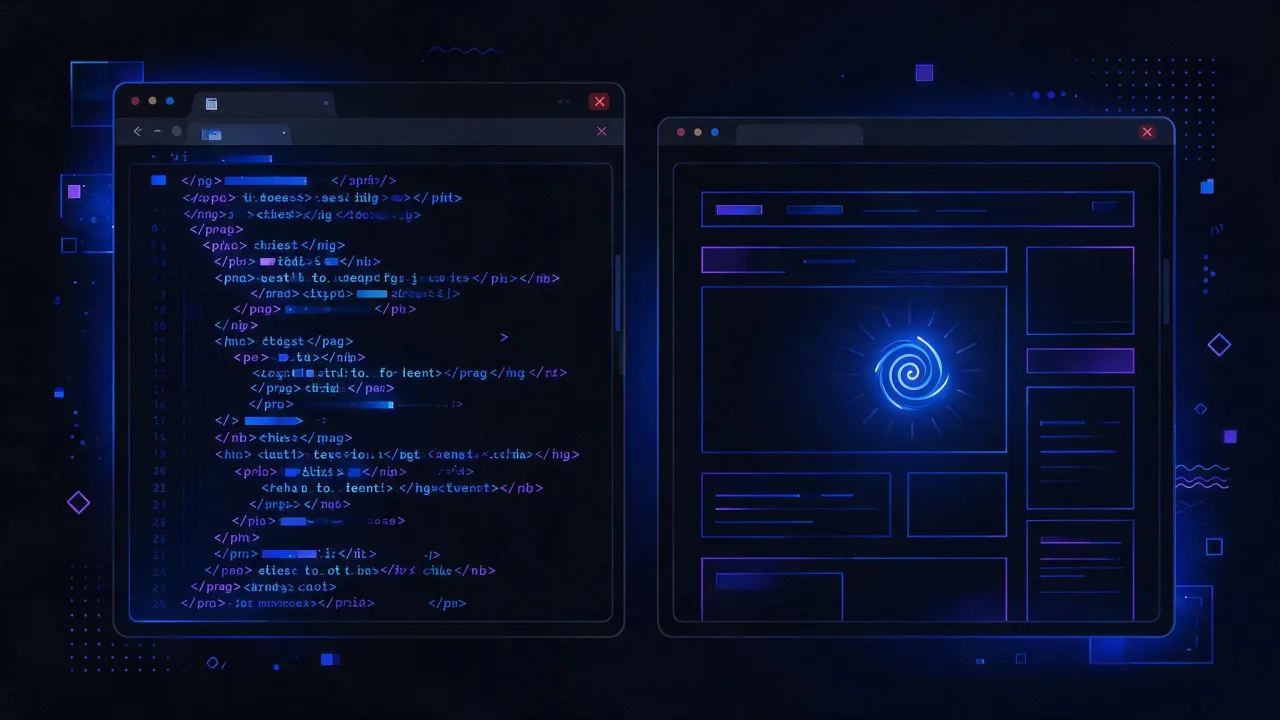
What the crawler sees versus what a person sees
The single biggest source of confusion is the Elements panel in DevTools. It shows the DOM after scripts have run — a result the bot may never obtain. Compare the raw response instead.
curl -sL -A "$UA" https://example.com/page \
| python3 -c "import sys,re,html
t=sys.stdin.read()
t=re.sub(r'(?is)<script.*?</script>|<style.*?</style>|<!--.*?-->',' ',t)
t=re.sub(r'(?s)<[^>]+>',' ',t)
t=re.sub(r'\s+',' ',html.unescape(t)).strip()
print('words in raw HTML:', len(t.split()))
print(t[:500])"
Then compare that number with what is on screen. The same divergences repeat from site to site.
| On screen | In the raw HTML | Why | What to do |
|---|---|---|---|
| Full article | Header, menu, footer | Body is client-rendered | Server-side rendering or prerendering of the template |
| Spec table | Empty | Data arrives in a separate request | Emit the first screen of data in the HTML |
| Text in tabs and accordions | Usually present | Hidden by styling but present in markup | Nothing; this pattern is fine |
| Reviews, prices, availability | Empty | Third-party widget | Duplicate the key values as text |
| Numbers on an infographic | Empty | Text lives inside an image | Repeat the numbers as text or a table |
| Content behind a consent banner | Present or not, depends | Some banners block body rendering | Do not block the main content with the banner |
Techniques for getting text back into the markup are covered in content extractability. A step-by-step audit of your own page is in the AI-readiness checklist.
Limits: how many bytes and how much time
A bot does not download indefinitely. Public numbers exist only for Google, and they are a reasonable proxy for everyone.
- Page size. When crawling for Search, Google takes the first 2 MB of a supported file type and the first 64 MB of a PDF. The limit applies to uncompressed data. Anything past the cutoff is not considered.
- Referenced resources. Each CSS and JS file is fetched as a separate request under the same limit.
- robots.txt. Google processes the first 500 KiB of the file; the rest is ignored. A rule that fell past that boundary simply does not exist.
- Other operators publish no numbers. The only sound conclusion is to keep headroom and measure.
curl -sL -o /tmp/p.html -A "$UA" \
  -w 'code=%{http_code} ttfb=%{time_starttransfer}s total=%{time_total}s redirects=%{num_redirects}\n' \
  https://example.com/page
wc -c /tmp/p.html

curl -sL -H 'Accept-Encoding: gzip' -o /tmp/p.gz https://example.com/page
printf 'compressed: %s bytes, uncompressed: %s bytes\n' "$(wc -c < /tmp/p.gz)" "$(gunzip -c /tmp/p.gz | wc -c)"
Normal: uncompressed HTML in the hundreds of kilobytes, TTFB under roughly 0.8 s, no more than one redirect. Alarming: megabytes of markup from inlined data, a three-hop redirect chain, seconds to first byte. Compression has its own write-up; measuring from an external node is easiest with the speed test and header analysis.
How to find AI crawlers in your nginx logs
Logs are the only place where you see what actually happened. By default nginx writes the combined format, where the User-Agent is the last quoted field — that is enough.
log_format combined '$remote_addr - $remote_user [$time_local] '
                    '"$request" $status $body_bytes_sent '
                    '"$http_referer" "$http_user_agent"';
Everything follows from three passes. First, who showed up at all:
LOG=/var/log/nginx/access.log
awk -F'"' '{print $6}' "$LOG" \
| grep -oiE 'GPTBot|OAI-SearchBot|ChatGPT-User|OAI-AdsBot|ClaudeBot|Claude-SearchBot|Claude-User|PerplexityBot|Perplexity-User|CCBot|Applebot|Googlebot|bingbot' \
| sort | uniq -ci | sort -rn
Second, which status codes they were served. This is where the WAF block nobody knew about surfaces:
awk -F'"' '$6 ~ /GPTBot|OAI-SearchBot|PerplexityBot|ClaudeBot/ {split($3,s," "); print s[1]}' "$LOG" \
| sort | uniq -c | sort -rn
How to read it. Mostly 200 means you are fine. A noticeable share of 403 or 429 means a WAF or a rate limit is cutting you. Lots of 301 means the crawl is being spent on redirects instead of content. Lots of 404 means dead URLs remain in the sitemap or in links.
Third, what exactly they took:
awk -F'"' '$6 ~ /GPTBot|OAI-SearchBot/ {split($2,r," "); print r[2]}' "$LOG" \
| sort | uniq -c | sort -rn | head -20
If the top entries are catalogue filters, sort orders and parameter URLs, the crawl budget is going into noise while the pages that matter stay unread. The fix is disallowing parameter URLs and canonicalising.
And the daily trend, to see when crawling stopped:
awk -F'"' '$6 ~ /PerplexityBot/ {split($1,d,"["); split(d[2],e,":"); print e[1]}' "$LOG" \
| sort | uniq -c
Zero lines for every AI token over a month is not "they dislike us". It is either a block at the CDN layer, where requests never reach your nginx, or a site nothing links to, so there is nothing to discover.
If logs rotate and older ones are compressed, prepend zcat: zcat -f /var/log/nginx/access.log* — the same three passes then cover the full history. More on reading server journals in the nginx logs guide.

Telling a real bot from a fake one
A User-Agent string is forged with a single curl option. Scrapers, vulnerability scanners and click farms all impersonate well-known bots, betting that you will relax your defences for "a search engine". Never trust the string; verify the address.
There are two reliable methods, and they complement each other.
Method 1. Published IP ranges
Major operators publish their subnets in machine-readable form. Download the right one and check the address from your logs:
curl -s -o /tmp/gptbot.json https://openai.com/gptbot.json

python3 - 203.0.113.10 <<'PY'
import json, ipaddress, sys
ip = ipaddress.ip_address(sys.argv[1])
data = json.load(open('/tmp/gptbot.json'))
nets = [ipaddress.ip_network(p.get('ipv4Prefix') or p.get('ipv6Prefix')) for p in data['prefixes']]
print(sys.argv[1], 'belongs to the operator' if any(ip in n for n in nets) else 'DOES NOT BELONG')
PY| Operator | Where the list is | Reverse DNS |
|---|---|---|
| OpenAI | gptbot.json, searchbot.json, chatgpt-user.json | Verify by ranges |
| Anthropic | crawling/bots.json | Verify by ranges |
| Perplexity | perplexitybot.json, perplexity-user.json | Verify by ranges |
| common-crawlers.json | Supported and documented | |
| Common Crawl | — | Dedicated ranges with reverse DNS; the operator warns explicitly about fake CCBot |
These lists change, so WAF rules should pull them on a schedule rather than being copied once by hand. Perplexity's documentation recommends automating the refresh outright.
Method 2. Reverse DNS with a forward re-check
Where the operator publishes PTR records, the classic two-way check applies: address to name, then name back to address. One step is not enough — a PTR can point anywhere, so the forward re-check is mandatory.
IP=66.249.66.1
NAME=$(dig +short -x "$IP" | sed 's/\.$//')
echo "PTR: $NAME"
dig +short "$NAME"
Pass: the name ends in the operator's domain and a forward lookup on that name returns the same address. Fail: no PTR, a PTR on an unrelated domain, or a forward lookup returning a different address — either a forgery or an address you must check against the published ranges instead.
Never allowlist in a WAF on the User-Agent string alone. A rule that says "let everything through that claims to be GPTBot" is an invitation to bypass your defences with one command-line flag. The condition must be paired: the agent string AND an address from the operator's list.
Crawl frequency, Crawl-delay and load
AI crawlers usually visit less often than search bots and far less evenly: a burst of requests, then weeks of silence. Your control over this is limited.
- Crawl-delay is a non-standard extension. Anthropic documents support for it for its bots. Google states plainly that
crawl-delayis not supported and the field is ignored. - Request-rate limits at the nginx or CDN layer always work, but a 429 to a bot is a refusal, not a polite "wait". Look at the actual load in your logs first.
- IP blocking is a poor tool: Anthropic warns that it prevents the bot from reading
robots.txtat all, so an opt-out enforced that way is not guaranteed. Opt out with directives.
awk -F'"' '$6 ~ /ClaudeBot|GPTBot|PerplexityBot/ {print}' "$LOG" | wc -l
awk -F'"' '$6 ~ /ClaudeBot|GPTBot|PerplexityBot/ {split($1,d,"["); split(d[2],e,":"); print e[1]" "e[2]}' "$LOG" \
| sort | uniq -c | sort -rn | head
The output shows peak hours. If the peak is a fraction of a percent of normal traffic, there is nothing to throttle, and any limit only costs you citations.
Troubleshooting: symptom, cause, check, fix
| Symptom | Likely cause | How to check | Fix |
|---|---|---|---|
| Not a single AI token in the logs | Blocked at the CDN before nginx, or no inbound links | CDN logs, curl -A with a bot string | Allow the tokens at the edge, add the page to the sitemap |
| Tokens present but 403 or 429 | A WAF rule or a rate limit | Status breakdown per agent | An "agent AND operator IP" rule with an allow action |
| 200, but only 3–5 KB transferred | A challenge page is served instead of content | %{size_download} in curl | Exempt the bot from the human-verification check |
| The bot only fetches filters and parameters | Crawling is lost in endless combinations | Top paths per agent | Disallow parameter URLs, keep canonical ones |
| An unfamiliar agent string appears | Impersonation of a known bot | IP ranges and reverse DNS | Block the address, not the string |
| Crawling happened, then stopped | A robots.txt edit, a domain redirect, a run of 5xx | Daily trend, status history | Roll the rule back, fix the responses, wait for the next cycle |

How to check
The commands above answer for one page and one log file. For the wider picture, run the prepared checks:
- AI readiness check — crawler access, text in the raw HTML, structured data, llms.txt.
- robots.txt checker — which group applies to a given token and URL.
- llms.txt validator — syntax and whether the links inside are alive.
- Header analysis — status codes, redirects,
Vary, caching. - Redirect checker — the chains a bot walks instead of reading content.
- Speed test and uptime monitoring — so a crawl never lands on a 5xx.
Related reading: the AI-readiness checklist for what to verify on your own site, robots.txt and AI bots for directives and scenarios, Schema.org for AI search for markup, and the llms.txt guide for the file format. Platform specifics: AI Overviews, Perplexity, Bing Copilot, Yandex Neuro. On the content side: GEO and how to appear in AI answers.
FAQ
Do AI crawlers execute JavaScript?
Google documents rendering, and AI Overviews run on its index. OpenAI, Anthropic and Perplexity do not describe script execution in their bot documentation. The only way to know is your own logs: if there were no requests for .js or your API endpoints from the bot's address, no rendering occurred.
How do I know whether GPTBot visited?
Filter the logs for the substring GPTBot, then check the address against the operator's published ranges. The agent string alone proves nothing.
Should I block AI bots?
Decide per token, not wholesale. Training tokens can be closed without losing visibility; indexing tokens can only be closed along with being shown in answers. User-triggered fetches are initiated by a person, and robots.txt may not apply to them.
Why does a bot visit so rarely and so unevenly?
Frequency depends on how often your site appears in links and queries, not on your settings. Internal linking, a live sitemap and stable responses without 5xx make it more regular.
Does site speed affect crawling?
Yes. A slow response raises the odds of an aborted fetch, and a heavy document risks not fitting the limit — Google, for instance, reads the first 2 MB of uncompressed data. Hundreds of kilobytes of HTML and sub-second TTFB is the safe zone.
Can I serve bots a separate version of the page?
No. Varying content by User-Agent is cloaking — a guidelines violation and a manual-action risk. A Vary: User-Agent header in your response is a reason to investigate exactly what the bot receives.
What should I do with an unfamiliar bot in the logs?
Open the URL printed in its string after the + sign: real operators keep documentation there and publish their address ranges. No documentation and no address match — block the address, not the string.
Checklist
- AI token lines appear in the logs, and their dominant status code is 200.
- No meaningful share of 403, 429 or 5xx on bot agents.
- For every token you have decided deliberately: training, answer index, user-triggered.
- Key text is in the raw HTML, not only in the post-script DOM.
- Uncompressed HTML in the hundreds of kilobytes; robots.txt comfortably under 500 KiB.
- No more than one redirect on the way to content.
- The bot's most requested paths are articles and sections, not filter parameters.
- WAF rules check both the agent string and an address from the published list.
- IP range lists are refreshed on a schedule, not copied once.
- Opt-outs are expressed as robots.txt directives, not IP blocks.
- No
Vary: User-Agentserving different content to bots and people.