The static vs dynamic IP address question comes down to one thing: a dynamic IP is leased to you and can change after a reconnection or when the lease expires, while a static IP stays assigned to you permanently. Browsing, streaming and gaming work fine on either. You need a static, public address only when something must connect to you.
What is the difference between a static and a dynamic IP address?
Every device that reaches the internet directly needs an IP address. Your ISP hands one to your router at connection time. The only difference between static and dynamic is whether that address is reserved for you permanently or lent out for a while.
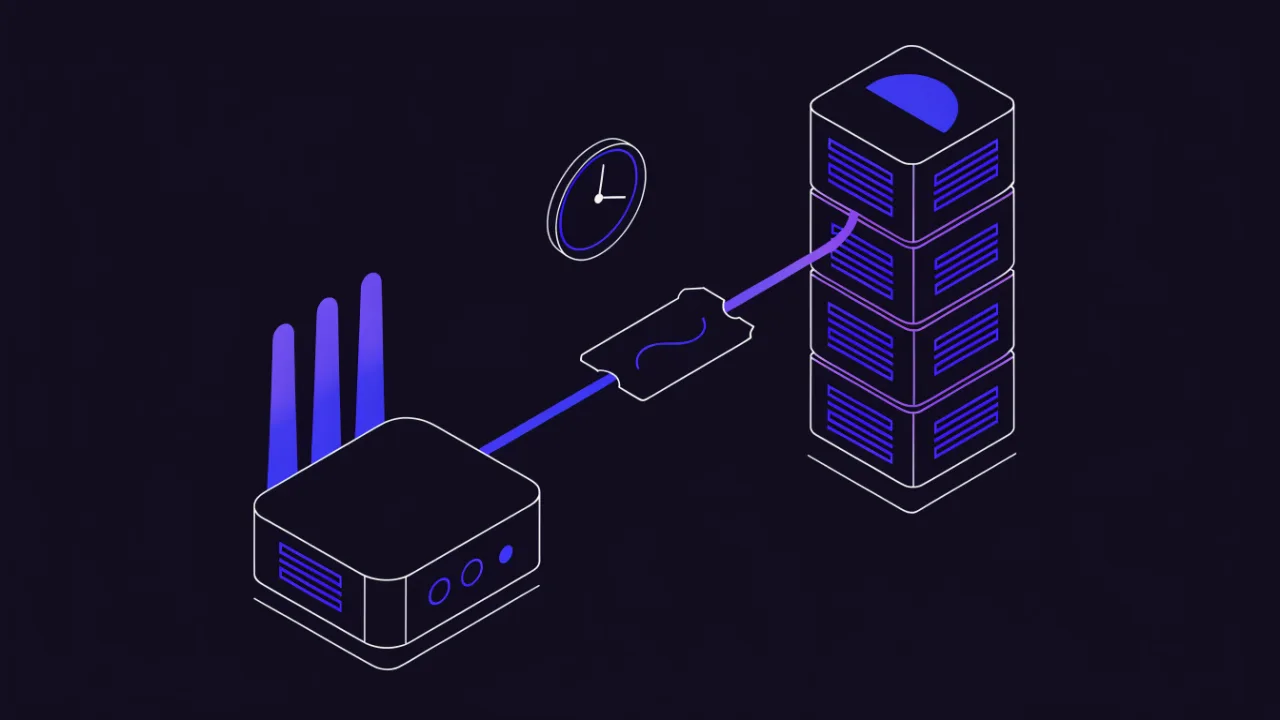
How the ISP assigns the address: DHCP and lease time
Address assignment is handled by DHCP (RFC 2131):
- on power-up the router broadcasts a request for an address;
- the ISP's server hands out a free address from its pool along with a lease time — anywhere from a few hours to several days;
- around half-way through the lease the router silently renews it and normally gets the same address back;
- if the router stays off longer than the lease, the address returns to the pool and may go to another subscriber. Next time you power up, you get a different one.
The practical consequence: a dynamic address does not rotate on a schedule — it changes when contact with the ISP's DHCP server is lost for longer than the lease. Some subscribers keep the same address for months, others get a new one every night. It depends on the ISP's configuration and on how often you power-cycle the router.
A static address is assigned by the same mechanism, but it is bound to your contract or to your equipment and never returns to the shared pool.
DHCP itself, including leases, reservations and the errors it throws, is covered in depth in what DHCP is and how it works.
| Criterion | Dynamic IP | Static IP |
|---|---|---|
| Persistence | May change on reconnection or lease expiry | Bound to the contract for the life of the service |
| How you get it | Default on most residential plans | A paid add-on, or bundled with business-class service |
| Inbound connections | Possible until the address changes (needs DDNS) | Reliably possible — if the address is public |
| IP allowlisting | Unusable: you drop off the list when the address rotates | The primary use case |
| Risks | A surprise change breaks port forwards, DDNS records, VPN configs | A permanent target for scanners; no hiding in a pool |
| Typical use | Home internet, mobile data, offices with no self-hosted services | Self-hosted servers, VPN gateways, video surveillance, corporate allowlists |
A static address is neither faster nor safer. It does not change your bandwidth at all. Security-wise it is arguably slightly worse: a fixed address is easier to scan and to build a history against. The upside is predictability, nothing else.
Static and dynamic IP address examples
Definitions blur quickly, so here is how the two types show up on real connections. The addresses below come from the ranges reserved for documentation (RFC 5737), not real subscribers.
| Connection | Typical address | Type | What happens over time |
|---|---|---|---|
| Home cable or fiber, default plan | Router WAN 203.0.113.57 | Public, dynamic | Usually survives short reboots; may change after a long outage or ISP maintenance |
| Phone on mobile data | Device sees 100.72.14.9, websites see a carrier address | CGNAT, dynamic | Changes often, shared with many other subscribers |
| Laptop on home Wi-Fi | 192.168.1.23 | Private, dynamic (from the router's DHCP) | Router may hand out a different local address after a lease expires |
| Network printer or NAS with a DHCP reservation | 192.168.1.50 | Private, fixed | Same local address forever; invisible from the internet |
| Office line with a static IP add-on | 198.51.100.10 | Public, static | Never changes for the life of the contract |
| Cloud VM (AWS EC2, Azure, Google Cloud) with default networking | 192.0.2.44 | Public, dynamic | AWS assigns a new public IPv4 after a stop/start unless you attach an Elastic IP; Azure and Google Cloud offer a "static" public or external address as a separate setting |
Two things stand out. First, one household routinely holds both kinds at once: a dynamic public address on the router and a mix of dynamic and fixed private addresses behind it. Second, "static" in cloud consoles means the same thing as at an ISP: an address reserved for you that survives restarts.
Is 192.168 a static IP?
No, not by itself. An address starting with 192.168. is a private address from 192.168.0.0/16. It tells you the device is on a local network behind a router, and nothing about whether it is static or dynamic. The same 192.168.1.23 can be handed out by the router's DHCP server (dynamic), pinned with a DHCP reservation, or typed in by hand (static).
More importantly, a 192.168.x.x address is never what the internet sees. Websites see the router's external address, and that is the one the static vs dynamic question normally refers to. The same goes for 10.x.x.x and 172.16.x.x–172.31.x.x. If one of these appears on the router's WAN interface, you are behind another NAT layer, which is covered below.
Three different things people keep conflating
More than half of the confusion in this topic is not about static versus dynamic at all. Three independent properties get mixed together. Separate them first, or nothing below will add up.
1. External (public) vs internal (local) address
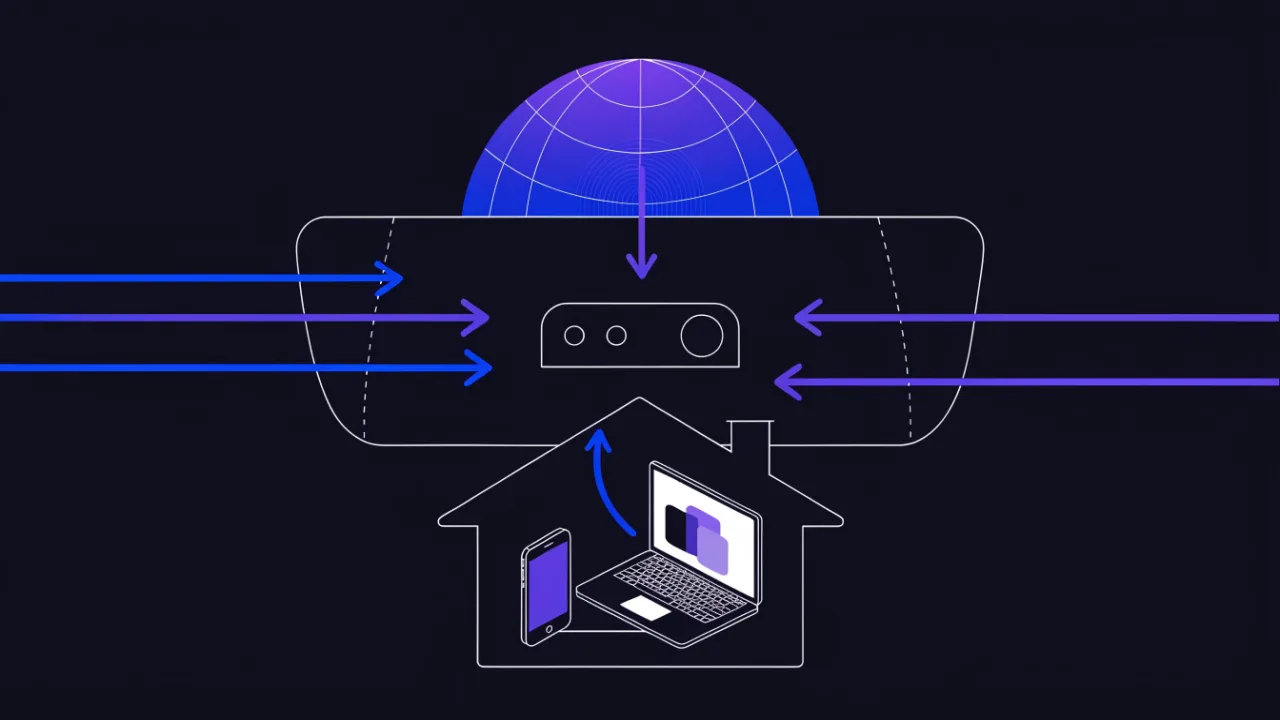
At home you almost certainly have two different addresses:
- the internal one your router handed to the laptop or phone — normally from the private ranges
192.168.0.0/16,10.0.0.0/8,172.16.0.0/12(RFC 1918). It exists only inside your network; - the external one your ISP gave the router — this is what websites see.
The point that invalidates half the guides on the internet: when you "set a static IP" in Windows, macOS, or the router's LAN settings, you are almost always setting the internal address. That pins the device inside your own network and changes nothing about how the internet sees you. It does not make you reachable from outside.
If private ranges and /24 notation are still fuzzy, the mechanics are covered separately in the subnet mask and CIDR guide.
2. Public vs carrier-NAT (CGNAT) address
Instead of a public address, the ISP can hand your router an address from its own internal network and route the whole block to the internet through a shared NAT. This is CGNAT, and 100.64.0.0/10 is reserved for it (RFC 6598). Plain private ranges are often used for the same purpose.
The tell is simple: the address on your router's WAN interface does not match the address an external service reports. That means there is another layer of address translation between you and the internet — one you do not control.
Behind CGNAT, inbound connections are impossible by design. No amount of port forwarding on your own router fixes it: the packet never reaches you, it stops at the carrier's NAT, which has no idea who to hand it to.
3. Static vs dynamic itself
Only the third layer is the question people usually ask. And it is orthogonal to the second: a static CGNAT address is a real combination — permanent, but still unreachable from outside.
| Combination | What it means in practice | Inbound connections | Port forwarding | Does DDNS help |
|---|---|---|---|---|
| Public + static | Permanent public address, full control | Yes | Works | Not needed |
| Public + dynamic | Public address, but it rotates | Yes, until it changes | Works while the address holds | Yes — this is its exact use case |
| CGNAT + static | Fixed address inside the carrier network | No | Does not work | No — DDNS would point at the carrier's NAT |
| CGNAT + dynamic | Typical mobile data and many residential plans | No | Does not work | No |
The rule to remember: reachability requires a public address. Persistence is secondary and its absence is cured by dynamic DNS. The absence of a public address is cured by nothing DNS can do.
How do I know if my IP is static or dynamic?
The check splits into three independent steps. Run them in order and you will know exactly which row of the table above you are in.
Step 1. Find your external address
Open the IP address check — it shows your current external address immediately on load, together with the network operator, the autonomous system, and an approximate region. Nothing to type in.
The same thing from a terminal:
# over HTTPS
curl -s https://api.ipify.org; echo

# over DNS, no HTTP middleman
dig +short myip.opendns.com @resolver1.opendns.com

# Windows PowerShell
Invoke-RestMethod https://api.ipify.org
Step 2. Tell a public address from a CGNAT one
Look at the address on your router's WAN interface — usually on the connection status page, labeled "WAN IP", "Internet IP", or similar. Compare it with what you saw in step 1.
- They match — you have a public address and your router sits directly on the internet;
- They differ — you are behind carrier NAT.
A quick range check: if the router's WAN address falls into one of these blocks, it is definitely not public.
10.0.0.0/8         → 10.0.0.0     – 10.255.255.255    (private)
172.16.0.0/12      → 172.16.0.0   – 172.31.255.255    (private)
192.168.0.0/16     → 192.168.0.0  – 192.168.255.255   (private)
100.64.0.0/10      → 100.64.0.0   – 100.127.255.255   (CGNAT)
169.254.0.0/16     → 169.254.0.0  – 169.254.255.255   (link-local, no DHCP reply)
Note 172.16.0.0/12: it is not "all of 172", only second octets 16 through 31. 172.32.5.1 is already public. Boundaries of any block can be worked out in the subnet calculator.
An indirect sign of double NAT is a route trace: if the first two or three hops are private addresses, there is more than one translating device between you and the internet.
Step 3. Work out whether it is static or dynamic
There is no query that answers "what type is my address" — the type is a contract term, not a property of a packet. You determine it by observation:
- write down the current external address;
- reboot the router, wait a couple of minutes, check again;
- if it matched, power the router off for 20–30 minutes so the lease can expire, then check again;
- log the address for a few days.
The simplest logger on Linux or macOS is one crontab line that appends the address hourly:
# crontab -e
0 * * * * /usr/bin/curl -s https://api.ipify.org >> "$HOME/myip.log" && echo "  $(date -Is)" >> "$HOME/myip.log"

# how many distinct addresses accumulated
awk '{print $1}' "$HOME/myip.log" | sort -u | wc -l
One unique address over a week that included a couple of reboots means the address is either static or "sticky" dynamic. Two or more means dynamic. Only your contract or your ISP's support can confirm it definitively.
A sticky dynamic address is the nastiest case. It holds for months, everything built on it works — and then the ISP does maintenance, the lease expires, and port forwards, VPN clients with a hard-coded address, and allowlist rules all break at once. If the service matters, never rely on "but it never changes".
Check the type of a local address on Windows, macOS and Linux
For the address of a single computer inside your network, the operating system does tell you directly whether it came from DHCP or was set by hand. This answers the question for the local address only, not for your public IP.
:: Windows: look for "DHCP Enabled" and the lease times
ipconfig /all
::   DHCP Enabled. . . . . . . . . . . : Yes      (dynamic)
::   Lease Obtained. . . . . . . . . . : ...
::   Lease Expires . . . . . . . . . . : ...

# Windows PowerShell: Dhcp = Enabled or Disabled per interface
Get-NetIPInterface -AddressFamily IPv4 | Select-Object InterfaceAlias, Dhcp
# macOS: first line says "DHCP Configuration" or "Manual Configuration"
networksetup -getinfo "Wi-Fi"
# prints the DHCP packet (incl. lease time) only if the address came from DHCP
ipconfig getpacket en0# Linux: DHCP addresses carry the "dynamic" flag and a finite valid_lft
ip -4 addr show
# inet 192.168.1.23/24 brd 192.168.1.255 scope global dynamic noprefixroute wlp2s0
# valid_lft 85901sec preferred_lft 85901sec
# NetworkManager: "auto" = DHCP, "manual" = static
nmcli -g ipv4.method connection show "Wired connection 1"On the router, the connection status page usually names the WAN connection type ("Dynamic IP", "DHCP", "Static IP", "PPPoE") and, for DHCP, the remaining lease time. A "Dynamic IP" label does not prove the address will change: many ISPs deliver a contracted static address over DHCP. Observation over time, as in step 3 above, is still the practical test.
Static IP vs dynamic IP: which is better?
Neither is better in general; each fits a different job. The honest rule of thumb, the same one repeated in home-networking forums, is: leave everything on DHCP and make exceptions only where something has to be found at a fixed address.
| Question | Dynamic IP | Static IP |
|---|---|---|
| Which is faster? | Same speed | Same speed |
| Which is cheaper? | Included in most plans | Usually a paid add-on or business plan |
| Which needs less maintenance? | Zero configuration | Settings must be entered or reserved correctly |
| Which is easier to host on? | Needs dynamic DNS | Point DNS once and forget it |
| Which is more private? | Slightly: the address rotates, so long-term correlation is harder | Slightly less: the address is a stable identifier |
| Which works with IP allowlists? | No, you drop off the list when it changes | Yes, that is the main use case |
On security, some comparison pages say static IPs are "hackable" and dynamic ones "secure". That overstates it. A rotating address does not protect an exposed service: scanners sweep entire address ranges continuously and find an open port on a dynamic address just as quickly. What protects you is not exposing services you do not need, patching the ones you do, and filtering by source address where you can. The real security difference is narrow: a static address is a longer-lived identifier.
Static or dynamic IP for a home network?
For the router's external address, dynamic is fine unless you host something or rely on an allowlist. Inside the home network, keep phones, laptops, TVs and guests on DHCP, and give fixed local addresses only to devices that other things must find: the NAS, a printer, a home server, a console you forward ports to, security cameras. Do it with a DHCP reservation on the router rather than by editing each device, as shown further down.
Static IP and dynamic IP: which is faster?
Neither. Bandwidth and latency depend on your plan, the access technology, Wi-Fi quality and the route to the server, not on how the address was assigned. Switching a PC from DHCP to a manual address will not change a speed test result. If a speed test does change after such a switch, something else changed too, most often the DNS servers you typed in.
Static IP vs dynamic IP for gaming
Online games do not need a static public IP. The console or PC opens the connection to the game service, and NAT carries the replies back. What gamers actually run into is the NAT type shown by the console: Open, Moderate or Strict on Xbox, and NAT Type 1, 2 or 3 on PlayStation. A strict or Type 3 result limits peer-to-peer features such as party chat and hosting matches.
The fixes, in order:
- enable UPnP on the router so the console can open the ports it needs;
- if UPnP is off or unreliable, forward the ports the platform documents to the console;
- port forwarding needs the console at a fixed local address, which is where "set a static IP for gaming" guides come from. Use a DHCP reservation for the console's MAC address;
- if the router's WAN address is private or in
100.64.0.0/10, you are behind carrier NAT, and no router setting helps. Ask the ISP for a public address.
So the gaming requirement is a public address plus a fixed local address for the console. A static public address adds nothing for play itself.
When a public static IP is genuinely worth it
Scenarios where it solves a real problem rather than being bought "just in case":
- A server or website on your own line. A permanent address lets you point a domain's A record straight at it with no DDNS in the loop. Where a domain currently points can be verified in the DNS records check.
- A VPN gateway back to home or office. Clients dial the address; when it rotates you would have to reconfigure every device.
- Cameras and NAS. Surveillance gear and network storage often speak nothing but "connect to address and port", with no cloud broker.
- IP allowlisting. Corporate VPNs, hosting control panels, banking and trading APIs, admin interfaces — anywhere access is granted to specific addresses. A dynamic address is structurally incompatible: once it rotates you lock yourself out.
- A mail server. Here a static address is necessary but nowhere near sufficient.
A note on mail servers specifically
Running SMTP on your own line with a public static address is technically possible. But mail will land in spam until everything else lines up: a PTR record in the reverse zone pointing to your domain, SPF, DKIM, DMARC, and a clean reputation for the address. Many operators also keep residential ranges in "dynamic" lists and block outbound port 25 regardless of your address type.
The details live in separate guides: why email goes to spam and how to fix it and how to get off email blacklists. Current state of a domain can be checked in the email records check and the blacklist check.
The reverse zone is controlled by whoever owns the address block, usually your ISP, which is why PTR records come up again below; the mechanics are in reverse DNS and PTR records.

When you do not need one
- Ordinary browsing, streaming, messaging. You always initiate the connection and NAT returns the reply traffic correctly.
- Gaming. Modern titles route through their own servers and use NAT traversal. Console "strict NAT" warnings are usually solved by enabling UPnP or forwarding specific ports — with a public dynamic address that is enough. If you are behind CGNAT, a static CGNAT address will not help either.
- A website on shared hosting, a VPS, or a cloud platform. The public address there belongs to the provider, not to your home line. Your home IP has no bearing on the site's availability. Which address a given site actually lives on is covered in how to find a website's hosting and IP.
- Remote work through managed services. Remote-access tools and corporate VPN clients dial outbound to a company server and work behind any NAT.
- "To avoid being blocked" or "so my city is detected correctly". Address type has no effect on either. Where IP geolocation data comes from and why it is often wrong is covered in IP geolocation accuracy.
Honest summary: most "I need a static IP" requests are solved by a different tool — dynamic DNS, a tunnel, or a managed remote-access service. Before ordering anything, write down who needs to connect, to what, and on which port.
Ordering a static IP from your ISP
Technically this happens on the operator's side: they reserve an address and bind it to your account. All that is left on your end is the request.
We deliberately quote no prices, plan names, or eligibility rules here. Enterno.io is a checking and monitoring service, not a network operator. A static IP is your ISP's product: it is ordered through their customer portal or support, and cost, availability, and terms differ per operator and change regularly. Any concrete figures you find in articles go stale faster than they get published. Confirm at the source — with your own provider.
What to clarify in the request so you do not get the wrong thing:
- Is the address public. Say it explicitly: "a public IP address, reachable from the internet for inbound connections". Otherwise you may end up with a fixed address inside the carrier network.
- Are ports filtered. Many operators block 25, 80, and 443 on residential plans. A static address does not lift that restriction. Business-class plans usually do.
- Can you get a PTR record. Mandatory if mail is in the plan — and the ISP owns the reverse zone, not you.
- Is the option available on your access technology. On mobile data and some access types a public address is not offered at all.
After provisioning, verify the result yourself: compare the address on the IP check page with the router's WAN address, and look up the address ownership in WHOIS.
What to do when a static IP is not available
CGNAT, mobile-only access, or a flat refusal is not a dead end. There are four workable routes around it.
Dynamic DNS (DDNS)
A hostname is rewritten automatically to your current address. A DDNS client is built into most routers, or can run on any machine on the network.
- Pros: free or nearly free, ten minutes to set up, adds no latency.
- Cons: requires a public address. Useless behind CGNAT. Plus an outage window between the address change and the DNS update — longer the higher your TTL.
An overlay network or VPN between your own devices
Devices connect to a coordination server and see each other over the overlay's internal addresses. Modern implementations punch through NAT and establish direct peer links where possible.
- Pros: works behind CGNAT and on mobile data, traffic is encrypted, no public address needed at all.
- Cons: only covers devices you control — every one needs the client. You cannot publish a website to the general public this way.
A tunnel through a VPS with a public address
Rent a minimal server with a public address, keep a permanent outbound tunnel from the home machine, and forward the port back. The classic form is a reverse SSH tunnel:
# on the home machine: port 8080 on the VPS maps to local port 80
ssh -N -R 0.0.0.0:8080:127.0.0.1:80 user@vps.example.com

# for 0.0.0.0 to actually bind, set this in /etc/ssh/sshd_config on the VPS:
#   GatewayPorts clientspecified
# then restart the sshd service

# keep it alive: autossh re-establishes the tunnel after a drop
autossh -M 0 -f -N -R 0.0.0.0:8080:127.0.0.1:80 user@vps.example.com- Pros: fully solves inbound access behind any NAT; the VPS address is static by definition.
- Cons: a paid server, an extra hop in the path, and a tunnel that must be monitored — otherwise it dies quietly.
A reverse proxy or tunneling service
A third-party service accepts traffic on its own address and relays it to your agent over an outbound connection. Users get a hostname; your address is never exposed.
- Pros: fastest to start, works behind CGNAT, usually ships with a TLS certificate out of the box.
- Cons: dependency on a third party, all traffic transits it, and free tiers often rotate the entry hostname.
Every one of these workarounds adds a new point of failure to the path. Put an external availability check on it — otherwise the tunnel or the DDNS record dies silently and your users tell you before your dashboard does. Ongoing large-scale operator and service outages are visible on the outage map.
How do I change my IP from dynamic to static?
One more time, separating two different actions that share a name.
A. A static local address — you configure this yourself
It pins a device's address inside your own network. Needed for port forwarding, a network printer, a NAS, a home server. It grants no access from the internet.
The right way is a DHCP reservation on the router: find the client list, bind the device's MAC address to a chosen address. The router keeps serving it over DHCP, always the same one. No conflicts, and nothing to change on the device itself.
If reservations are unavailable, set it manually — and pick an address outside the router's DHCP pool, or sooner or later the same address gets handed to another device.
# --- Linux, NetworkManager ---
nmcli con show
nmcli con mod "Wired connection 1" \
  ipv4.method manual \
  ipv4.addresses 192.168.1.50/24 \
  ipv4.gateway 192.168.1.1 \
  ipv4.dns "1.1.1.1,9.9.9.9"
nmcli con up "Wired connection 1"

# revert to DHCP
nmcli con mod "Wired connection 1" ipv4.method auto
nmcli con up "Wired connection 1"
# --- Linux, netplan (Ubuntu Server) ---
# /etc/netplan/01-netcfg.yaml
network:
version: 2
ethernets:
enp1s0:
dhcp4: false
addresses: [192.168.1.50/24]
routes:
- to: default
via: 192.168.1.1
nameservers:
addresses: [1.1.1.1, 9.9.9.9]
# test with a 120-second auto-rollback, then commit
sudo netplan try
sudo netplan apply:: --- Windows, elevated command prompt ---
netsh interface ipv4 show config
netsh interface ipv4 set address name="Ethernet" static 192.168.1.50 255.255.255.0 192.168.1.1
netsh interface ipv4 set dns name="Ethernet" static 1.1.1.1 primary
:: back to DHCP
netsh interface ipv4 set address name="Ethernet" source=dhcp
netsh interface ipv4 set dns name="Ethernet" source=dhcp# --- macOS ---
networksetup -listallnetworkservices
networksetup -setmanual "Wi-Fi" 192.168.1.50 255.255.255.0 192.168.1.1
networksetup -setdnsservers "Wi-Fi" 1.1.1.1 9.9.9.9
# back to DHCP
networksetup -setdhcp "Wi-Fi"After applying, confirm the address took and the gateway is reachable:
# Linux
ip -4 addr show
ip route | grep default

# macOS
ipconfig getifaddr en0
route -n get default

# Windows
ipconfig /all
ping 192.168.1.1
B. A static external address — only the ISP can do this
No setting on the router, in Windows, or in macOS turns a CGNAT address into a public one, or a dynamic one into static. All you can do on your side once the service is provisioned is accept the address correctly:
- if the ISP delivers the static address over DHCP, change nothing on the router — the WAN connection type stays "Dynamic IP";
- if they gave you parameters to enter manually, pick "Static IP" in the WAN section and enter address, mask, gateway, and DNS exactly as provisioned. One wrong octet in the mask or gateway leaves you offline;
- PPPoE or another authentication method is not replaced by any of this — the static address is simply pinned to your session.

How to get a new dynamic IP instead
Sometimes the goal is the opposite: a fresh address. For the local address, release and renew the DHCP lease (ipconfig /release then ipconfig /renew on Windows, sudo ipconfig set en0 DHCP on macOS, nmcli con down and up on Linux). For the external address, keep the router powered off longer than the ISP's lease, or ask the ISP. A quick reboot usually hands you back the same address.
Troubleshooting common cases
| Symptom | Likely cause | How to check | What to do |
|---|---|---|---|
| External address changes after a router reboot | Dynamic address, DHCP lease expired | Compare the address on /ip before and after | Set up DDNS, or order a static address from the ISP |
| Port forwarding is configured but the port is closed from outside | Address is behind carrier NAT | Compare the router's WAN address with /ip | Tunnel via VPS, overlay network, or request a public address |
| Router WAN address is in 100.64.0.0/10 | Carrier-grade NAT | Read the connection status page in the router UI | Only the ISP can issue a public address; workarounds are above |
| Service opens from inside the LAN but not from outside | Port filtered upstream, blocked by a firewall, or the service listens on 127.0.0.1 only | Test the port externally in the port check | Open the firewall, bind the service to 0.0.0.0, ask the ISP about filtering |
| Router UI shows a WAN address like 192.168.x.x | Double NAT: the router sits behind a modem or another router | Trace the route: first hops in private ranges | Put the modem in bridge mode, or forward ports on both devices |
| Local device addresses drift; the printer and NAS keep getting lost | DHCP without reservations, addresses get reassigned | DHCP client list in the router UI | Add a MAC-based reservation for every stationary device |
How to check your IP with enterno.io
The minimum set of checks to close the question in five minutes:
- IP address check — shows your external address immediately on load: operator, autonomous system, region. Everything else starts here.
- WHOIS — who owns the address or the block. Useful to confirm the address is genuinely delegated to you rather than a shared operator address.
- Ping and port check — whether your address answers and whether the port is open from outside. The key test after configuring a forward.
- Route trace — how many hops sit between you and the internet, and whether there is a double NAT.
- Subnet calculator — block boundaries, when you need to verify whether an address falls into a private range.
- DNS check — where the domain's A record currently points. Mandatory when setting up DDNS.
Related reading: IPv4 vs IPv6 (relevant when the ISP offers IPv6 instead of a public IPv4), how to measure ping correctly, how to check a domain and IP against blacklists.
FAQ
How do I know whether my IP is dynamic or static?
There is no query for it — the type is a contract term. Note the address on /ip, reboot the router, check again. If it matched, power the router off for half an hour and check once more. A week of observation gives a practical answer; only the ISP gives a definitive one.
Is 192.168 a static IP?
No. 192.168.x.x is a private range used inside local networks. Such an address can be dynamic (from the router's DHCP) or fixed, and it is never the address websites see. The static vs dynamic question normally concerns the router's public address.
Does the IP change when I reboot the router?
It can, but it does not have to. During a short reboot the DHCP lease is usually still valid and the ISP returns the same address. The longer the router stays off, the higher the chance of getting a new one from the pool.
What is the difference between a public IP and a static IP?
They are different properties. Public means reachable from the internet. Static means permanent. Public dynamic (reachable but rotating) and static CGNAT (permanent but unreachable) both exist. For inbound connections, "public" is the one that matters.
What does an address like 100.64.x.x in the router mean?
That is 100.64.0.0/10, reserved for carrier-grade NAT (RFC 6598). Seeing it on the WAN interface means you are behind the operator's NAT: inbound connections and port forwarding will not work no matter how the router is configured.
Can I get a static IP for free?
From the ISP, usually not — it is a separate product and terms vary per operator. But the underlying need, "a stable endpoint for inbound connections", is often met for free by dynamic DNS (if your address is public) or by an overlay network (if it is not).
Checklist
- Checked the external address on /ip and wrote it down.
- Compared it with the WAN address in the router UI — established whether it is public or behind carrier NAT.
- Verified whether the WAN address falls into 10/8, 172.16/12, 192.168/16, or 100.64/10.
- Rebooted the router, then powered it off for half an hour — established whether the address rotates.
- Wrote down who needs to connect inbound and on which port. If there is no such scenario, a static address is not needed.
- If inbound access is needed and the address is public dynamic — configured DDNS and verified the A record in /dns.
- If the address is behind CGNAT — picked a workaround: overlay network, VPS tunnel, or reverse proxy.
- If ordering from the ISP — explicitly requested a public address and asked about port filtering and PTR records.
- Pinned stationary devices' local addresses via MAC reservations on the router rather than manual settings on each machine.
- After configuring, tested the port from outside in /ping and put external monitoring on the new point of failure.