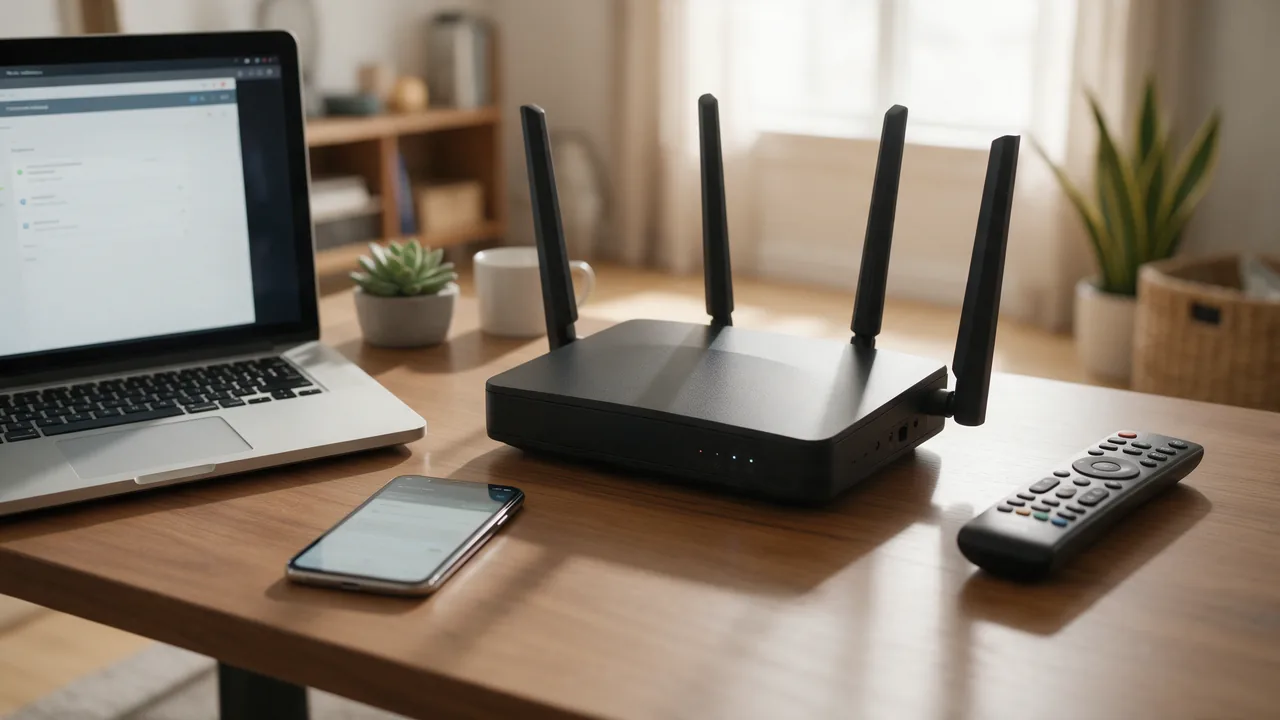
DHCP (Dynamic Host Configuration Protocol) is the network protocol that automatically gives a device its IP address, subnet mask, default gateway and DNS servers. When a laptop or phone joins a network, it asks the DHCP server — usually the router — for these settings, receives them on a time-limited lease and is online with no manual configuration.
What is DHCP and why every network uses it
A device needs four things to talk beyond its own cable: an IP address, a subnet mask, a default gateway (where traffic for other networks goes) and one or more DNS resolvers. Setting these by hand on every machine does not scale and invites mistakes — two machines with the same address knock each other offline. A DHCP server keeps a pool of free addresses, hands them out on request and takes them back when devices leave.
On a home network the DHCP server lives inside the router. In an office it may be Windows Server, a Linux box running dnsmasq or Kea, or a MikroTik or Cisco router. Your ISP runs its own DHCP service that assigns the address on your router's WAN port. The protocol for IPv4 is defined in RFC 2131; IPv6 has its own variant, DHCPv6, which uses UDP ports 546 and 547 and often works alongside SLAAC.
- DHCP server — owns the address pool, the network options and the table of active leases.
- DHCP client — the OS component that requests and renews the address (the "DHCP Client" service on Windows, dhclient or systemd-networkd on Linux).
- DHCP relay agent — forwards client broadcasts from one subnet to a server in another.
How DHCP works: the DORA exchange
Getting an address takes four messages, remembered as DORA. They travel over UDP: the server listens on port 67, the client on port 68.
- Discover — the client has no address yet, so it broadcasts from 0.0.0.0 to 255.255.255.255, identifying itself by MAC address.
- Offer — every server that hears it proposes a free address plus mask, gateway, DNS and lease time.
- Request — the client picks one offer and broadcasts which address it is taking from which server, so any other servers withdraw theirs.
- Acknowledge — the chosen server confirms, and the lease starts.
Four more message types handle the edge cases: DHCPNAK (the server refuses, for instance when a laptop asks to keep an address from a different subnet), DHCPDECLINE (the client found the offered address already in use), DHCPRELEASE (the client gives the address back early) and DHCPINFORM (the client already has an address and only wants the extra options).
DHCP options worth knowing
Everything besides the address travels as numbered options. The numbers show up in router menus, Windows Server scopes and packet captures.
| Option | Carries | Typical use |
|---|---|---|
| 1 | Subnet mask | Every network |
| 3 | Default gateway | Any network with internet access |
| 6 | DNS servers | Almost always |
| 15 | Domain name suffix | Corporate and Active Directory networks |
| 42 | NTP servers | VoIP phones, cameras, industrial gear |
| 51 | Lease time | Every lease |
| 66 / 67 | TFTP server and boot file name | PXE network boot, phone provisioning |
| 82 | Relay agent information (switch, port) | ISP and campus networks |
DHCP leases and renewal
An address is leased, not given away. The client does not wait for the lease to run out: at half of the lease time (timer T1) it asks the same server to renew by unicast, and if that server stays silent, at 87.5% (T2) it broadcasts to any server that will listen. If the lease expires without renewal, the client drops the address and starts DORA from scratch.
Choose the lease length to suit how often devices come and go. Guest Wi-Fi with a steady churn of phones benefits from a few hours, so departed devices do not exhaust the pool. An office of desktops can use several days, which means less chatter and more tolerance of a DHCP server outage. Windows Server defaults to eight days.
Configuring the DHCP server on a router
In a home router the settings usually sit under LAN, Local Network or Home Network (see our guide to logging in at 192.168.0.1 and 192.168.1.1). Vendors name them differently, but you will find the same fields:
- DHCP server on/off — exactly one device per network should have it on.
- Start and end address, for example 192.168.1.100–192.168.1.199. The range must sit inside the router's subnet; the subnet mask reference shows where a subnet begins and ends.
- Lease time — in minutes, hours or seconds depending on firmware.
- Gateway and DNS — the router advertises itself by default. Put custom resolvers here and every client picks them up; our DNS configuration guide covers the choices.
- Address reservation (static DHCP, MAC binding) — a printer, NAS or camera always receives the same address, yet the plan lives in one place instead of on each device.
Keep manually assigned addresses outside the pool. If a printer is hard-coded to 192.168.1.120 while the pool spans .100–.199, sooner or later the router will lease .120 to a laptop and both will misbehave.
MikroTik
In Winbox the wizard is at IP → DHCP Server → DHCP Setup. From the terminal:
/ip dhcp-server setup
/ip dhcp-server lease print
/ip dhcp-server lease make-static [find address=192.168.88.50]
The last command turns a dynamic lease into a permanent reservation. For the WAN side, where the router itself needs an address from the ISP: /ip dhcp-client add interface=ether1 disabled=no.
Linux (dnsmasq) and Windows Server
A small network is well served by dnsmasq. A minimal /etc/dnsmasq.conf:
interface=eth1
dhcp-range=192.168.10.100,192.168.10.200,255.255.255.0,12h
dhcp-option=option:router,192.168.10.1
dhcp-option=option:dns-server,192.168.10.1
dhcp-host=aa:bb:cc:dd:ee:ff,192.168.10.50
On Windows Server the role is installed and scoped from PowerShell:
Install-WindowsFeature DHCP -IncludeManagementTools
Add-DhcpServerv4Scope -Name "Office" -StartRange 192.168.10.100 -EndRange 192.168.10.200 -SubnetMask 255.255.255.0
Set-DhcpServerv4OptionValue -ScopeId 192.168.10.0 -Router 192.168.10.1 -DnsServer 192.168.10.1
In an Active Directory domain the server must also be authorised with Add-DhcpServerInDC before it will lease anything. Microsoft's DHCP basics guide walks through the rest. For larger Linux deployments, note that ISC DHCP (dhcpd) is no longer maintained; its successor from the same organisation is Kea.
DHCP vs static IP addresses
Using DHCP does not mean the address changes every time — a reservation makes it permanent while keeping it managed centrally.
| Criterion | Dynamic DHCP | DHCP reservation | Static, set on device |
|---|---|---|---|
| Per-device setup | None | None | On every device |
| Address stays the same | Not guaranteed | Yes | Yes |
| Risk of IP conflict | Minimal | Minimal | High if you slip |
| Changing DNS or gateway | Once, on the server | Once, on the server | On every device |
| Works with DHCP server down | No | No | Yes |
| Best for | Laptops, phones, guests | Printers, NAS, cameras | Routers, servers, the DHCP server itself |
This is about addresses inside your LAN. Whether your ISP gives you a fixed public address is a separate question, covered in static vs dynamic IP.
How to enable DHCP on Windows
Windows 11: Settings → Network & internet → Ethernet (or Wi-Fi → your network's properties) → IP assignment → Edit → Automatic (DHCP), and the same for DNS server assignment.
The route that works on every version: press Win+R, run ncpa.cpl, open the adapter's Properties, select Internet Protocol Version 4 (TCP/IPv4) → Properties and choose "Obtain an IP address automatically" and "Obtain DNS server address automatically".
From an elevated Command Prompt (get the adapter name from ipconfig):
netsh interface ip set address name="Ethernet" source=dhcp
netsh interface ip set dns name="Ethernet" source=dhcp
Or in PowerShell:
Set-NetIPInterface -InterfaceAlias "Ethernet" -Dhcp Enabled
Set-DnsClientServerAddress -InterfaceAlias "Ethernet" -ResetServerAddresses
Run ipconfig /all to confirm: the adapter should show "DHCP Enabled . . . : Yes", a "DHCP Server" line with the router's address, and the "Lease Obtained" and "Lease Expires" times.
Troubleshooting common DHCP errors
"DHCP is not enabled for Ethernet" (or Wi-Fi)
Windows Network Diagnostics reports this when the adapter has a manually set address or DNS and the connection is not working. Fix it in order:
- Switch the adapter back to automatic addressing and DNS as shown above.
- Make sure the DHCP Client service is running and set to Automatic:
services.mscorsc query dhcp. - Renew the lease:
ipconfig /release ipconfig /renew - Still nothing? Reset the TCP/IP stack and Winsock, then reboot:
netsh int ip resetandnetsh winsock reset.
"Unable to contact your DHCP server" and 169.254.x.x addresses
If ipconfig /renew returns "An error occurred while renewing interface Ethernet: unable to contact your DHCP server. Request has timed out." and the adapter shows 169.254.x.x, no server answered. Windows then assigns itself a link-local address (APIPA, RFC 3927) so it can at least reach neighbours on the same segment — but not the internet. Likely causes, most common first:
- a loose, damaged or wrongly patched cable;
- the router's DHCP server is off or its pool is exhausted;
- the router has hung — a restart fixes it more often than it should;
- MAC filtering is on and the new device is not whitelisted;
- a third-party firewall is blocking UDP 67/68;
- on a managed network, the switch port is misconfigured or no relay agent forwards requests to the server's subnet.
Two DHCP servers on one network
A classic: someone connects a second router LAN-to-LAN and forgets to disable its DHCP server. Clients take whichever offer arrives first, some land in the wrong subnet with the wrong gateway, and "the internet works for some people" becomes the complaint. Check the "DHCP Server" field in ipconfig /all on an affected machine, or list every responding server:
sudo nmap --script broadcast-dhcp-discoverTurn off the extra server or put the second router in access-point mode. Managed switches prevent this with DHCP snooping, which only accepts server replies on trusted ports and drops the rest.
Renewing a lease on Linux and macOS
With the classic ISC client:
sudo dhclient -r eth0
sudo dhclient -v eth0
The first command releases the lease; the second requests a new one and prints the whole DORA exchange. Most current distributions manage the network through NetworkManager or systemd-networkd instead:
nmcli connection modify "Wired connection 1" ipv4.method auto
nmcli connection up "Wired connection 1"
networkctl renew eth0
On macOS, sudo ipconfig set en0 DHCP switches the interface to DHCP and ipconfig getpacket en0 shows exactly what the server sent: address, gateway, DNS and lease time. In the GUI: System Settings → Network → Wi-Fi → Details → TCP/IP → Renew DHCP Lease.
How to check your network after DHCP changes
ipconfig or ip addr shows the local address; for public and router addresses see how to find your IP address. Enterno.io tools cover the rest:
- IP subnet calculator — confirm the pool fits the subnet and does not overlap the gateway or broadcast address.
- IP lookup — your public address, ISP and ASN, proving the router got a WAN lease and reached the internet.
- Ping — check that a site or server is reachable after renewing the lease.
Frequently asked questions
Should DHCP be enabled on my router?
Yes, unless another DHCP server already runs on the network. Disable it only on a secondary router that acts as an access point.
What is the difference between DHCP and DNS?
DHCP hands a device its network settings, including which DNS servers to use. DNS translates domain names into IP addresses. They are separate protocols that work one after the other.
Is DHCP secure?
The protocol has no authentication: any host on the segment can pose as a server and hand out its own gateway and DNS. At home a strong Wi-Fi password keeps strangers off the segment; in managed networks DHCP snooping blocks rogue servers.
What is a DHCP relay?
Broadcasts do not cross routers. A relay agent on the router picks up requests in its subnet and forwards them to a central server, so one server can cover many subnets. On Cisco it is ip helper-address on the interface.
Why does my device get a different IP every time?
Its lease expired while it was offline and the address went to someone else, or the pool is small. Create a reservation for its MAC address if the address needs to stay fixed. Note that phones may use a randomised private MAC per network, which defeats reservations unless you turn that off for the network.